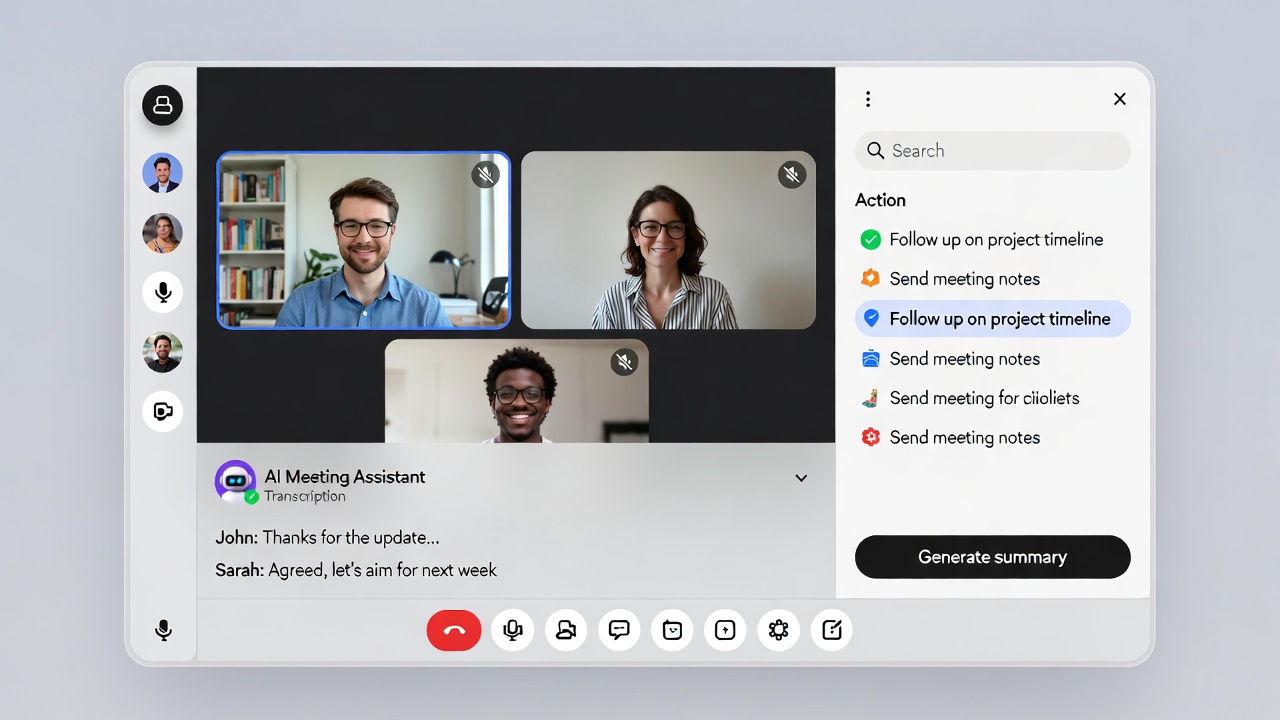
I’ve seen the average professional spend over 23 hours per week in meetings. Much of that time involves manually capturing notes, trying to remember who said what, and reconstructing action items after the fact. The AI meeting assistants I use eliminate this overhead by automatically recording, transcribing, and extracting key information from conversations.
These tools have matured rapidly. The modern AI meeting assistants I deploy deliver near-human transcription accuracy, identify speakers reliably, and extract action items, decisions, and key topics without manual intervention. For teams drowning in meetings, I’ve seen the productivity gains prove substantial.
What AI Meeting Assistants Actually Do
AI meeting assistants go beyond simple recording. They process audio in real-time or near-real-time to produce structured, searchable meeting records.
Core capabilities I rely on:
- Audio and video recording - Capture the complete meeting for later reference
- Speech-to-text transcription - Convert spoken words to searchable text
- Speaker identification - Attribute statements to individual participants
- Action item extraction - Identify tasks and commitments automatically
- Summary generation - Create concise meeting overviews
- Topic segmentation - Organize transcripts by discussion themes
- Search and retrieval - Find specific moments across meeting history
The best assistants I’ve used integrate directly with video conferencing platforms, joining meetings as participants and capturing everything without requiring special equipment or manual setup.
Comparing Leading AI Meeting Assistants
I’ve tested several capable options that serve different needs and budgets. Each offers distinct advantages depending on use case and integration requirements.
Otter.ai
Otter.ai established itself as an early leader in AI transcription and continues innovating. I find the platform excels at real-time transcription and collaboration features.
Key features:
- Real-time transcription visible during meetings
- Live summary generation as meetings progress
- Collaborative editing and commenting on transcripts
- Automatic action item and key point extraction
- Integrations with Zoom, Google Meet, and Microsoft Teams
- Mobile app for in-person meeting recording
What I like: Otter excels at real-time collaboration. Team members can highlight important moments and add comments during live meetings. The interface prioritizes accessibility and requires minimal training.
What to consider: Speaker identification occasionally struggles in meetings with similar-sounding voices. Heavy accents may reduce transcription accuracy.
Pricing: Free tier offers 300 monthly transcription minutes. Paid plans start around $16 per user monthly with additional features and higher limits.
Fireflies.ai
I also frequently recommend Fireflies.ai, which focuses on meeting intelligence and integrations. The platform positions itself as a comprehensive meeting productivity solution.
Key features:
- Automatic meeting bot joins scheduled calls
- Topic tracking and conversation analytics
- CRM integrations for sales call logging
- Custom vocabulary for industry terminology
- Searchable transcript database
- API access for custom integrations
What I like: Fireflies offers particularly strong analytics capabilities. Teams can track speaking time distribution, sentiment trends, and topic frequency across meetings. The integration ecosystem connects meeting data to CRM, project management, and communication tools.
What to consider: The bot joining meetings can feel intrusive to external participants unfamiliar with AI assistants. Some organizations block unknown participants, preventing the bot from joining.
Pricing: Limited free tier available. Pro plans start around $18 per user monthly with full feature access.
Microsoft Copilot in Teams
For organizations already invested in Microsoft 365, I recommend Copilot for native meeting intelligence within Teams.
Key features:
- Seamless Teams integration requiring no additional setup
- Real-time transcription and closed captions
- Automatic meeting recap generation
- Contextual answers about meeting content
- Integration with Outlook tasks and Planner
What I like: Zero friction for Teams users. Copilot draws from the broader Microsoft Graph, connecting meeting insights to related documents, emails, and tasks automatically.
What to consider: Requires Microsoft 365 Copilot licensing, which carries significant per-user costs. Limited functionality outside the Microsoft ecosystem.
Pricing: Included with Microsoft 365 Copilot at approximately $30 per user monthly on top of existing Microsoft 365 subscriptions.
Open-Source Alternatives
For organizations with privacy requirements or customization needs, I help deploy open-source solutions.
Whisper by OpenAI: The Whisper model provides state-of-the-art speech recognition that runs locally. I find it handles multiple languages and accents well, though it lacks the additional features of commercial platforms.
import whisper

model = whisper.load_model("medium")
result = model.transcribe("meeting_recording.mp3")
print(result["text"])
WhisperX: Extends Whisper with speaker diarization and word-level timestamps, addressing key gaps for meeting transcription use cases.
Self-hosted stack: I sometimes combine Whisper for transcription, pyannote for speaker diarization, and an LLM for summarization to build a complete meeting assistant. This approach requires technical expertise but provides complete control over data handling.
Integration and Workflow Considerations
In my experience, meeting assistants deliver maximum value when integrated into existing workflows. Standalone transcription helps, but connected transcription transforms how teams work.
Calendar Integration
Assistants that access calendar data can:
- Automatically join scheduled meetings
- Associate transcripts with calendar events
- Provide context about attendees and agenda
- Send summaries to all participants post-meeting
Setup typically involves OAuth authorization with Google Workspace or Microsoft 365. Once connected, the assistant handles meeting attendance autonomously.
Project Management Integration
I often connect meeting assistants to project management tools like Asana, Monday.com, or Jira, which enables:
- Automatic task creation from extracted action items
- Assignment to mentioned team members
- Due date extraction from conversational context
- Linking tasks to source meeting recordings
This automation eliminates the manual transfer of commitments from meetings to task systems, reducing the gap between discussion and documented work.
CRM Integration
I’ve seen sales teams benefit enormously from meeting assistant integration with CRM systems:
- Call recordings attached to contact records
- Key discussion points logged automatically
- Follow-up tasks created based on commitments
- Sentiment and engagement tracking over deal lifecycle
The administrative burden of manual call logging disappears, while CRM data quality improves through consistent, comprehensive capture.
Communication Platform Integration
I also set up posting meeting summaries to Slack or Teams channels to keep stakeholders informed:
- Immediate distribution of key decisions
- Searchable meeting history within communication tools
- Easy sharing of specific transcript sections
- Notifications for mentioned action items
Teams stay aligned without requiring attendance at every meeting.
Privacy and Compliance Considerations
Recording meetings raises legitimate privacy and legal concerns that I always address with clients.
Consent Requirements
Recording laws vary by jurisdiction:
Two-party consent states/countries require all participants to agree to recording. California, Illinois, and several European countries fall into this category.
One-party consent jurisdictions allow recording with only one participant’s knowledge.
I recommend explicit notification regardless of legal requirements. Most AI assistants announce themselves when joining meetings, providing implicit notification. For sensitive discussions, verbal confirmation of consent protects all parties.
Data Handling and Storage
I always help clients understand where meeting data resides:
- Recording storage location - Cloud servers, geographic regions
- Transcript retention policies - How long data persists, deletion procedures
- Access controls - Who can view recordings within the organization
- Encryption standards - At rest and in transit protections
- Vendor access - Whether provider employees can access content
I advise organizations handling sensitive information to evaluate vendors against their compliance requirements. Healthcare, finance, and legal sectors often require specific certifications like SOC 2, HIPAA, or regional data protection compliance.
Self-Hosted Options for Sensitive Data
When cloud storage poses unacceptable risk, I help deploy self-hosted solutions that keep data within organizational boundaries. The trade-off involves increased operational complexity and potentially reduced feature sets compared to managed services.
A minimal self-hosted stack I might recommend includes:
- On-premises meeting recording through platform APIs
- Local Whisper deployment for transcription
- Private LLM instance for summarization
- Internal database for transcript storage and search
Maximizing Value from Meeting Transcription
Having transcripts available is just the starting point. I’ve found that extracting maximum value requires intentional practices.
Searchable Meeting Memory
I help teams build organizational knowledge from meeting history:
- Search past discussions to find context for current decisions
- Reference previous commitments in planning conversations
- Identify patterns in customer feedback across multiple calls
- Track how project requirements evolved over time
The accumulated meeting archive becomes an organizational memory extending beyond individual recall.
Action Item Follow-Through
I’ve found that automated action item extraction works best with consistent meeting practices:
- State action items clearly during meetings
- Name the responsible person explicitly
- Mention target dates when applicable
- Review extracted items at meeting end for accuracy
When teams adopt these habits, AI extraction accuracy increases substantially, and follow-through improves as commitments become documented automatically.
Meeting Analytics for Process Improvement
I use aggregate meeting data to reveal patterns worth addressing:
- Total hours spent in meetings by team or individual
- Speaking time distribution indicating potential imbalances
- Common topics suggesting recurring concerns
- Meeting duration trends relative to agenda complexity
These insights inform process improvements. Teams discovering excessive meeting load might implement meeting-free days. Groups with unbalanced participation might adopt structured facilitation.
Implementation Best Practices I Follow
Rolling out AI meeting assistants successfully requires attention to change management alongside technical setup.
Start with Willing Teams
I always begin deployment with teams excited about the technology:
- Early adopters provide feedback for broader rollout
- Success stories build organizational enthusiasm
- Issues get resolved before skeptical audiences encounter them
- Documentation and best practices develop organically
I’ve learned that forcing adoption on resistant teams breeds resentment and underutilization.
Establish Clear Policies
I help document organizational guidelines before wide deployment:
- When recording is appropriate and required
- How to notify external participants
- Who can access recordings and transcripts
- Retention periods and deletion procedures
- Acceptable uses of meeting data
Ambiguity creates friction and risk. Clear policies enable confident usage.
Train for Effective Use
Beyond basic tool training, I help teams leverage advanced capabilities:
- Searching and sharing transcript sections
- Editing and annotating transcripts
- Integrating with existing workflows
- Using meeting analytics productively
- Handling exceptions and edge cases
Teams that understand full capability extract proportionally more value.
Measure and Iterate
I track adoption and impact metrics:
- Percentage of meetings captured
- Time saved on manual note-taking
- Action item completion rates
- User satisfaction with transcript quality
- Integration utilization rates
I use data to guide feature adoption, identify training needs, and justify continued investment.
Common Challenges and How I Address Them
I anticipate these typical issues during implementation:
External participant concerns: Some meeting guests express discomfort with AI recording. I provide opt-out options, clear consent mechanisms, and documentation about data handling.
Transcription accuracy issues: Industry jargon, heavy accents, and poor audio quality reduce accuracy. I address this with custom vocabulary training, microphone improvements, and post-meeting editing.
Information overload: Full transcripts of lengthy meetings overwhelm readers. I encourage use of summaries and action item views rather than complete transcripts for routine reference.
Integration complexity: Connecting meeting assistants to existing systems sometimes requires technical resources. I prioritize high-value integrations and implement incrementally.
Sensitive meeting handling: Some discussions should not be recorded. I establish clear guidelines about when to disable recording and train teams to recognize sensitive situations.
The Future of Meeting Intelligence
AI meeting assistants continue evolving rapidly. I’m watching these emerging capabilities:
Real-time coaching - Suggestions during meetings about speaking time, engagement, and coverage of agenda topics.
Predictive preparation - Pre-meeting briefings based on past interactions with participants and related documents.
Automated follow-up - Draft emails and task updates generated from meeting content requiring only review and send.
Cross-meeting intelligence - Insights connecting themes and commitments across multiple conversations over time.
Organizations establishing meeting intelligence capabilities now position themselves to adopt these advances as they mature. The foundation of captured, searchable meeting data enables increasingly sophisticated applications.
In my experience, AI meeting assistants represent one of the clearest productivity wins available from current AI technology. The administrative overhead of meeting documentation decreases dramatically while the organizational value of conversations increases through better capture and accessibility. For teams spending significant time in meetings, I’ve seen adoption pay dividends almost immediately.