I have spent the past several weeks putting Google Antigravity through its paces. After testing it on real projects, debugging sessions, and rapid prototyping, I have thoughts. Plenty of them.
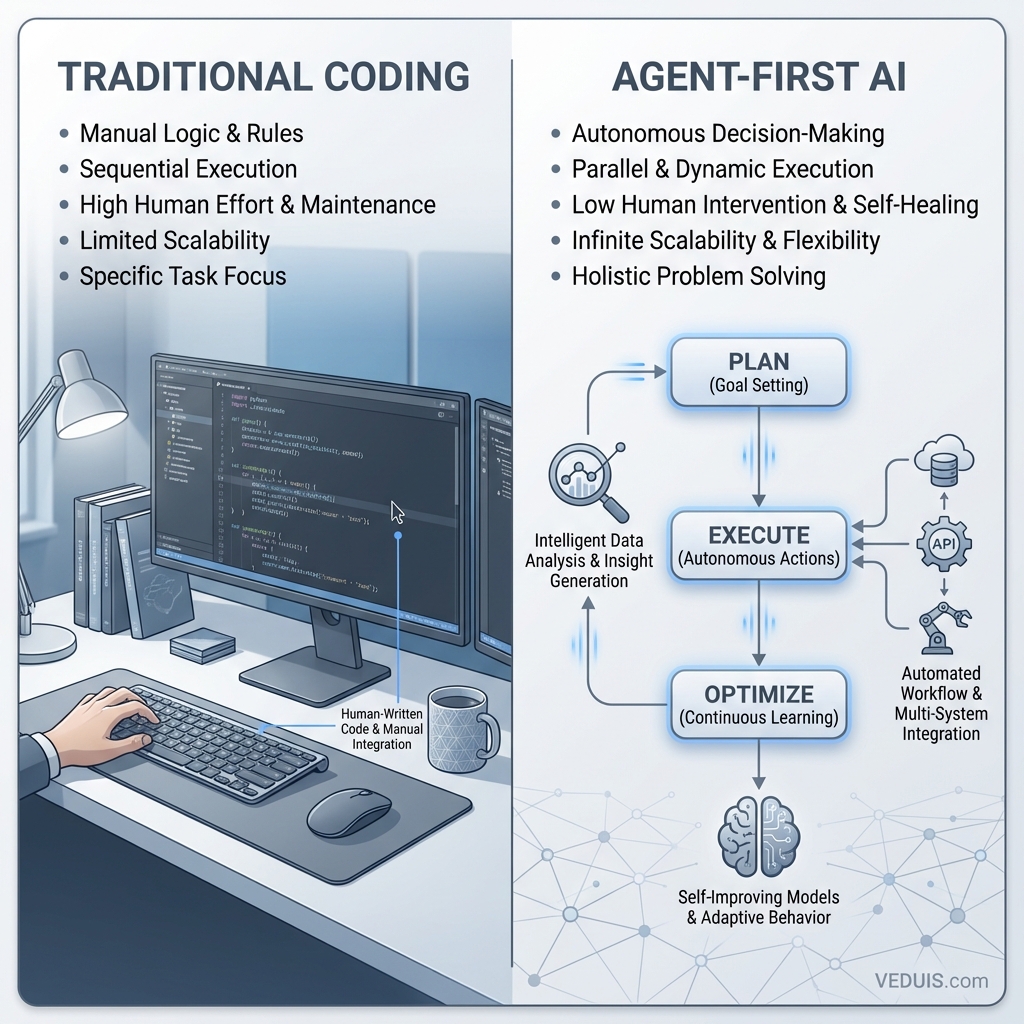
Google launched Antigravity in public preview back in November 2025, and it immediately grabbed attention for one bold claim: this is not just another AI code assistant. This is an “agent-first” IDE where AI does not just suggest code. It plans, executes, tests, and verifies entire tasks autonomously.
But does it deliver? Let me break down what I found.
What Makes Antigravity Different
Most AI-powered editors follow a familiar pattern. You write code, the AI offers suggestions, you accept or reject them. Antigravity flips this model entirely.
The core philosophy here is outcome-driven development. You define an objective, and the AI agent takes over. It figures out the steps, writes the code, handles dependencies, creates tests, and fixes errors along the way. You are reviewing work, not doing it.
This sounds revolutionary. In practice, it requires a mental shift that takes some adjustment.
The Dual Interface Approach
Antigravity ships with two distinct views:
Editor View feels immediately comfortable for anyone who has used Visual Studio Code. File explorer on the left, code in the center, terminal at the bottom. If you are migrating from VS Code, Cursor, or Windsurf, you will find your bearings quickly. Your extensions and keybindings even transfer over.
Manager View is where things get interesting. Think of it as mission control for your AI agents. Each agent works in its own workspace, tackling a specific task. You can spawn multiple agents handling different parts of your project simultaneously. One agent refactoring your authentication module while another writes unit tests for your API endpoints? Totally possible.
I found Manager View genuinely useful for larger projects where I could delegate isolated tasks to different agents and review their outputs asynchronously.
The AI Models Powering It All
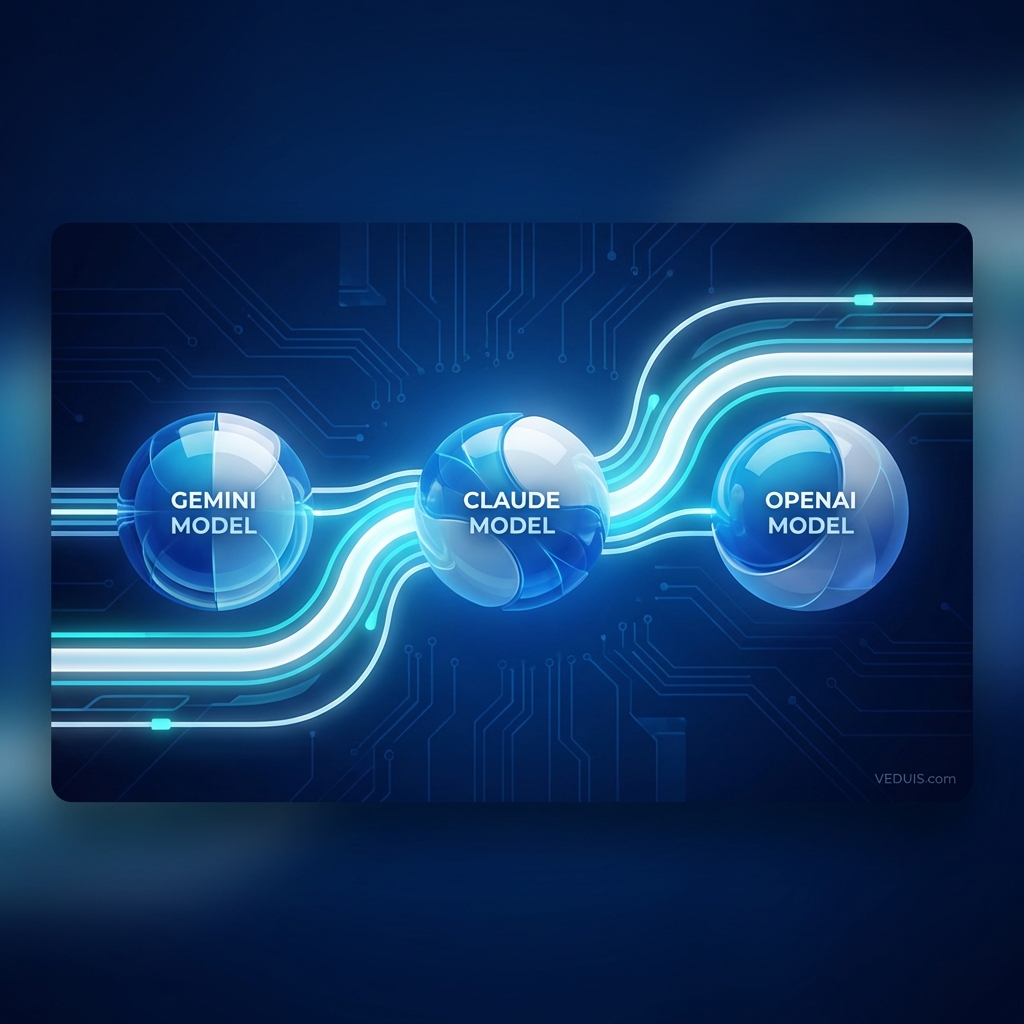
Antigravity gives you access to several capable models. The primary engine is Google’s Gemini 3 Pro, and there is also Gemini 3 Deep Think for more complex reasoning tasks. For variety, you can switch to Claude Sonnet 4.5 or Claude Opus 4.5 from Anthropic.
In my testing, Gemini 3 Pro handled most day-to-day coding competently. The Deep Think variant shines for architectural decisions and debugging intricate logic, though it takes noticeably longer. Claude models occasionally offered different perspectives on problem-solving, which proved valuable when Gemini hit a wall.
The multi-model flexibility matters because each model excels at different tasks. Having options lets you pick the right tool for the job - and if you are worried about quota management, we made an extension called Antigravity Usage Stats that helps track consumption across all models.
Artifacts: Trust Through Transparency
One feature that genuinely impressed me is the Artifacts system. When an agent completes work, it does not just hand you code. You get implementation plans, task breakdowns, screenshots, browser recordings, and detailed diffs showing exactly what changed.
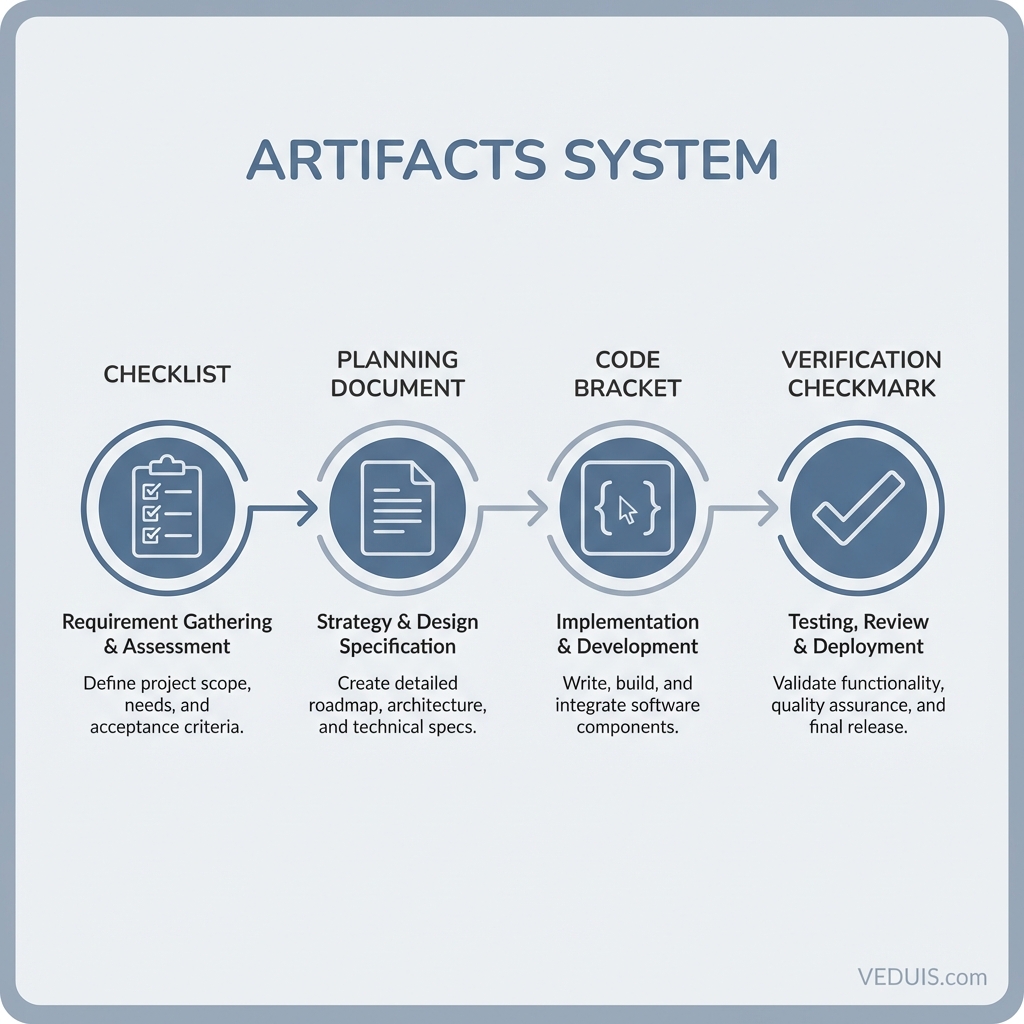
This transparency matters enormously. I can review an agent’s reasoning, understand why it made specific choices, and catch issues before they become problems. It feels like reviewing a pull request from a junior developer who meticulously documents their work.
For teams, this creates an audit trail. For solo developers, it builds confidence in what the AI produced.
Real-World Performance
Here is where I have to be honest about the current state of things.
Antigravity accelerated my prototyping significantly. Simple MVPs and proof-of-concept work that might take a day or two could be roughed out in hours. The agent understood context well, connected pieces logically, and produced functional code.
For production work on existing codebases, results were more mixed. The agent occasionally struggled with our specific patterns and conventions. I found myself course-correcting more than I expected. Complex debugging sessions sometimes required me to step in and take over entirely.
Planning vs Fast Mode
You have two interaction modes to choose from:
Planning Mode generates detailed implementation steps and artifacts before executing. You review, approve, and then the agent proceeds. This is slower but gives you more control. I preferred this for any work touching critical systems.
Fast Mode executes immediately. Great for quick fixes and straightforward tasks where you trust the agent’s judgment. Risky for anything complex.
I settled on using Planning Mode by default and switching to Fast Mode only for trivial changes.
The Rough Edges
Antigravity is still in public preview, and it shows. I encountered occasional crashes. The “model overloaded” errors appeared during peak usage times. Sometimes the agent would stall on syntax errors that should have been trivial to fix.
Battery drain on my laptop was noticeable when running multiple agents. Performance on older hardware could be problematic.
These are the growing pains of a preview release. Google is clearly iterating quickly, but if you need rock-solid stability for deadline-critical work, factor this into your decision.
How It Compares
Having extensively tested Cursor IDE and Windsurf, I can offer some perspective.
Cursor remains more polished for traditional AI-assisted coding. Its autocomplete is fast, its agent mode capable, and the overall experience refined. If you want AI that enhances your coding without fundamentally changing your workflow, Cursor delivers.
Windsurf’s Cascade agent leans more toward collaboration, working alongside you rather than replacing your effort. It occupies a middle ground between traditional assistance and full autonomy.
Antigravity goes further than either. When it works, the autonomy is genuinely transformative. When it struggles, you might find yourself wishing for more direct control. The agent-first approach is not universally better. It is different, and that difference suits some workflows more than others.
Who Should Try It
Antigravity works best for:
- Rapid prototyping where speed matters more than perfection
- Experimentation with new technologies or frameworks
- Parallel task execution on larger projects
- Developers comfortable reviewing AI-generated code critically
It might frustrate:
- Anyone needing maximum stability right now
- Projects with highly specialized patterns the agent has not encountered
- Developers who prefer hands-on coding over reviewing AI output
My Verdict
Google Antigravity represents a legitimate evolution in how we might develop software. The agent-first paradigm is not just marketing. It changes the relationship between developer and code in meaningful ways.
Is it ready to replace your current setup? That depends on your tolerance for preview-stage quirks and your willingness to adapt your workflow. I have kept it installed alongside my other tools, reaching for it when the task fits its strengths.
The foundation is solid. The AI capabilities are impressive. Given Google’s resources and clear commitment to the approach, I expect rapid improvement. If you are curious about where development tooling is headed, spending time with Antigravity now will prepare you for what is coming.
Just keep your expectations calibrated. This is not a finished product. It is a glimpse at the future, with all the rough edges that implies.