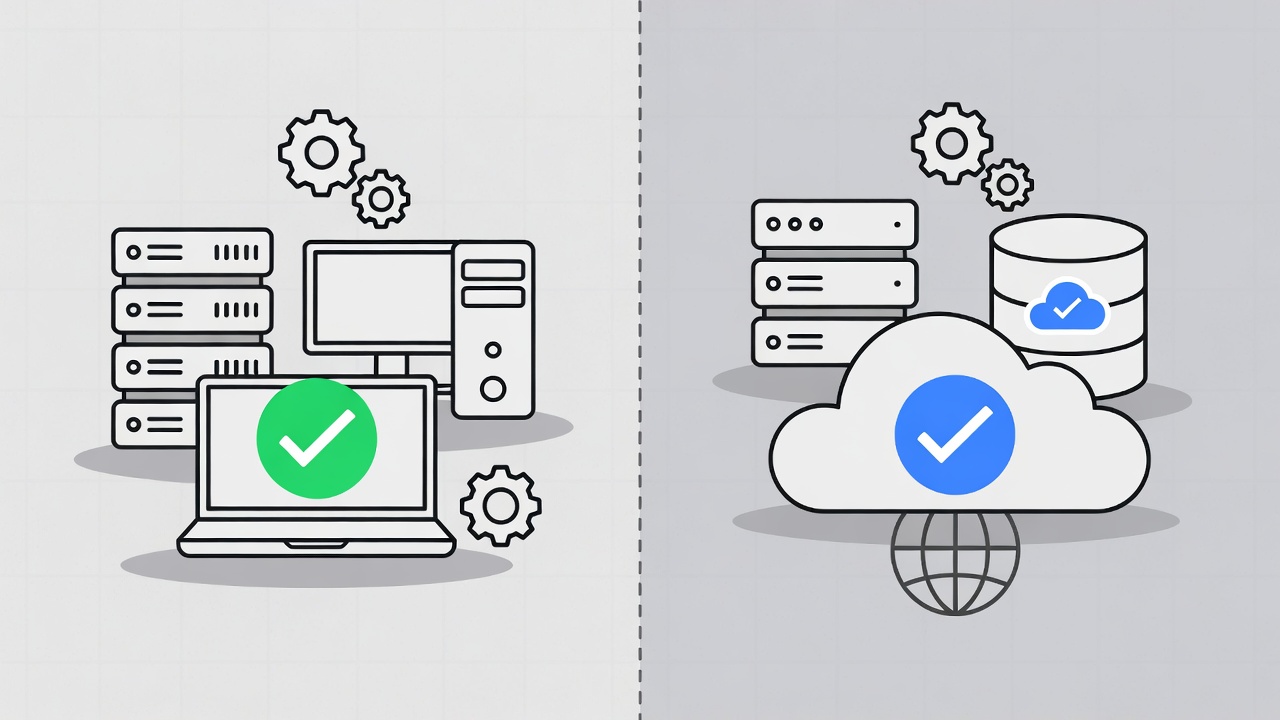
The explosion of large language model capabilities has created a fundamental choice for small businesses: rely on cloud AI services like ChatGPT and Claude, or run AI models locally on owned hardware. Each approach carries distinct implications for privacy, cost, performance, and operational complexity.
This comparison examines both options through the lens of small business requirements, providing the framework needed to make an informed decision based on specific circumstances rather than general hype.
Understanding the Two Approaches
Before diving into comparisons, clarity on what each approach actually means helps frame the discussion.
Cloud AI Services
Cloud AI refers to large language models hosted by companies like OpenAI, Anthropic, Google, and Microsoft. Users send queries over the internet to remote servers where powerful hardware processes requests and returns responses. The model itself never touches the user’s device.
Examples:
- ChatGPT (OpenAI)
- Claude (Anthropic)
- Gemini (Google)
- Copilot (Microsoft)
Local LLMs
Local LLMs are AI models that run entirely on hardware the user owns or controls. The model files download to local storage, and all processing happens on local CPUs, GPUs, or specialized AI accelerators. No data leaves the local environment during inference.
Examples:
- Ollama - Simplified local model running
- LM Studio - GUI-based model management
- llama.cpp - Low-level inference engine
- Text Generation WebUI - Full-featured local interface
Privacy and Data Security Comparison
For many small businesses, privacy concerns drive the local LLM consideration more than any other factor.
Cloud AI Privacy Implications
When using cloud AI services, every prompt and response passes through third-party infrastructure:
Data Exposure Points:
- Prompts transmitted over internet (encrypted, but decrypted on provider servers)
- Provider employees may review conversations for safety and training
- Data may be stored in logs, even temporarily
- Subpoenas or legal requests could expose historical queries
- Provider security breaches could expose conversation history
Provider Policies Vary:
OpenAI’s business tier and API usage exclude data from training by default, but enterprise agreements provide stronger guarantees. Consumer ChatGPT usage may contribute to model training unless users opt out. Similar variations exist across providers.
For businesses handling client confidential information, healthcare data, legal documents, or proprietary processes, cloud AI usage requires careful evaluation of provider terms and potential liability.
Local LLM Privacy Advantages
Local deployment eliminates third-party data exposure entirely:
Privacy Benefits:
- No data transmission outside local network
- No provider access to prompts or responses
- No logs on external servers
- Immune to provider policy changes
- Full control over data retention and deletion
Practical Scenario:
A law firm using AI to summarize case documents gains significant advantage from local deployment. Client privilege concerns that might prohibit cloud AI usage disappear when processing happens entirely on firm-controlled hardware.
Privacy Verdict
Choose Local If:
- Handling regulated data (HIPAA, attorney-client privilege, financial)
- Client contracts prohibit third-party data processing
- Competitive intelligence or trade secrets are involved
- Compliance requirements mandate data localization
Cloud Acceptable If:
- Processing non-sensitive general business content
- Provider offers appropriate enterprise agreements
- Risk tolerance aligns with provider security practices
Cost Analysis: The Real Numbers
Cost comparisons require honest accounting of all expenses, not just subscription fees.
Cloud AI Costs
Subscription Pricing (Examples):
| Service | Plan | Monthly Cost | Usage Limits |
|---|---|---|---|
| ChatGPT Plus | Individual | $20 | GPT-4 access, some limits |
| ChatGPT Team | Per user | $25 | Higher limits, workspace features |
| Claude Pro | Individual | $20 | Extended usage, priority |
| API Usage | Per token | Variable | Pay per use |
API Pricing (Approximate):
| Model | Input Tokens | Output Tokens |
|---|---|---|
| GPT-4 Turbo | $0.01/1K | $0.03/1K |
| GPT-3.5 Turbo | $0.0005/1K | $0.0015/1K |
| Claude 3 Opus | $0.015/1K | $0.075/1K |
| Claude 3 Sonnet | $0.003/1K | $0.015/1K |
Annual Cost Example (5-Person Team):
Moderate usage with ChatGPT Team: $25 × 5 × 12 = $1,500/year
Heavy API usage (1M tokens/month): Approximately $300-500/month = $3,600-6,000/year
Local LLM Costs
Local deployment requires upfront hardware investment with minimal ongoing costs.
Hardware Requirements:
| Use Case | Minimum Hardware | Estimated Cost |
|---|---|---|
| Light usage (7B models) | 16GB RAM, any modern CPU | $0 (existing hardware) |
| Medium usage (13B models) | 32GB RAM, decent GPU | $500-1,500 |
| Heavy usage (70B models) | 64GB RAM, RTX 4090 or better | $2,000-4,000 |
| Enterprise (multiple users) | Dedicated server, multi-GPU | $5,000-15,000 |
Ongoing Costs:
- Electricity: $5-50/month depending on usage
- Hardware maintenance: Minimal for 3-5 years
- Software: Free (Ollama, LM Studio, most interfaces)
Break-Even Analysis:
A $2,000 hardware investment for medium-capability local LLM breaks even against $125/month cloud spending in 16 months. After break-even, local operation costs only electricity.
Cost Verdict
Local More Economical If:
- Team size exceeds 3-5 users
- Heavy daily AI usage patterns
- Planning 2+ year deployment horizon
- Existing hardware partially suitable
Cloud More Economical If:
- Solo user or very small team
- Occasional, light usage patterns
- No suitable existing hardware
- Uncertain about long-term AI needs
Performance and Capability Comparison
Raw capability differences between cloud and local options have narrowed significantly but remain relevant.
Cloud AI Advantages
Model Capability:
The largest, most capable models remain cloud-exclusive. GPT-4, Claude 3 Opus, and Gemini Ultra offer reasoning capabilities that exceed what runs efficiently on consumer hardware.
Specific Strengths:
- Complex multi-step reasoning
- Nuanced creative writing
- Advanced code generation
- Broad knowledge synthesis
- Consistent quality across diverse tasks
Response Speed:
Cloud providers operate massive GPU clusters optimized for inference. Response times typically range from 1-10 seconds for most queries, with streaming output beginning almost immediately.
Local LLM Advantages
Available Models:
Open-source models have improved dramatically. Meta’s Llama 3 family, Mistral models, and community fine-tunes offer impressive capabilities:
| Model | Parameters | Strengths |
|---|---|---|
| Llama 3 70B | 70 billion | General capability approaching GPT-4 |
| Llama 3 8B | 8 billion | Fast, efficient, good general use |
| Mistral 7B | 7 billion | Excellent efficiency/capability ratio |
| CodeLlama | Various | Specialized code generation |
| Phi-2 | 2.7 billion | Surprisingly capable for size |
Speed Considerations:
Local performance depends entirely on hardware:
- Consumer GPU (RTX 3080): 30-50 tokens/second with 7B model
- High-end GPU (RTX 4090): 80-120 tokens/second with 7B model
- Apple Silicon (M2 Max): 40-60 tokens/second with 7B model
Larger models run proportionally slower. A 70B model might generate 10-20 tokens/second on high-end consumer hardware.
Performance Verdict
Choose Cloud If:
- Tasks require absolute peak AI capability
- Response speed is critical for workflows
- Hardware investment is prohibitive
- Complex reasoning tasks dominate usage
Local Sufficient If:
- Tasks are well-defined and consistent
- Model can be fine-tuned for specific domain
- Response time tolerance is 5-30 seconds
- Quality requirements are “good enough” rather than “best possible”
Practical Setup: Getting Started with Local LLMs
For businesses ready to explore local deployment, these tools provide the most accessible entry points.
Ollama: Simplest Starting Point
Ollama provides the easiest path to running local LLMs. A single command downloads and runs models with sensible defaults.
Installation:
# macOS/Linux
curl -fsSL https://ollama.ai/install.sh | sh

# Windows
# Download installer from ollama.ai
Running Models:
# Download and run Llama 3
ollama run llama3

# Run Mistral
ollama run mistral

# List available models
ollama list
API Usage:
Ollama exposes a local API compatible with many applications:
curl http://localhost:11434/api/generate -d '{
  "model": "llama3",
  "prompt": "Summarize the key points of this contract: [text]"
}'
LM Studio: Visual Interface
LM Studio offers a graphical interface for users preferring visual model management over command line.
Features:
- Model browser with one-click downloads
- Chat interface for testing
- Local API server for application integration
- Hardware performance monitoring
- Model parameter adjustment
Best For:
- Users uncomfortable with command line
- Testing multiple models before committing
- Development and experimentation phases
Deployment Patterns for Business Use
Single User Local:
Install Ollama or LM Studio on individual workstations. Each user maintains their own model installation. Simple but redundant.
Shared Local Server:
Deploy models on a dedicated server accessible across the local network. All team members access the same instance:
# Start Ollama with network access
OLLAMA_HOST=0.0.0.0:11434 ollama serve
Hybrid Approach:
Use local LLMs for sensitive processing while maintaining cloud access for tasks requiring peak capability. Route requests based on content sensitivity and complexity.
Use Case Recommendations
Different business scenarios favor different approaches.
Best Suited for Local LLMs
Document Summarization:
Processing internal documents, contracts, meeting notes, and reports works excellently with local models. No external transmission, consistent performance, and 7B-13B models handle summarization well.
Code Assistance:
Developers working with proprietary codebases benefit from local code models like CodeLlama. IDE integrations like Continue work seamlessly with local Ollama backends.
Data Extraction:
Parsing information from documents, emails, or databases involves potentially sensitive data. Local processing eliminates exposure concerns while capable models handle structured extraction tasks effectively.
Customer Support Drafts:
Generating response drafts for customer inquiries allows local AI to help with routine communications while human review ensures quality before sending.
Best Suited for Cloud AI
Complex Analysis:
Tasks requiring deep reasoning, multi-step problem solving, or synthesis across broad knowledge domains benefit from the largest cloud models.
Creative Content:
Marketing copy, blog posts, and creative writing often benefit from the nuanced language capabilities of frontier models.
One-Off Research:
Occasional research queries where peak capability matters more than privacy work well with cloud services.
Multilingual Tasks:
Translation and multilingual content generation typically perform better on large cloud models trained on extensive multilingual data.
Making the Decision: Framework
Use this framework to guide the cloud vs. local decision for specific business contexts.
Decision Matrix
| Factor | Weight (1-5) | Cloud Score | Local Score | Notes |
|---|---|---|---|---|
| Privacy requirements | [Your weight] | 2 | 5 | Based on data sensitivity |
| Budget constraints | [Your weight] | 3 | 4 | Depends on usage volume |
| Technical capability | [Your weight] | 5 | 3 | Setup and maintenance |
| Performance needs | [Your weight] | 5 | 3 | For current-gen hardware |
| Reliability requirements | [Your weight] | 5 | 4 | Cloud uptime vs. local control |
Quick Decision Guide
Default to Cloud If:
- First time exploring AI capabilities
- Budget under $1,000 for experimentation
- No sensitive data involvement
- Peak capability required for use case
Default to Local If:
- Processing regulated or confidential information
- Budget available for appropriate hardware
- Technical comfort with basic installation
- Predictable, definable use cases
Consider Hybrid If:
- Mixed sensitivity levels in daily work
- Variable capability requirements
- Budget allows both options
- Risk management requires compartmentalization
Future Considerations
The local LLM landscape evolves rapidly, with several trends worth monitoring.
Hardware Improvements:
New AI accelerators from Apple, AMD, and dedicated AI chip companies continue improving local inference performance. Hardware purchased today will run future optimized models faster.
Model Efficiency:
Research in model compression, quantization, and architecture improvements steadily closes the capability gap between what runs locally and cloud-exclusive models.
Enterprise Local Solutions:
Commercial offerings for enterprise local AI deployment are emerging, providing managed solutions for businesses wanting local benefits with reduced operational overhead.
Regulatory Pressure:
Increasing data privacy regulation may force certain industries toward local processing regardless of capability tradeoffs.
Starting Your Evaluation
Begin exploring with minimal commitment:
Week 1: Test Cloud
- Sign up for free tiers of ChatGPT and Claude
- Use for representative business tasks
- Note capability impressions and limitations
Week 2: Test Local
- Install Ollama on existing hardware
- Download Llama 3 8B and Mistral 7B
- Run identical tasks to cloud comparison
- Assess quality differences and speed
Week 3: Analyze
- Compare results across both approaches
- Calculate projected costs at scale
- Evaluate privacy implications for actual data
- Draft recommendation for team
The choice between local and cloud AI is not permanent. Many businesses start with cloud services for immediate capability access, then migrate specific workloads to local deployment as use cases mature and privacy requirements clarify. The key is making an informed initial decision while remaining flexible as both technology and business needs evolve.