I have been using Claude for months now, and like most people, I started by treating it like a fancy search engine. Ask a question, get an answer, move on. But everything changed when I stumbled across a collection of prompts that were going viral across Reddit, X, and various research communities.
These prompts do not just get answers from Claude. They transform it into something far more useful: a research partner that can compress hours of work into minutes.
I want to share the 13 prompts that have completely changed how I approach research, analysis, and critical thinking with AI. No fluff, no theory. Just copy-paste prompts you can start using right now.
Why Most People Use Claude Wrong
Before diving into the prompts, I need to address something. Most people treat Claude like a question-answering machine. They type a question, accept the first response, and move on.
The problem? You are leaving 90% of Claude’s capability on the table.

The real power comes from giving Claude a specific role, framework, or analytical lens. When you do that, something clicks. The responses become sharper, more nuanced, and genuinely useful for serious work.
Here are the prompts that make that happen.
The Prompts That Actually Work
1. The “Turn This Into a Paper” Prompt
This is my go-to when I have a mess of raw notes, links, or half-formed ideas. Instead of organizing everything myself, I let Claude do the heavy lifting.
Turn the following material into a structured research brief. Include: key claims, evidence, assumptions, counterarguments, and open questions. Flag anything weak or missing.What I love about this prompt is the last line. By asking Claude to flag weaknesses, you get honest feedback about your own thinking rather than just a polished summary.
2. The “Reviewer #2” Prompt
If you have ever submitted an academic paper, you know exactly who Reviewer #2 is. The harsh one. The skeptic who finds every flaw.
Critique this like a skeptical peer reviewer. Be harsh. Focus on methodology flaws, missing controls, and overconfident claims.This prompt is brutal. It is also necessary. I use it before sharing any analysis or argument with others because I would rather Claude tear it apart than a colleague.

3. The “Explain It Backwards” Trick
This one is fantastic for checking whether you actually understand something or just think you do.
Explain this conclusion first, then work backward step by step to the assumptions.When Claude works backward through logic, any weak links become immediately obvious. If the reasoning collapses somewhere in the middle, you know exactly where your understanding breaks down.
4. The “Compare Like a Scientist” Prompt
Most comparison requests produce generic feature lists. This prompt forces something much more rigorous.
Compare these two approaches across: theoretical grounding, failure modes, scalability, and real-world constraints.The key here is specifying the dimensions of comparison. By choosing analytical categories that matter, you get a comparison you can actually use for decision-making.
5. The “What Would Break This?” Prompt
This might be the most underrated prompt in this entire list. Most people never think to ask it.
Describe scenarios where this approach fails catastrophically. Not edge cases. Realistic failure modes.I use this for everything from business plans to technical architectures. Understanding realistic failure modes before they happen is the difference between preparation and scrambling.
6. The “What Changed My Mind?” Closer
After any deep analysis, I always end with this question.
After analyzing all of this, what should change my current belief?This is how actual researchers think. It forces you to confront whether the evidence actually supports changing your position or whether you are just confirming what you already believed.
7. The “One-Page Mental Model” Prompt
Complex topics are useless if you cannot remember them. This prompt solves that.
Compress this entire topic into a single mental model I can remember.There is a saying that if you cannot explain something simply, you do not understand it. This prompt tests that directly. If Claude cannot compress the topic, it usually means the underlying concepts need more clarity.
8. The “Translate Across Domains” Prompt
This one unlocks genuine insight rather than just surface understanding.
Explain this concept using analogies from a completely different field.When you force Claude to translate ideas across domains, unexpected connections emerge. I have had some of my best “aha” moments using this prompt because it breaks you out of standard framings.
9. The “Steal the Structure” Trick
Writers and researchers should use this constantly. It is criminally underrated.
Ignore the content. Analyze the structure, flow, and argument pattern. Why does this work so well?Use this on great papers, essays, or even marketing copy. Understanding why something works structurally teaches you more than just reading it ever could.
10. The “Assumption Stress Test”
This comes straight from research methodology forums, and it is ruthless.
List every assumption this argument relies on. Now tell me which ones are most fragile and why.Every argument stands on assumptions. Most of them invisible. This prompt makes them visible, then attacks the weakest ones. It is uncomfortable, which is exactly why it is valuable.
How to Get the Most From These Prompts
After months of using these prompts, I have learned a few things about making them work even better.
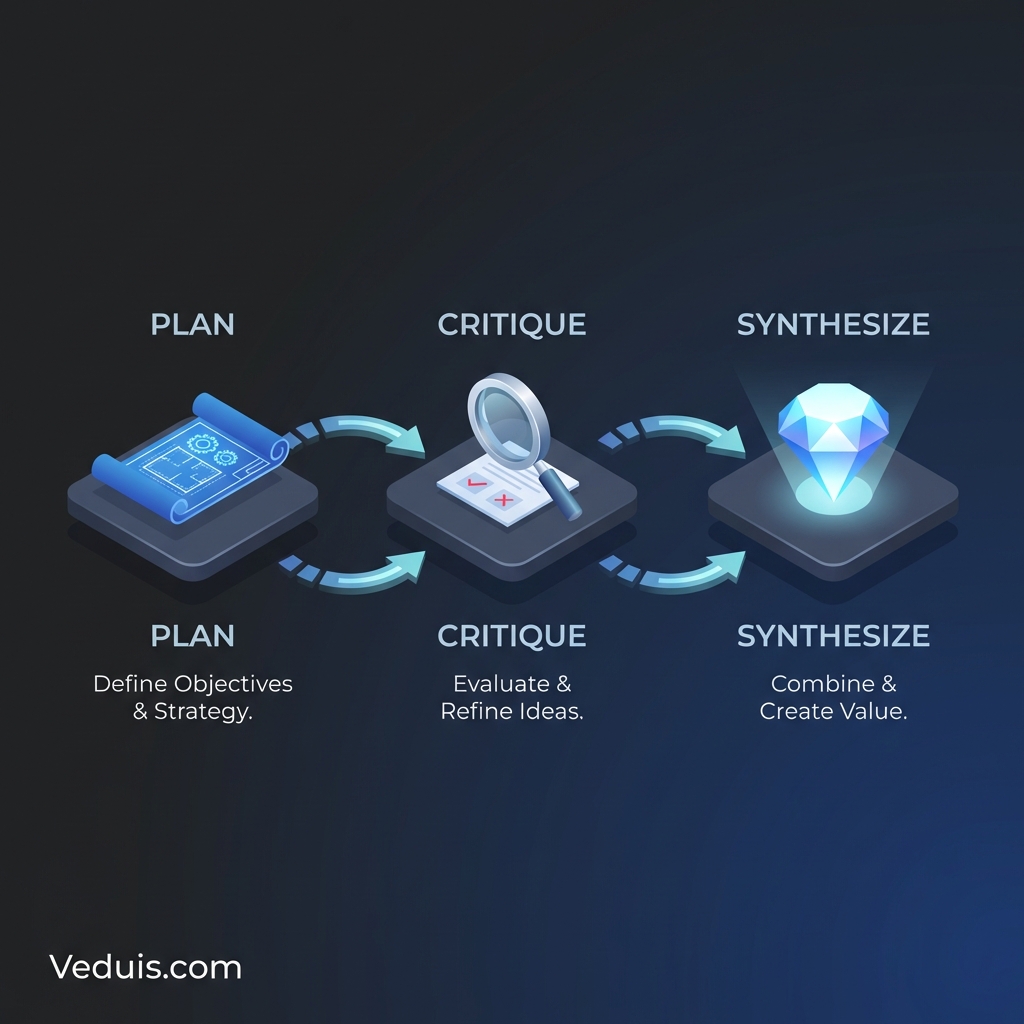
Stack them. Start with the “Turn This Into a Paper” prompt to organize your material, then hit it with “Reviewer #2” to stress test, then close with “What Changed My Mind?” to synthesize. The combination is more powerful than any single prompt.
Add context. These prompts work better when you give Claude background on what you are trying to accomplish. A one-sentence preamble about your goal sharpens the responses significantly.
Iterate. The first response is rarely the final answer. Use follow-up questions to push Claude deeper into specific areas.
Save your best chains. When you find a sequence that works for your specific use case, save it. Building a personal library of prompt chains is one of the highest-leverage things you can do with AI tools.
Why These Prompts Work
What makes these prompts different from typical ChatGPT or Claude conversations is that they give the AI a specific analytical framework.
When you ask Claude to “be harsh” or “work backward” or “find failure modes,” you are not just asking for information. You are asking for a specific type of thinking. That constraint is what produces genuinely useful output.
This is the core principle behind effective prompt engineering: constraints improve output. The more specific the frame, the better the response.
Start Using These Today
I genuinely believe that most people are using AI tools at maybe 10-20% of their potential. Not because the tools are limited, but because we are still learning how to talk to them effectively.
These prompts are not magic. They are just better ways of asking.
Pick one or two that resonate with your work and try them this week. The “Reviewer #2” and “What Would Break This?” prompts alone have saved me from publishing half-baked ideas more times than I can count.
If you want to dive deeper into prompt engineering techniques, Anthropic’s official documentation is an excellent starting point. And if you found these prompts useful, consider bookmarking this page. I will continue updating it as new techniques emerge from the research community.
The gap between people who use AI casually and people who use it strategically is only going to widen. These prompts are a good place to start closing that gap.