
OpenAI has launched Businesses in ChatGPT, anchored by the ChatGPT Business Hub. For local service companies, regional contractors, and independent e-commerce stores, this chatgpt business hub guide explains how to claim your listing, verify ownership, connect your product data, and interpret your first-party search metrics.
For two years, small business owners watched artificial intelligence answer customer queries without knowing whether their brand was recommended or ignored. Traffic showed up as unattributed direct visits in Google Analytics, leaving marketers guessing about their conversational footprint. The Business Hub changes that dynamic. It functions as a direct analog to Google Search Console and Google Business Profile, built specifically for the conversational web.
If you have already started adjusting your technical foundation for generative engines, our overview on adapting to AI search outlines the shift from traditional ten-blue-link results to synthesized model answers. The Business Hub represents the first time OpenAI has opened the data layer to merchants and service providers.
What is the ChatGPT Business Hub?
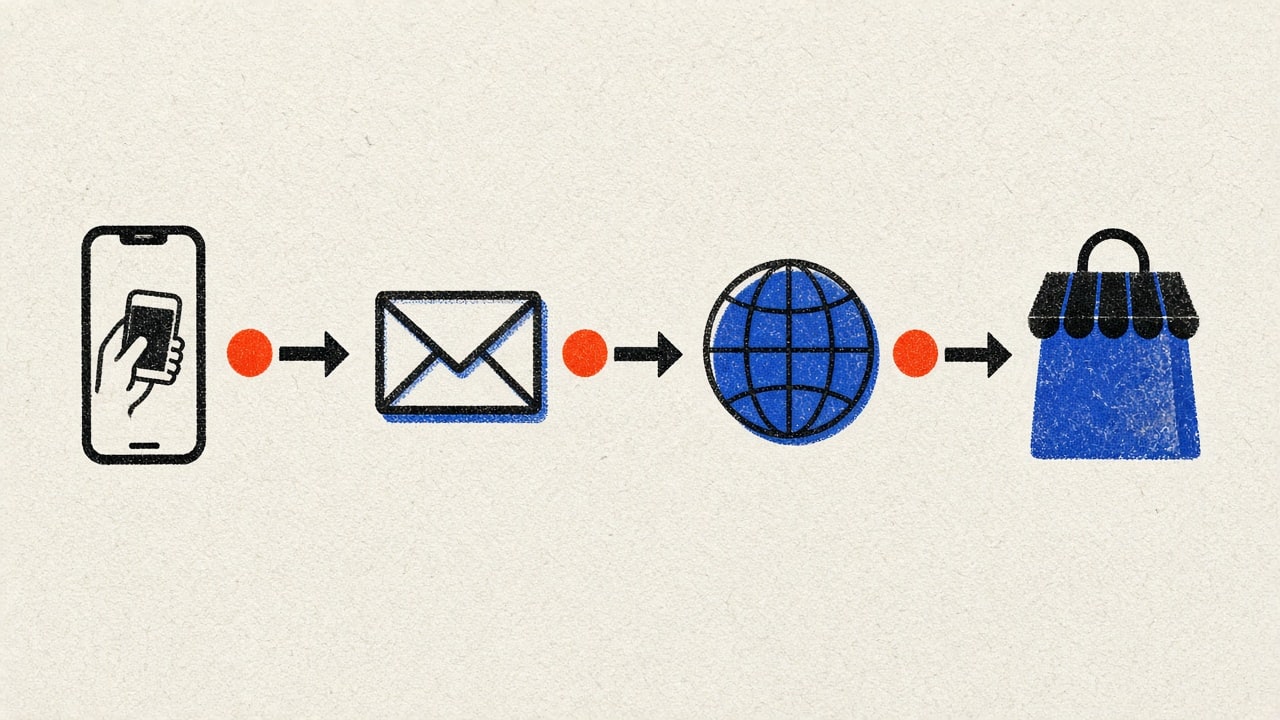
The ChatGPT Business Hub is a first-party administrative portal built directly into ChatGPT. It allows authenticated representatives to manage how their company appears in conversational answers, upload structured catalog feeds, deploy interactive business assistants, and track visibility telemetry over rolling 28-day windows.
The program consists of three distinct components:
- Verified Business Profiles: An authenticated entity record displaying your official business name, website, operating hours, categories, and geographic locations. Verified profiles display a blue badge, signaling to users and model retrieval systems that the business data is authentic and primary-source verified.
- First-Party Performance Insights: A reporting console measuring organic citations. It tracks how often ChatGPT mentions your brand or products, records outbound website clicks, and clusters conversations into thematic discovery categories.
- Interactive Business Agents: A conversational extension for eligible commercial merchants. When a shopper asks ChatGPT to compare products or inquire about return policies, they can open an interactive dialogue with the verified business agent, which answers questions using only brand-approved documentation.
Crucially, claiming a profile in the Business Hub does not buy ranking favoritism. OpenAI has stated clearly that claiming your business or sponsoring an agent does not artificially inflate organic model recommendations. Instead, it provides the retrieval system with pristine, structured facts about your pricing, inventory, and services, preventing hallucinated costs and outdated policies.
How to Claim and Verify Your Business Profile
Claiming your business requires demonstrating legal or operational control of the commercial entity. OpenAI has implemented strict verification gates to prevent brand hijacking and impersonation.
The claiming sequence follows four concrete stages:
Stage 1: Initiating the Claim
Log into ChatGPT using your work email address associated with your commercial domain. In the left navigation sidebar, select the Business Hub tab. If your account is eligible, you will see a banner prompting you to claim your organization.
Type your legal business name or primary website domain into the search bar. The directory indexes existing web entities recognized by the underlying model and web indexers. Select your business from the drop-down results. If your business is not yet listed, select the option to register a new commercial entity.
Stage 2: Proof of Authority
To ensure only authentic operators manage business data, OpenAI requires one of four validation methods depending on your business structure:
- Domain Verification: Uploading a verification DNS TXT record or HTML meta tag to your primary commercial website. This is the fastest route for service companies and SaaS businesses.
- Corporate Email Match: Receiving a single-use verification token at an email address matching your registered website domain (for example,
[email protected]). Generic webmail addresses (@gmail.comor@yahoo.com) are rejected for this step. - Direct E-Commerce Integration: Merchants operating on Shopify can connect their store admin directly through the official OpenAI Shopify application. The OAuth handshake validates store ownership instantly.
- Commercial Phone Verification: A voice or SMS challenge sent to the publicly listed phone number associated with your business registrations.
Stage 3: Identity Verification Through Persona
After completing the initial authority check, OpenAI requires identity verification through Persona. The business owner or authorized executive must submit a valid government-issued photo identification and complete a live biometric liveness check.
This identity check is mandatory before you can publish catalog updates, view analytics, or launch a public-facing Business Agent. OpenAI instituted this gate to eliminate counterfeit storefronts and protect consumers from synthetic merchant fraud.
Stage 4: Profile Configuration and Policy Alignment
Once verified, your profile enters active status. Complete every field in the profile dashboard:
- Core Identifiers: Official company name, DBA names, primary operating category, and physical service addresses.
- Contact Endpoints: Customer support email, phone numbers, and official appointment booking URLs.
- Structured Policies: Direct links to your published privacy policy, terms of service, warranty rules, and return terms.
Local operators should ensure this data mirrors their existing directory presence. As detailed in our breakdown of Google Business Profile optimization for local services, Name, Address, and Phone (NAP) consistency remains foundational for cross-platform entity matching across both Google and generative engines.

How to Interpret Mentions, Clicks, and Discovery Topics
The core of the Business Hub is its performance dashboard. While traditional search consoles report impressions, average rank positions, and search queries, conversational engines function differently. ChatGPT does not generate static ten-blue-link pages. It synthesizes dynamic prose, recommendations, and comparative tables.
The dashboard tracks three primary metrics across a rolling 28-day window:
1. Mentions (Conversational Impressions)
A mention represents an instance where ChatGPT surfaced your business in an answer to a user query. However, OpenAI counts mentions differently based on your business type:
- For Online and E-Commerce Businesses: A mention is logged only if the model explicitly cites your brand by name and provides a link to your website. Casual text mentions without a link do not increment the counter.
- For Local and Regional Businesses: A mention is logged whenever your business appears in a local recommendation card, map pin, or local service listing within the chat response, even if the user does not click the listing.
How to Interpret Mentions: Mentions indicate your entity strength within the model’s knowledge base and retrieval-augmented generation (RAG) pipelines. A high mention volume indicates that your brand is strongly correlated with category-level commercial intent. If mentions drop week over week, it signals that competing providers have updated their web citations or that your website is failing indexation checks.
2. Website Clicks (Click-Through Rate)
Website clicks measure recorded outbound user clicks from ChatGPT answers directly to your website URLs.
In the past, these visitors arrived as untagged direct traffic, obscuring their acquisition channel. By tracking website clicks inside the Business Hub, you can finally calculate your Conversational Click-Through Rate (Conversational CTR):
$$\text{Conversational CTR} = \left( \frac{\text{Website Clicks}}{\text{Mentions}} \right) \times 100$$
How to Interpret Clicks:
- High Mentions, Low Clicks (CTR under 3%): The model is answering informational questions about your brand directly in the chat, creating a zero-click experience. Users get their answer without needing to visit your site. To fix this, inspect your product descriptions and service pages. Ensure they emphasize proprietary tools, customized quoting, and downloadable assets that require visiting your actual website.
- Low Mentions, High Clicks (CTR over 12%): When your business appears, users exhibit strong purchase intent and immediately click through to your catalog or scheduling calendar. Focus your efforts on expanding your topical coverage to capture additional related queries.
3. Discovery Topics
Instead of providing exact user prompts (which are withheld to protect user privacy), the Business Hub groups conversations into thematic Discovery Topics. These topics reflect the common problems, product searches, and commercial needs that prompted the AI to recommend your business.
For example, an HVAC contractor might see Discovery Topics such as:
- Emergency heat pump repair on weekends
- High-efficiency ductless mini-split installation costs
- Commercial refrigeration maintenance contracts
How to Interpret Discovery Topics: Discovery Topics reveal how the AI categorizes your commercial specialization. If you see topics that do not align with your core profitable services, your website content is sending ambiguous relevance signals. Use these topics as an editorial roadmap. Build dedicated case studies, service FAQs, and technical guides that directly address the specific phrasing grouped under these clusters.
Understanding user intent behind these thematic clusters is critical. Our framework on search intent analysis breaks down how to identify whether a query represents research evaluation or immediate transactional readiness.
What the Dashboard Hides (Privacy Boundaries)
To comply with global privacy regulations, the Business Hub enforces strict privacy boundaries:
- No Individual Prompt Logs: You will never see the exact sentences users typed.
- No User Identity Data: You cannot view personal demographic details, usernames, or account identifiers.
- No Competitor Scorecards: The dashboard does not show which competitors were recommended alongside you, nor does it provide relative market share rankings.

Synchronizing Product Catalogs and Live Feeds
One of the persistent problems for merchants in conversational search has been price hallucination. When a user asks an AI model for product recommendations, older training datasets might quote prices from two years ago or recommend items that have been discontinued.
The ChatGPT Business Hub solves this by integrating live product feeds.
Connecting Shopify and Custom CSV Feeds
Eligible retailers can connect catalog data using two methods:
- Native Shopify Sync: Connecting through the verified OpenAI Shopify App. This continuously synchronizes SKU identifiers, variants, current retail pricing, promotional discounts, and inventory availability. When an item goes out of stock in your Shopify dashboard, ChatGPT stops recommending it in purchasing queries within minutes.
- Scheduled XML/CSV Feed Endpoints: For merchants on WooCommerce, BigCommerce, or custom platforms, the Business Hub supports hosted product feeds formatted according to standard Google Merchant Center specifications. The feed must include:
id: Unique product SKUtitle: Clear product title without keyword stuffingdescription: Plain-text product details and material specificationslink: Full canonical product URL with UTM tracking parametersprice: Current price with currency codeavailability:in_stockorout_of_stockbrand: Registered commercial brand name
Maintaining Data Hygiene
To keep your catalog active, follow strict data hygiene rules:
- Update stock levels automatically through API endpoints rather than manual weekly uploads.
- Avoid misleading promotional pricing. If the price in your feed does not match the price on your checkout page, OpenAI will flag the listing and suspend the catalog integration.
- Ensure all product URLs use structured schema markup. For guidance on how autonomous systems parse online storefronts, review our playbook on AI agents for e-commerce automation.

Deploying and Guardrailing Custom Business Agents
Eligible US businesses can deploy a custom Business Agent directly within ChatGPT. Unlike generic custom GPTs, a Business Agent is formally tied to your verified corporate profile and appears directly inside conversational search responses when users seek deeper interaction with your brand.
How the Business Agent Works
When ChatGPT mentions your business, a user can tap your profile badge to initiate a direct conversation with your Business Agent. The interface clearly notifies the user: “You are now chatting directly with the official assistant for [Brand Name].”
The agent can:
- Clarify sizing specifications and compatibility requirements.
- Explain return, exchange, and delivery timelines.
- Recommend specific products based on the shopper’s budget constraints.
- Hand off qualified leads to your website checkout or booking calendar.
Configuring Safety Guardrails
Because the agent speaks on behalf of your brand, you must configure clear behavioral instructions:
- Restrict Knowledge to Verified Documentation: Instruct the agent to answer strictly from your uploaded policy documents and connected product feed. If a customer asks a question outside your product scope, the agent must decline politely and direct the user to human customer support.
- Enforce Strict Pricing Accuracy: Prevent the agent from negotiating custom discounts or inventing coupon codes. All pricing quotes must reflect the live catalog feed.
- Prevent Competitive Slander: Ensure the agent never makes disparaging claims about competing brands. When asked to compare, it should highlight your verified features and specifications neutrally.
- Transparent Identity Disclosure: Never configure the agent to pretend to be a human employee. It must maintain an efficient, transparent AI assistant persona.
For service-based companies looking to build similar automated support pipelines across their own websites, our guide on AI customer service for small business details how to set response boundaries that prevent costly operational commitments.
Generative Engine Optimization: How to Turn Mentions into Revenue
Getting claimed in the Business Hub is only the beginning. To grow your mentions and turn click-throughs into paying clients, apply Generative Engine Optimization (GEO) principles across your digital footprint:
1. Implement Complete Schema Markup
Conversational search engines pull heavily from structured data. Mark up your website using official Schema.org vocabulary:
LocalBusinessor specific subtypes (PlumbingContractor,LegalService,MedicalBusiness).- Accurate
openingHoursSpecification,geocoordinates, andtelephone. - Detailed
hasOfferCatalogor individualProductmarkup specifying pricing and availability. - Clear
sameAsarrays linking your official social media, Chamber of Commerce, and directory listings.
For local companies, our deep research on AI local SEO for small business provides step-by-step code snippets for structured data implementation that conversational crawlers prioritize.
2. Build Information-Dense Service Pages
AI models penalize fluff and vague marketing jargon. When crawlers evaluate your service pages, they search for extractable facts:
- Clear pricing structures or transparent pricing tiers.
- Specific geographic neighborhoods and postal codes served.
- Exact equipment brands serviced and installed.
- Step-by-step service workflows and timelines.
Structure your pages with descriptive subheadings and comparison tables. Models parse HTML tables with high accuracy, making them more likely to cite your figures when a user asks for competitive comparisons.
3. Establish Authoritative Topic Clusters
Models rely on topical authority to determine entity credibility. If your website only contains a single homepage and a generic contact form, the model has little reason to select your brand over an established competitor with dozens of detailed technical articles.
Develop structured topic clusters covering your core industry challenges. As explained in our strategic guide on topical authority and topic clusters, creating interlinked pillars of authoritative content establishes your company as the verified primary source for your industry niche.
| Metric Focus | Warning Signal | Root Operational Cause | Corrective Action |
|---|---|---|---|
| Mentions | Zero mentions over 28 days | Entity ambiguity or missing verification | Complete Persona ID check and add detailed Schema.org markup. |
| Mentions | Sudden 40% decline | Outdated product feed or broken site links | Inspect feed synchronization logs and repair crawl errors. |
| Website Clicks | CTR below 2% | Zero-click answers satisfy user query completely | Add exclusive calculators, booking forms, and proprietary tools to site. |
| Website Clicks | High bounce rate from clicks | Landing page pricing contradicts chat quote | Align feed pricing with live checkout and update shipping rules. |
| Discovery Topics | Topics reflect low-margin services | Content skews toward basic informational queries | Publish in-depth case studies focused on high-ticket service work. |
Common Failure Modes and Strategic Takeaways
As small businesses begin claiming their profiles in the Business Hub, several common mistakes frequently derail performance:
- Failing Persona Identity Verification: Submitting incomplete corporate filings or using low-resolution identity images delays approval by weeks. Have your government ID, corporate registration documents, and business utility bills ready before starting.
- Ignoring Feed Desynchronization: If your feed fails to sync for more than seven consecutive days, OpenAI disables real-time product features, reverting the model to cached web data. Set up automated email alerts in your e-commerce platform for feed upload errors.
- Over-Promising in Business Agent Instructions: Writing agent prompts that encourage the bot to resolve complex disputes often leads to fabricated refund guarantees. Keep agent duties narrow: product lookups, policy recaps, and scheduling handoffs.
- Treating the Hub as a Passive Directory: Like a Google Business Profile, the Business Hub requires ongoing maintenance. Review Discovery Topics monthly to identify emerging customer demands, adjust your catalog pricing before seasonal sales, and refresh your policy documentation.
Conversational search is not a future trend; it is actively directing customer foot traffic and digital transactions today. Small businesses that claim their presence, verify their identity, and monitor their discovery analytics gain an immediate competitive advantage over competitors who remain invisible in generative search results.
For official documentation and technical policies, consult the OpenAI Help Center and review active merchant guidelines. Take control of your conversational presence today, monitor your numbers closely, and turn your AI visibility into durable commercial revenue.