
Token costs for LLM APIs are predictable in principle and consistently surprising in practice. A prototype that works well in testing can produce API bills an order of magnitude higher than expected in production, because the prompts that were written for accuracy were not written for efficiency.
Every token in every API call is paid for: system prompts, few-shot examples, conversation history, user input, and model output. Prompts that work are not automatically prompts that are economical. This guide covers the specific techniques that reduce token costs without degrading the quality of model outputs.
If you are evaluating which models to use for different tasks, the VePrompts LLM pricing calculator provides real-time cost comparisons across all major providers.
Understanding What Drives Costs
LLM API pricing is based on tokens (roughly 4 characters per token for English text). Input tokens (everything sent to the model) and output tokens (the model’s response) are priced separately. Output tokens typically cost 3-4x more per token than input tokens.
Current pricing reference (subject to change - verify at platform.openai.com and anthropic.com/pricing):
- GPT-4o: $2.50 per million input tokens, $10 per million output tokens
- GPT-4o mini: $0.15 per million input tokens, $0.60 per million output tokens
- Claude 3.5 Sonnet: $3 per million input tokens, $15 per million output tokens
- Claude 3 Haiku: $0.25 per million input tokens, $1.25 per million output tokens
The gap between the cheapest and most expensive models is 10-60x. The first improvement is always: do you need the most capable model for this task?
For a complete breakdown of current pricing across all major models, see the OpenAI pricing page and Anthropic’s pricing documentation.
Measure Before Improving
Before making changes, measure your actual token usage per request type.
import tiktoken
import anthropic

def count_tokens_openai(text, model="gpt-4o"):
    enc = tiktoken.encoding_for_model(model)
    return len(enc.encode(text))

def log_request_cost(messages, response, model="gpt-4o"):
    usage = response.usage
    input_cost_per_1m = 2.50   # Update with current pricing
    output_cost_per_1m = 10.00

    cost = (usage.prompt_tokens / 1_000_000 * input_cost_per_1m +
            usage.completion_tokens / 1_000_000 * output_cost_per_1m)

    print(f"Input tokens: {usage.prompt_tokens}")
    print(f"Output tokens: {usage.completion_tokens}")
    print(f"Estimated cost: ${cost:.6f}")

    return cost
Log token usage and cost per request type (customer support query, document summary, classification, generation). This reveals where costs concentrate and where improvement returns the most value.
Prompt Engineering for Efficiency
The largest single opportunity for most teams is system prompt bloat. System prompts accumulate as features are added. A prompt that started at 200 tokens becomes 2,000 tokens after six months of additions.
Remove Redundancy
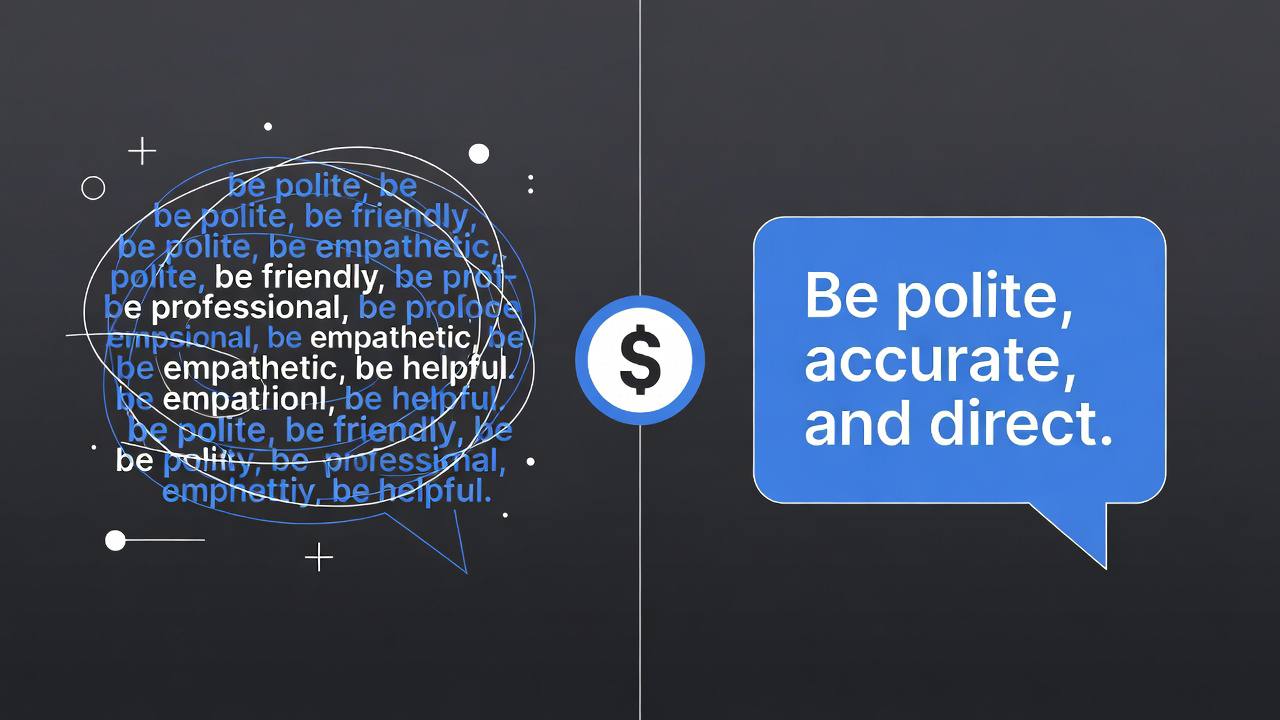
LLMs understand context without explicit repetition. Prompts that restate the same instruction three ways because “more emphasis” was wanted are paying for tokens that do not add value.
# Bloated (547 tokens)
You are a helpful customer support assistant. Always be polite and friendly.
Your tone should be professional and empathetic. Never be rude to customers.
Always treat customers with respect. Be helpful and try to resolve their issues.
If you don't know something, say so rather than making up information.
Never fabricate information. Only state facts that you know to be true.
Always provide accurate information. If you're unsure, tell the customer.

# Concise (89 tokens)
You are a customer support assistant. Be polite, accurate, and direct.
If you don't know something, say so.
The concise version produces equivalent output. The difference is 458 tokens per request.
Minimize Few-Shot Examples
Few-shot examples are expensive because they must be sent with every request. Three examples at 200 tokens each add 600 tokens of input cost to every API call.
Before including few-shot examples, test whether the model produces acceptable output without them. Capable models like GPT-4o and Claude 3.5 Sonnet often do not need examples for well-defined tasks.
When few-shot examples are necessary, use the minimum number that produces the required output quality. One or two examples at 100 tokens each is far better than five at 300 tokens each.
For structured prompting patterns that reduce the need for few-shot examples, the VePrompts prompt library includes zero-shot templates for common tasks.
Explicit Output Format Instructions
Asking for structured output reduces parsing work and often produces shorter, more predictable responses.
# Unstructured output instruction (longer, harder to parse)
"Analyze this customer review and tell me about the sentiment, the main topics
mentioned, and any specific product issues raised."

# Structured output instruction (shorter, consistent)
"Analyze this review. Respond with JSON only:
{sentiment: positive|negative|neutral, topics: [str], issues: [str]}"
With the structured instruction, you get predictable JSON you can parse directly rather than natural language you need to parse and interpret. The output is usually shorter too.
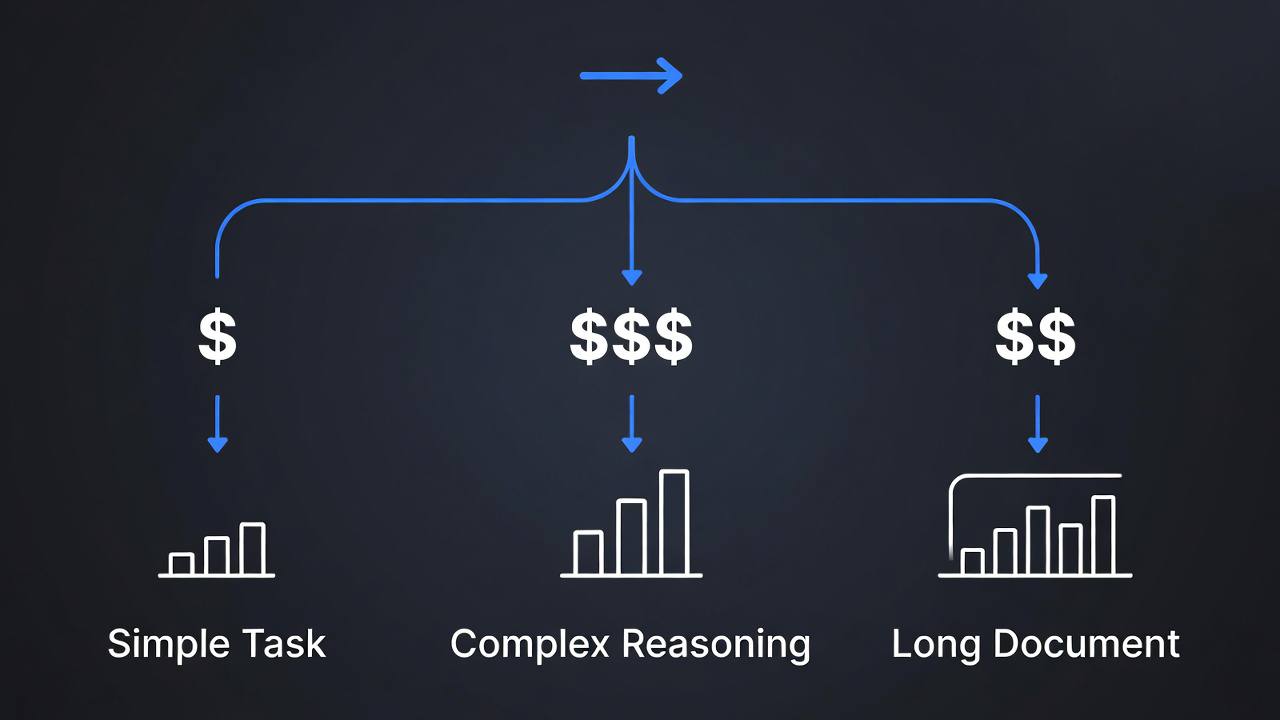
Model Routing
Not every request needs the most capable model. A classification task that correctly identifies intent 95% of the time with GPT-4o mini at $0.60 per million output tokens does not need GPT-4o at $10 per million output tokens.
Common routing patterns:
def route_to_model(task_type, content_length, requires_reasoning):
    """Route requests to appropriate model based on task characteristics."""

    # Simple classification: cheapest model
    if task_type in ('sentiment', 'category', 'intent') and not requires_reasoning:
        return 'gpt-4o-mini'

    # Long documents: models with larger context windows
    if content_length > 100_000:
        return 'claude-3-5-sonnet-20241022'  # 200k context

    # Complex reasoning, code generation, nuanced writing
    if requires_reasoning:
        return 'gpt-4o'

    # Default: capable but cheaper
    return 'gpt-4o-mini'
For tasks where both a cheap and expensive model can handle the job, start with the cheap model. If it fails (low confidence score, refusal, malformed output), retry with the expensive model. Most requests succeed with the cheaper model, driving average cost down significantly.
The VePrompts model comparison tool helps identify which models handle specific tasks adequately at lower cost tiers.
Caching
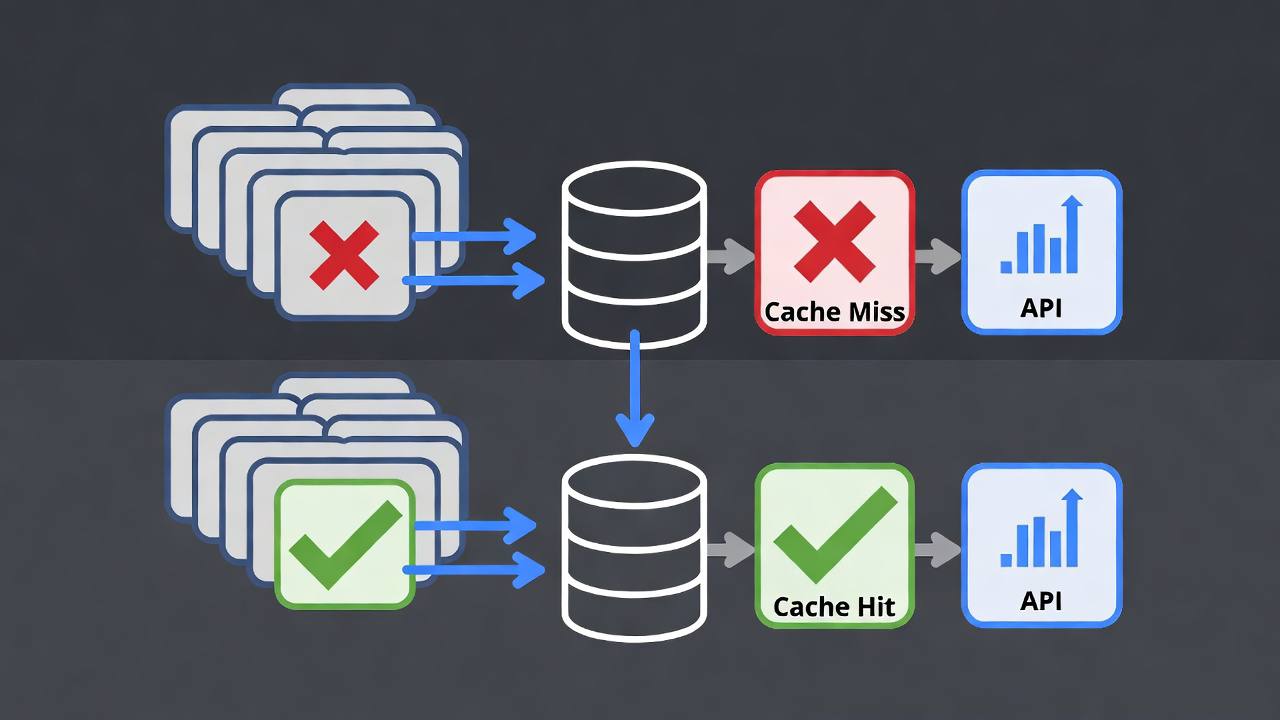
Caching is the highest-leverage improvement when many requests are similar. There are two types worth implementing.
Exact Caching
For requests where the same prompt produces the same output (deterministic or near-deterministic tasks at temperature=0), cache the response keyed on the exact prompt hash.
import hashlib
import redis

cache = redis.Redis(decode_responses=True)

def cached_llm_call(messages, model, ttl_seconds=3600):
    # Create cache key from model + messages
    cache_key = hashlib.sha256(
        f"{model}:{str(messages)}".encode()
    ).hexdigest()

    cached = cache.get(cache_key)
    if cached:
        return json.loads(cached)

    response = openai.chat.completions.create(
        model=model,
        messages=messages,
        temperature=0,
    )

    result = response.choices[0].message.content
    cache.setex(cache_key, ttl_seconds, json.dumps(result))

    return result
Exact caching works well for:
- Fixed document classification (classify this product category)
- FAQ responses
- Template-based generation where the template is identical across requests
- Code explanations for common patterns
Semantic Caching
Semantic caching finds similar previous requests rather than exact matches. Two slightly different phrasings of the same question should return the cached answer.
from sentence_transformers import SentenceTransformer
import numpy as np

model = SentenceTransformer('all-MiniLM-L6-v2')

class SemanticCache:
    def __init__(self, similarity_threshold=0.92):
        self.cache = {}  # In production: vector database
        self.threshold = similarity_threshold

    def get(self, query):
        if not self.cache:
            return None

        query_embedding = model.encode(query)
        cached_queries = list(self.cache.keys())
        cached_embeddings = np.array([self.cache[q]['embedding'] for q in cached_queries])

        similarities = np.dot(cached_embeddings, query_embedding) / (
            np.linalg.norm(cached_embeddings, axis=1) * np.linalg.norm(query_embedding)
        )

        best_idx = np.argmax(similarities)
        if similarities[best_idx] >= self.threshold:
            return self.cache[cached_queries[best_idx]]['response']

        return None

    def set(self, query, response):
        self.cache[query] = {
            'embedding': model.encode(query),
            'response': response,
        }
For production, use a vector database (Pinecone, Weaviate, pgvector) rather than in-memory storage. GPTCache provides a production-ready semantic caching layer.
Context Window Management
Conversational applications accumulate context that grows the token cost of every subsequent message. A 50-turn conversation where each assistant message averages 200 tokens means the 50th turn is sending roughly 10,000 tokens of history before the user’s current message.
Sliding Window
Keep only the most recent N messages in context:
def trim_conversation_history(messages, max_tokens=4000, model='gpt-4o'):
    """Keep recent messages within token budget."""
    system_messages = [m for m in messages if m['role'] == 'system']
    conversation = [m for m in messages if m['role'] != 'system']

    enc = tiktoken.encoding_for_model(model)
    system_tokens = sum(len(enc.encode(m['content'])) for m in system_messages)
    remaining_budget = max_tokens - system_tokens

    # Add messages from most recent, working backward
    trimmed = []
    for message in reversed(conversation):
        tokens = len(enc.encode(message['content']))
        if remaining_budget - tokens < 0:
            break
        trimmed.insert(0, message)
        remaining_budget -= tokens

    return system_messages + trimmed
Summarization
Instead of truncating history, summarize older portions and include the summary in the context:
async def compress_history(messages, openai_client):
    """Summarize older conversation history to preserve context cheaply."""
    if len(messages) < 10:
        return messages

    # Summarize all but the last 4 messages
    old_messages = messages[:-4]
    recent_messages = messages[-4:]

    summary_prompt = [
        {"role": "user", "content": f"Summarize this conversation concisely:\n{old_messages}"}
    ]

    summary = await openai_client.chat.completions.create(
        model="gpt-4o-mini",  # Use cheap model for summarization
        messages=summary_prompt,
        max_tokens=200,
    )

    compressed = [
        {"role": "system", "content": f"Earlier conversation summary: {summary.choices[0].message.content}"}
    ] + recent_messages

    return compressed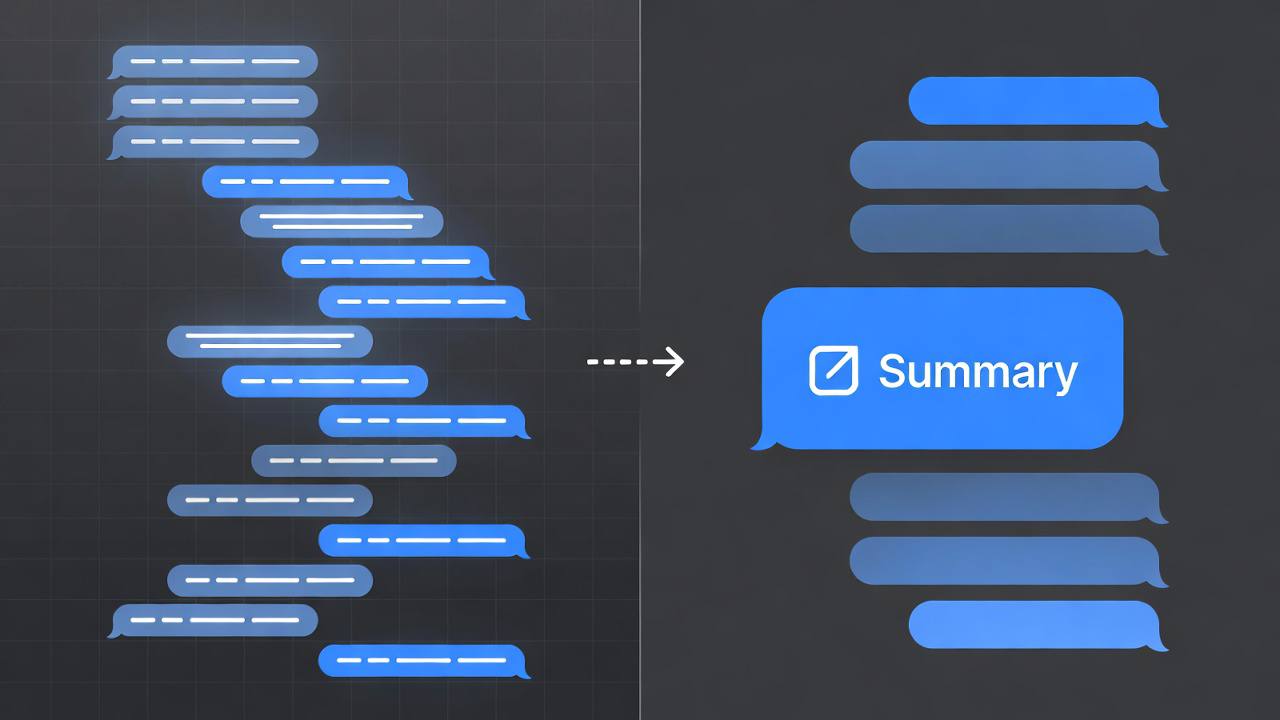
OpenAI Prompt Caching
OpenAI automatically caches the prefix of long prompts that are reused across requests. When the same system prompt or beginning of a conversation is sent repeatedly, tokens that hit the cache are charged at 50% of the normal input token rate.
To maximize cache hit rates:
- Put the static part of your prompt (system prompt, instructions, few-shot examples) at the beginning
- Put the variable part (user input, document to process) at the end
- Use identical system prompts across requests for the same task type
messages = [
    # Static: hits cache on subsequent identical requests
    {"role": "system", "content": LONG_STATIC_SYSTEM_PROMPT},
    # Variable: always fresh
    {"role": "user", "content": user_input}
]
Anthropic’s prompt caching is explicit: you mark which parts of the prompt should be cached with a cache_control parameter, and cached tokens are charged at 10% of the normal input rate.
Output Token Control
Output tokens cost more than input tokens and are the most controllable part of the cost equation.
response = openai.chat.completions.create(
    model="gpt-4o",
    messages=messages,
    max_tokens=500,  # Hard cap on output length
    temperature=0.3,
)
Be explicit about desired output length in your prompt. “Respond in 2-3 sentences” produces shorter responses than “Answer the question.” For structured output, JSON schemas constrain response format and typically produce shorter, more predictable outputs than free-form text.
The goal is not to make outputs artificially short but to ensure you are not paying for verbosity that does not add value to your application.