A technical SEO audit finds the issues that prevent your content from ranking regardless of how good it is. A page with a crawl block, a canonical pointing to the wrong URL, or a 4-second load time on mobile is not competing effectively; no amount of content quality compensates for these fundamental barriers.
I run through this checklist whenever I take on a new site or a site experiences an unexplained ranking drop. It’s organized in the order that problems compound: crawl issues prevent indexation; indexation issues prevent ranking; ranking issues prevent traffic.
If you are rebuilding a slow site, start with our Core Web Vitals masterclass and the practical guide to boosting website speed for conversions. For broader search strategy, see AI SEO in 2026. Google publishes the official Search Essentials documentation if you want the source perspective.
1. Crawlability
robots.txt
# Fetch your robots.txt
curl https://yourdomain.com/robots.txt
Check for:
- Accidentally blocking Googlebot:
Disallow: /(common staging error left in production) - Blocking CSS or JavaScript that renders the page: search engines need to render JS
- Blocking important directories that contain indexed content
# Correct robots.txt for most sites
User-agent: *
Disallow: /api/
Disallow: /admin/
Disallow: /_next/static/chunks/  # Only if you're sure these aren't needed

Sitemap: https://yourdomain.com/sitemap.xml
Verify Google can access your robots.txt in Google Search Console → Settings → robots.txt Tester.
Sitemap
# Verify sitemap is valid and accessible
curl https://yourdomain.com/sitemap.xml
curl https://yourdomain.com/sitemap_index.xml

# Validate XML
xmllint --noout https://yourdomain.com/sitemap.xml 2>&1
Sitemap checklist:
- All URLs return 200 status (no 301/404 in sitemap)
- URLs are canonical (match the
<link rel="canonical">on each page) <lastmod>dates are accurate (don’t set static dates that never update)- Total URL count is reasonable (sitemaps support up to 50,000 URLs; use sitemap index for more)
- Submitted in Google Search Console → Sitemaps
Crawl budget issues
For large sites (10,000+ pages), crawl budget matters. Googlebot has finite crawling capacity per domain. Wasting it on low-value pages reduces crawling of important content.
# Common crawl budget wasters to block via robots.txt or noindex:
- Faceted navigation URLs (/?color=blue&size=large → millions of combinations)
- Session IDs in URLs (?sessionid=abc123)
- Sort and filter parameter duplicates (?sort=price_asc)
- Paginated parameter variations (?page=1 through ?page=500)
- Internal search results pages
- Printer-friendly URL versions
Use URL parameters tool in Google Search Console to tell Google how to handle parameter variations.

2. Indexation
Coverage report
In Google Search Console → Index → Pages, review:
- Indexed: Pages Google has indexed. Verify count matches expectation.
- Not indexed: Investigate each reason:
- “Crawled - currently not indexed” → thin content, duplicate content, or Google judged insufficient quality
- “Discovered - currently not indexed” → crawl budget or low priority
- “Excluded by ‘noindex’ tag” → intentional or accidental noindex
- “Duplicate without user-selected canonical” → canonical configuration issue
Checking index status programmatically
// Use Google's URL Inspection API to check index status
// For bulk checking, use Screaming Frog with Google Search Console integration

// Manual check: site: operator
// site:yourdomain.com -- shows indexed pages
// site:yourdomain.com/blog -- shows indexed pages in /blog section
noindex audit
# Find all pages with noindex meta tag using Screaming Frog or:
grep -r "noindex" ./src --include="*.astro" --include="*.tsx" --include="*.html"
Check:
- Production pages don’t have
<meta name="robots" content="noindex"> - The
X-Robots-Tag: noindexHTTP header isn’t set for content you want indexed noindexisn’t in the robots.txt for important directories (different fromDisallow)
3. Canonicalization
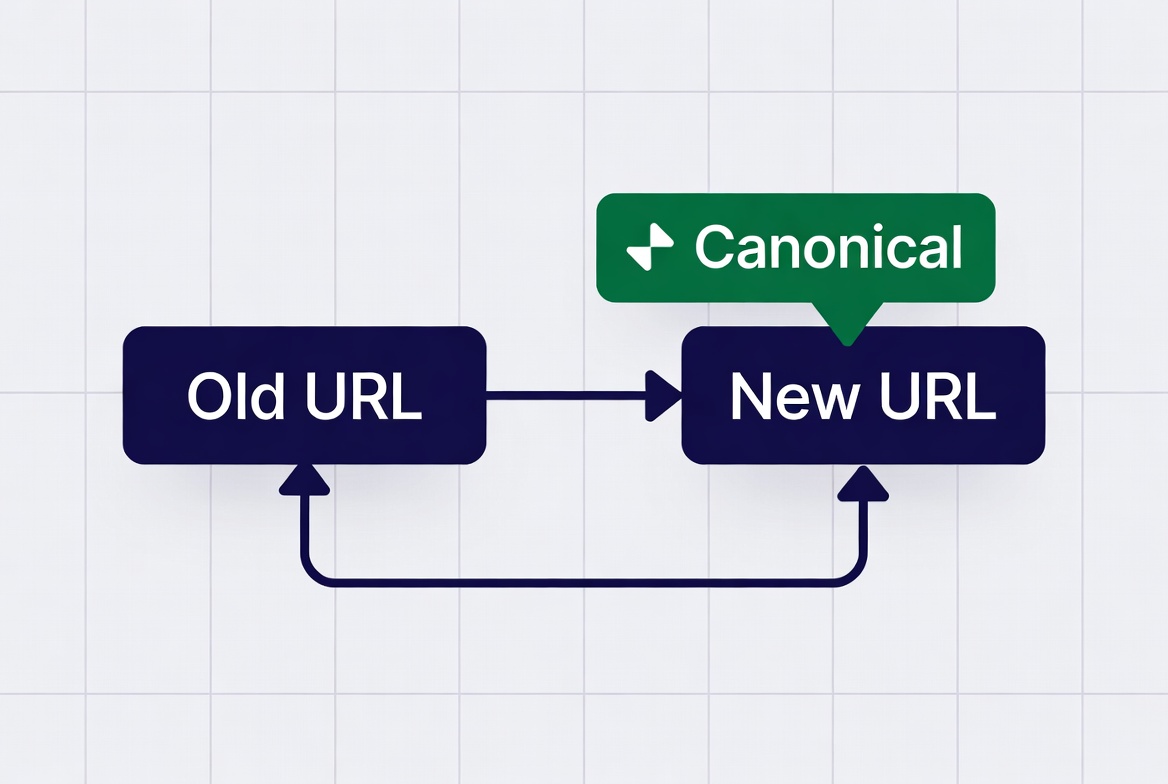
Canonical issues are the most common technical SEO problem. A duplicate URL without a canonical, or a canonical pointing to the wrong URL, splits link equity and confuses indexation.
<!-- Canonical should always point to the canonical version -->
<link rel="canonical" href="https://yourdomain.com/blog/post-slug/" />
Common canonical failures:
HTTP vs HTTPS:
https://yourdomain.com/page → canonical should NOT point to http://yourdomain.com/pageTrailing slash inconsistency:
https://yourdomain.com/page → canonical should match the URL served (with or without slash, not both)www vs non-www:
Redirect all traffic to one version; canonical should matchPagination canonicals:
<!-- Each paginated page should have its own canonical, NOT point to page 1 -->
<!-- Page 3 of blog listing: -->
<link rel="canonical" href="https://yourdomain.com/blog/?page=3" />
<!-- NOT: href="https://yourdomain.com/blog/" -->
Audit canonicals at scale:
# Screaming Frog: Configuration → Spider → Extraction → Add custom extraction for canonical
# Or use a sitemap audit to spot-check pages
4. Core Web Vitals
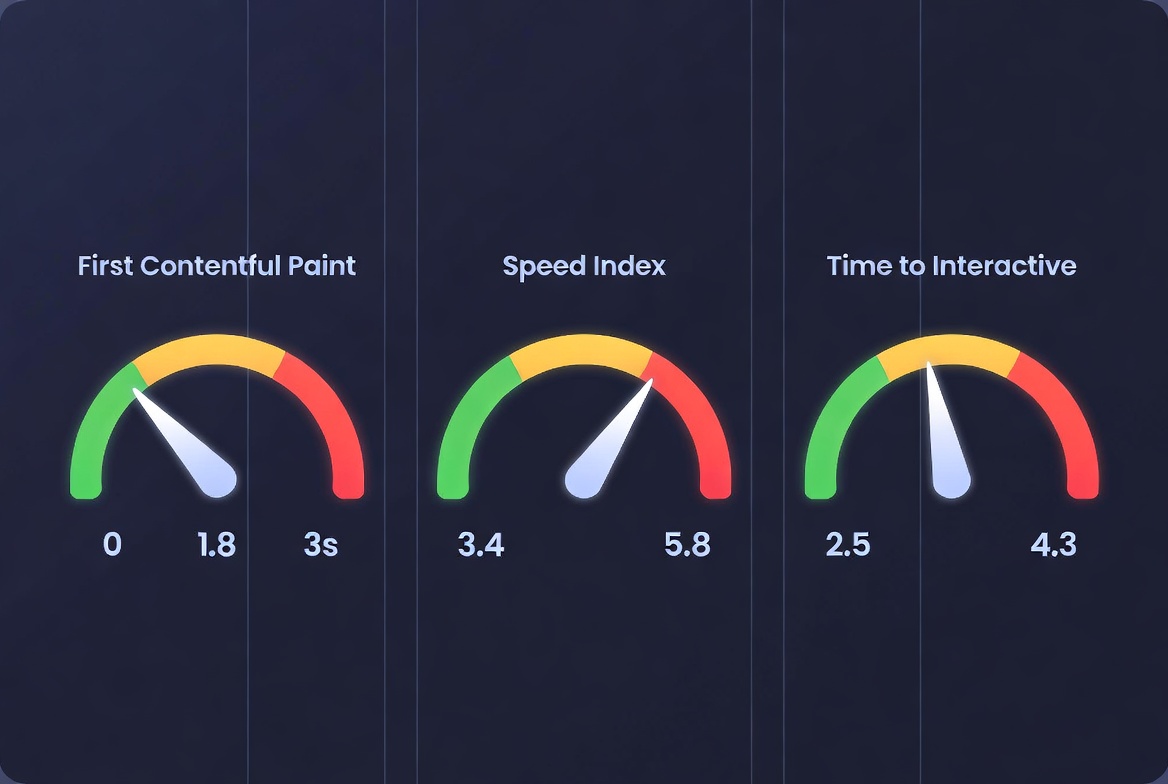
Google uses CWV as a ranking signal. The thresholds that matter:
| Metric | Good | Needs Improvement | Poor |
|---|---|---|---|
| LCP (Largest Contentful Paint) | < 2.5s | 2.5s – 4s | > 4s |
| INP (Interaction to Next Paint) | < 200ms | 200ms – 500ms | > 500ms |
| CLS (Cumulative Layout Shift) | < 0.1 | 0.1 – 0.25 | > 0.25 |
Check CWV:
# PageSpeed Insights API (field data + lab data)
curl "https://www.googleapis.com/pagespeedonline/v5/runPagespeed?url=https://yourdomain.com&strategy=mobile&key=YOUR_API_KEY"

# Lighthouse CLI
lighthouse https://yourdomain.com --output=json --strategy=mobile

# CrUX (real user data): Google Search Console → Experience → Core Web Vitals
LCP fixes (most impactful):
- Preload the LCP image:
<link rel="preload" as="image" href="hero.webp" fetchpriority="high"> - Never lazy-load the LCP element
- Use AVIF/WebP and appropriate sizes
- Use a fast CDN
CLS fixes:
- Set explicit
widthandheighton all images and videos - Reserve space for late-loading embeds (ads, iframes)
- Avoid inserting content above existing content after load
INP fixes:
- Reduce JavaScript execution time on user interaction
- Use
scheduler.postTask()orrequestIdleCallback()for non-urgent work - Avoid long tasks (> 50ms) on the main thread.
5. Mobile Usability
Google uses mobile-first indexing; the mobile version of your page is what’s indexed and ranked.
Check in Google Search Console → Experience → Mobile Usability. Common failures:
- Text too small to read (below 12px font)
- Clickable elements too close together (touch targets under 48×48px)
- Content wider than screen (horizontal scroll on mobile)
- Viewport not configured: missing
<meta name="viewport" content="width=device-width, initial-scale=1">

6. Site Architecture and Internal Links
Search engines find and prioritize pages through internal links. Pages that are difficult to reach from the homepage are treated as low-priority.
Crawl depth audit:
Level 1: Homepage
Level 2: Category pages, main navigation targets  (1 click from home)
Level 3: Individual product/post pages            (2 clicks from home)
Level 4+: Archived, low-priority content         (3+ clicks -- may be under-crawled)
Important pages should be reachable within 3 clicks from the homepage. If a critical page is only linked from deep in paginated archives, add it to a relevant category page or the sitemap.
Orphaned pages: Pages with no internal links are invisible to Googlebot (unless in the sitemap). Use Screaming Frog to find pages in your sitemap that aren’t linked internally.
7. Structured Data
Structured data enables rich results (FAQ accordions, review stars, recipe cards, event dates) in search. Verify implementation with the Schema Markup Validator and Google’s Rich Results Test.
<!-- Article schema for blog posts -->
<script type="application/ld+json">
{
  "@context": "https://schema.org",
  "@type": "Article",
  "headline": "Technical SEO Audit Checklist",
  "author": {
    "@type": "Person",
    "name": "Curtis Harrison",
    "url": "https://yourdomain.com/about"
  },
  "datePublished": "2026-04-10",
  "dateModified": "2026-04-10",
  "publisher": {
    "@type": "Organization",
    "name": "Veduis",
    "logo": {
      "@type": "ImageObject",
      "url": "https://yourdomain.com/logo.png"
    }
  }
}
</script>
8. Redirect Audit
# Find redirect chains (A → B → C is a chain; should be A → C)
# Use Screaming Frog: Mode → Spider, check "Follow Internal Redirects"

# Check for 302 instead of 301 (temporary vs permanent)
curl -I https://yourdomain.com/old-url
# Should see: HTTP/2 301 (not 302) for permanent content moves
Redirect chains lose PageRank at each hop. Flatten chains to single-hop redirects. Convert 302 redirects on permanently moved content to 301.
9. Page Speed for SEO
Beyond CWV, overall page speed affects crawl efficiency and user experience:
# Check Time To First Byte (TTFB)
curl -o /dev/null -s -w "TTFB: %{time_starttransfer}s\n" https://yourdomain.com

# TTFB should be under 800ms for good; under 200ms is excellent
TTFB fixes: enable HTTP/2, use a CDN, improve server response time, implement caching.
Running the Audit: Tool Stack
| Task | Tool |
|---|---|
| Full-site crawl | Screaming Frog (£149/year) |
| Google’s view of your site | Google Search Console (free) |
| Performance + CWV | PageSpeed Insights, Lighthouse |
| Log file analysis | Screaming Frog Log File Analyser |
| Backlink audit | Ahrefs or Semrush |
| Structured data testing | Google Rich Results Test |
Run a full audit quarterly. Run the CWV and indexation checks monthly. Set up Google Search Console email alerts for coverage drops, mobile usability errors, and manual actions; these require immediate attention.