Six months ago, VePrompts launched as a free AI prompt library. The idea was simple: give people a curated collection of prompts that actually work, without demanding an email address or credit card. The response exceeded expectations. Thousands of developers, marketers, and business owners started using the platform daily.
But something interesting happened along the way. Users kept asking the same question: “These prompts are great, but how do I actually connect AI to my tools?”
That question led to a complete rethink. Today, VePrompts 2.0 launches as something entirely different, and in many ways, something much more useful.
What Changed (And Why)
The original VePrompts solved a real problem. Managing prompts across ChatGPT, Claude, and Gemini was a mess of scattered notes and forgotten browser tabs. The library grew to over 1,300 prompts covering everything from resume writing to video generation.
But a pattern emerged. The most engaged users were not casual prompt browsers. They were developers and technical teams trying to build real AI-powered workflows. They wanted to connect Claude to their databases, hook Cursor into their GitHub repos, and make AI actually do things beyond generating text.
That is exactly what MCP servers do.
What Are MCP Servers (And Why They Matter)
MCP stands for Model Context Protocol. Anthropic open-sourced it in late 2024, and it has since become the standard way to connect AI assistants to external tools, databases, APIs, and services.
Think of it this way: without MCP, Claude is a brilliant conversationalist who cannot actually do anything. With MCP, Claude becomes a developer who can read your codebase, query your database, search the web, and interact with your tools directly.
The protocol works by creating a standardized bridge between AI clients (Claude Desktop, Cursor, Cline, VS Code) and external services. Instead of copying and pasting API responses into chat windows, MCP lets the AI talk directly to the tools you use every day.
For developers, this changes everything. A GitHub MCP server lets Claude create pull requests, review code, and manage issues without leaving the chat interface. A Firecrawl MCP server adds web scraping and search capabilities. A Notion MCP server turns Claude into a document editor that can read and write your workspace.
The problem? Finding the right MCP server was nearly impossible. GitHub repos were scattered. Documentation quality varied wildly. There was no central place to compare servers, check compatibility, or see install commands.
That is the problem VePrompts 2.0 solves.
The New VePrompts: A Curated MCP Server Directory
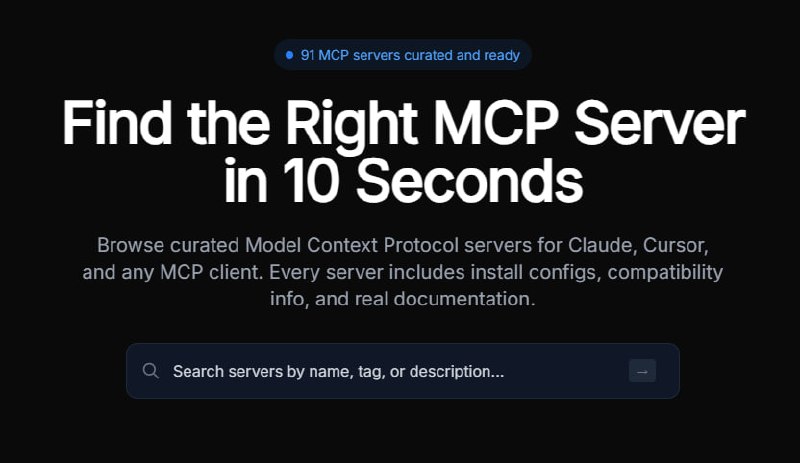
The redesigned VePrompts now hosts 91 curated MCP servers across 9 categories, each with real documentation, install configs, and compatibility information. Every server page includes:
- One-click install commands for npx, npm, Docker, and pip
- Client compatibility matrix showing which servers work with Claude Desktop, Cursor, Cline, VS Code, and Devin (formerly Windsurf)
- Environment variable requirements with clear explanations
- GitHub repository links with live star counts
- Author attribution with direct links to maintainer profiles
- Transport method details (stdio vs SSE)
- Tool breakdowns showing exactly what capabilities each server exposes
The directory is not a list of links scraped from GitHub. Each server has been manually reviewed for documentation quality, install reliability, and practical usefulness. Servers that lack clear setup instructions or have broken install commands do not make the cut.
This curation approach mirrors how Veduis approaches technical SEO audits - systematic review, clear documentation, and actionable output.
Browse by Category (With Top Servers Highlighted)
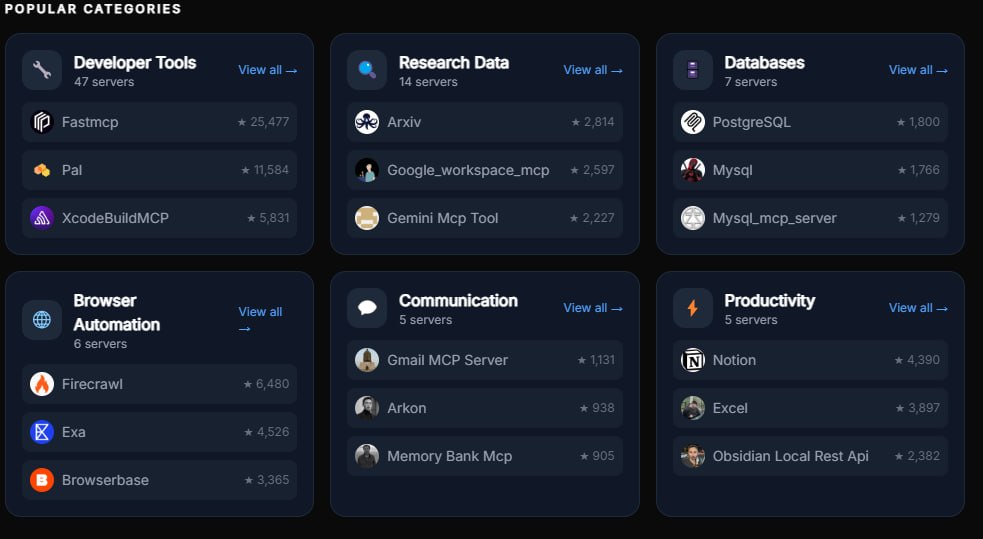
One of the most useful additions to VePrompts 2.0 is the category breakdown on the main MCP servers page. Rather than dumping users into an alphabetical list, the directory now surfaces popular categories with their top-performing servers:
Developer Tools (5 servers) - GitHub integration, repository management, file operations, and version control workflows.
Browser Automation (4 servers) - Web scraping, search, and browser control via Firecrawl, Exa, Browserbase, and Playwright.
Cloud Platforms (2 servers) - Cloudflare and AWS integrations for infrastructure management.
Databases (3 servers) - Direct connections to PostgreSQL, Redis, and SQLite for data operations.
AI & ML (2 servers) - Model serving, embedding generation, and machine learning pipelines.
Each category card shows the top 3 servers by GitHub stars, so users immediately see which tools the community trusts most. Clicking “View all” filters the full directory to that category.
GitHub Avatars for Instant Recognition
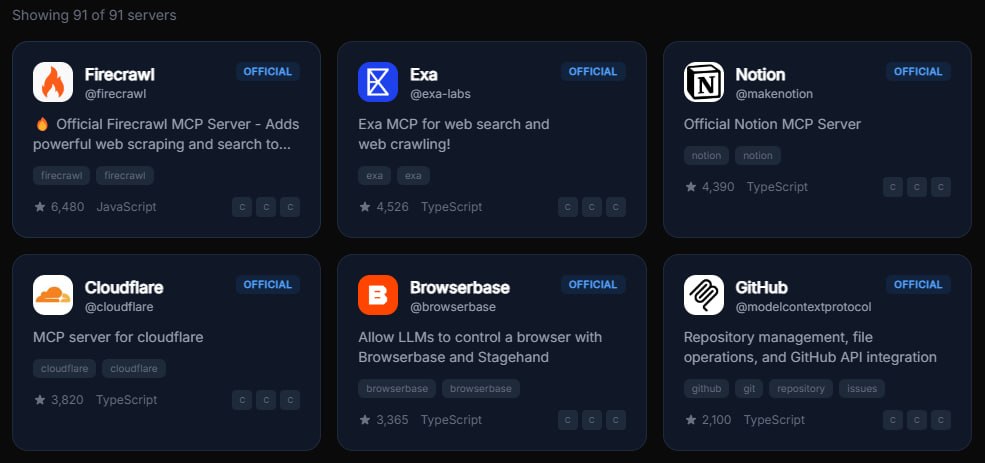
A subtle but important design decision: every server card and detail page now displays the author’s GitHub avatar instead of generic category icons. This does two things.
First, it creates instant visual recognition. When you see the Firecrawl flame logo or the Cloudflare orange wave, you know exactly which tool you are looking at. No guessing based on emoji categories.
Second, it builds trust. Seeing the actual GitHub organization behind a server (modelcontextprotocol for GitHub, firecrawl for Firecrawl, cloudflare for Cloudflare) confirms you are installing the official package, not a community fork or potentially malicious clone.
The avatars pull directly from GitHub’s CDN, so they stay current as organizations update their branding.
What the Detail Pages Actually Show
Clicking into any server reveals a thorough breakdown that goes far beyond a README summary.
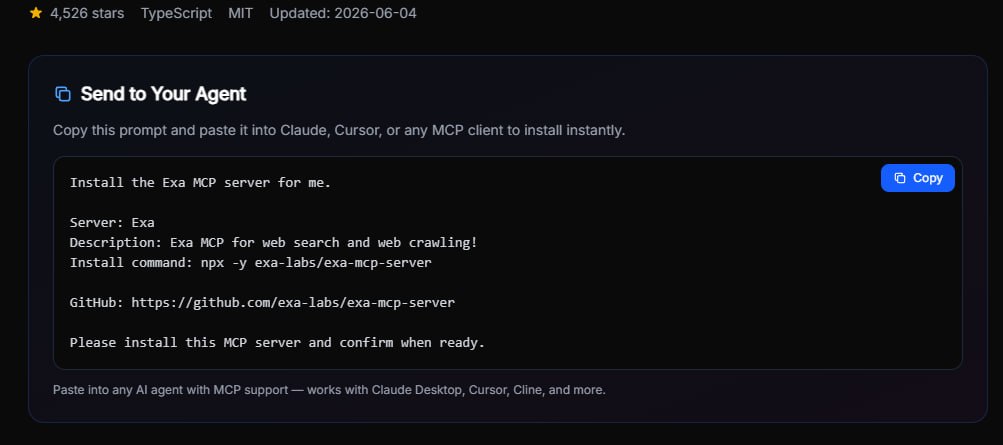
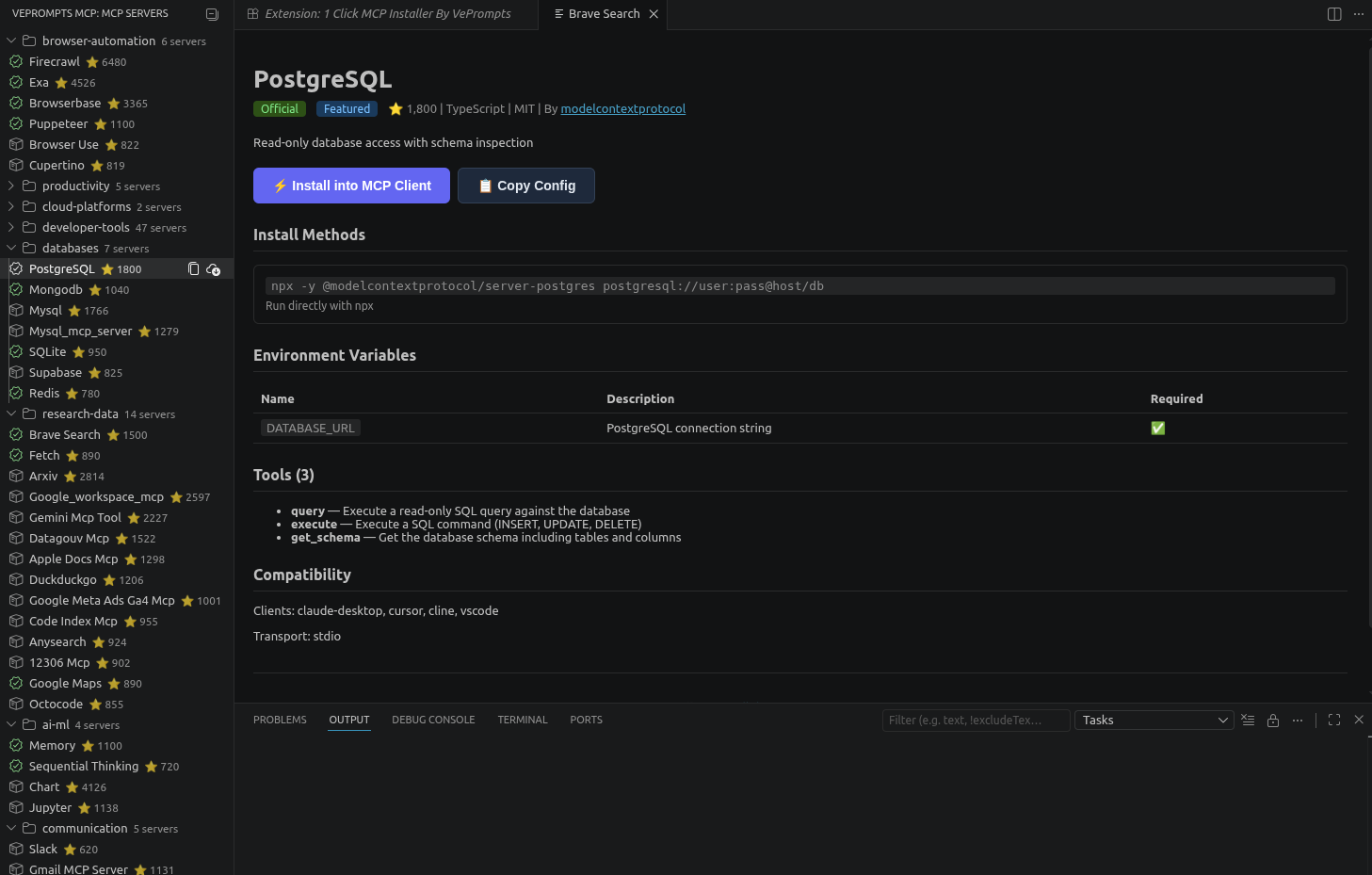
The install section provides copy-paste commands for every supported installation method. For the GitHub MCP server, that means npx commands for immediate testing, npm install for permanent setup, and Docker options for containerized environments. Each command includes the exact package name and flags needed.
The compatibility matrix shows at a glance which clients support the server. The GitHub server works across all five supported clients (Claude Desktop, Cursor, Cline, VS Code, Devin (formerly Windsurf)), while some specialized servers may only support a subset.
The environment variables section lists every required and optional config variable, with descriptions explaining what each one does and example values showing the expected format. No more hunting through GitHub issues to figure out why your token is not being recognized.
The tools breakdown enumerates every capability the server exposes to the AI. The GitHub server, for example, exposes 12 distinct tools ranging from repository search to branch creation to issue commenting. This helps users understand exactly what they can ask the AI to do before installing anything.
The Prompt Library Is Not Going Anywhere
For users who came to VePrompts for prompts, nothing disappears. The original prompt library, workbench, compare tool, and skills collection remain fully accessible. The homepage now features both MCP servers and a selection of featured prompts and skills, so visitors can examine both sides of the platform.
The nav reflects this dual focus: Home, MCP, Prompts, Skills, Compare, and Workbench. Each section serves a distinct use case, and users can move between them without losing context.
Technical Foundation
VePrompts 2.0 runs on SvelteKit with static site generation, deployed via Cloudflare Pages. The MCP server data lives as Markdown files with YAML frontmatter in a Git-based content layer, making community contributions straightforward via pull requests.
The site scores 100/100 on Core Web Vitals, with sub-2-second load times even on mobile. Every page includes structured data markup (Schema.org JSON-LD), Open Graph tags, and Twitter Card metadata for proper social sharing.
What Is Coming Next
The 2.0 launch is a foundation, not a finish line. The roadmap for the next six months includes:
Server submission workflow - A simplified process for developers to submit their MCP servers for review and inclusion in the directory. Quality guidelines will focus on documentation completeness, install reliability, and security best practices.
VS Code extension - The 1 Click MCP Installer extension brings VePrompts directly into VS Code. Browse servers by category, install with one click, and manage configs without leaving your editor. Available now on the VS Code Marketplace and Open VSX Registry.
For a complete walkthrough of setting up MCP servers in VS Code, see our step-by-step installation guide.
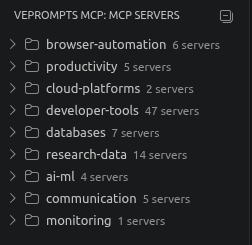
The extension auto-detects installed MCP clients on your system - Claude Desktop, Cursor, Cline, Devin (formerly Windsurf), VS Code native MCP, Continue.dev, Zed, and mcphub.nvim. Click any server in the tree view to install it to your preferred client.
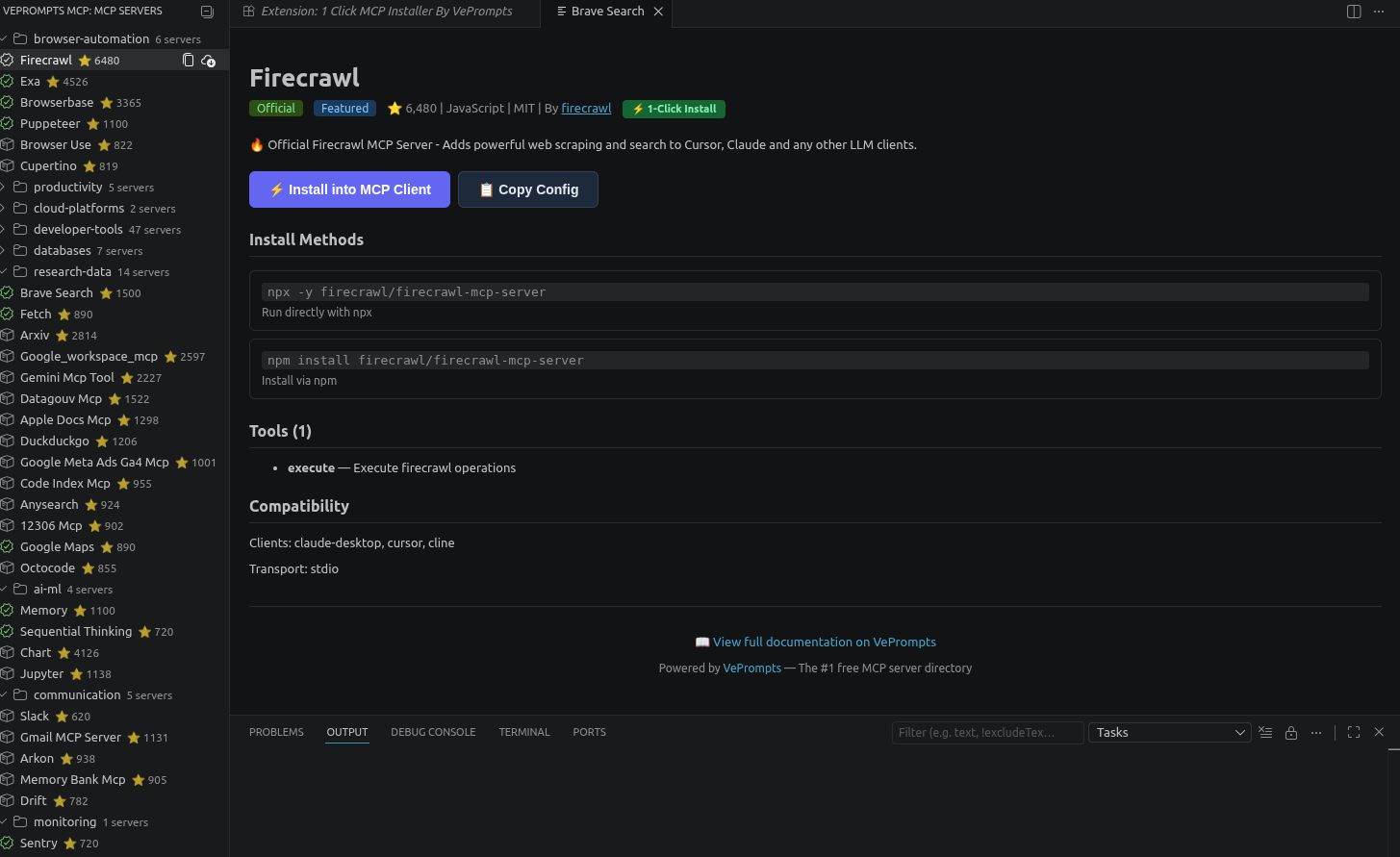
Environment variables are prompted securely during installation, and the config is written atomically to prevent corruption.
Client-specific install guides - Step-by-step walkthroughs for configuring each supported client (Claude Desktop, Cursor, Cline, VS Code, Devin (formerly Windsurf)) with popular servers. Screenshots and video clips included.
Server ratings and reviews - Community-driven reliability scores based on real usage, not just GitHub stars. Users will be able to report install issues, rate documentation quality, and share use cases.
Stack builder - A visual tool for assembling multi-server configurations. Want GitHub + Firecrawl + Notion working together? The stack builder will generate the combined config file and verify compatibility.
API and programmatic access - A JSON API for developers who want to query the directory programmatically, build integrations, or create custom UIs on top of the dataset.
Expanded categories - Monitoring, communication, research, and productivity servers are already in the directory, with plans to add e-commerce, finance, healthcare, and education categories as the ecosystem matures.
Why This Matters for Businesses
MCP servers are not just a developer convenience. They represent a fundamental shift in how businesses can use AI.
A marketing team using the Firecrawl MCP server can ask Claude to scrape competitor websites, analyze pricing pages, and generate comparison tables without writing a single line of code. A development team using the GitHub MCP server can automate code reviews, generate release notes from commit history, and create issues from user feedback transcripts.
The barrier to entry drops from “hire an AI engineer” to “install a server and start asking questions.” That is the difference between AI as a chatbot and AI as a team member.
VePrompts 2.0 makes that transition accessible by removing the discovery problem. Instead of searching through scattered GitHub repos and incomplete documentation, teams can find, compare, and install the right MCP servers in under a minute.
For businesses looking to integrate AI into their existing infrastructure, Veduis provides custom web development services that help teams build on top of platforms like VePrompts.
How to Get Started
Visit veprompts.com and click MCP in the navigation. The homepage surfaces featured servers and popular categories. The full directory at veprompts.com/mcp/servers/ supports filtering by category, client, transport method, programming language, and official status.
Every server page includes copy-paste install commands and a compatibility checklist. Most servers can be installed and running within 60 seconds.
For developers interested in contributing, the VePrompts GitHub repository accepts pull requests for new servers, documentation improvements, and feature suggestions.
The Bottom Line
VePrompts started as a prompt library because that was the most painful part of working with AI. Six months later, the most painful part has shifted. Finding and configuring MCP servers is now the bottleneck that slows down AI adoption for technical teams.
VePrompts 2.0 removes that bottleneck. Ninety-one curated servers. Real documentation. One-click installs. Zero signups required.
The platform remains free, open, and privacy-focused. No accounts. No tracking. No paywalls. Just a directory of tools that make AI actually useful.
If you have been waiting for AI to move beyond chat and into real work, MCP servers are how that happens. And VePrompts 2.0 is where you find them.
Curtis Harrison is Senior Technical Writer and AI Implementation Specialist at Veduis. He writes about AI tooling, web development architecture, and practical automation strategies for growing businesses.