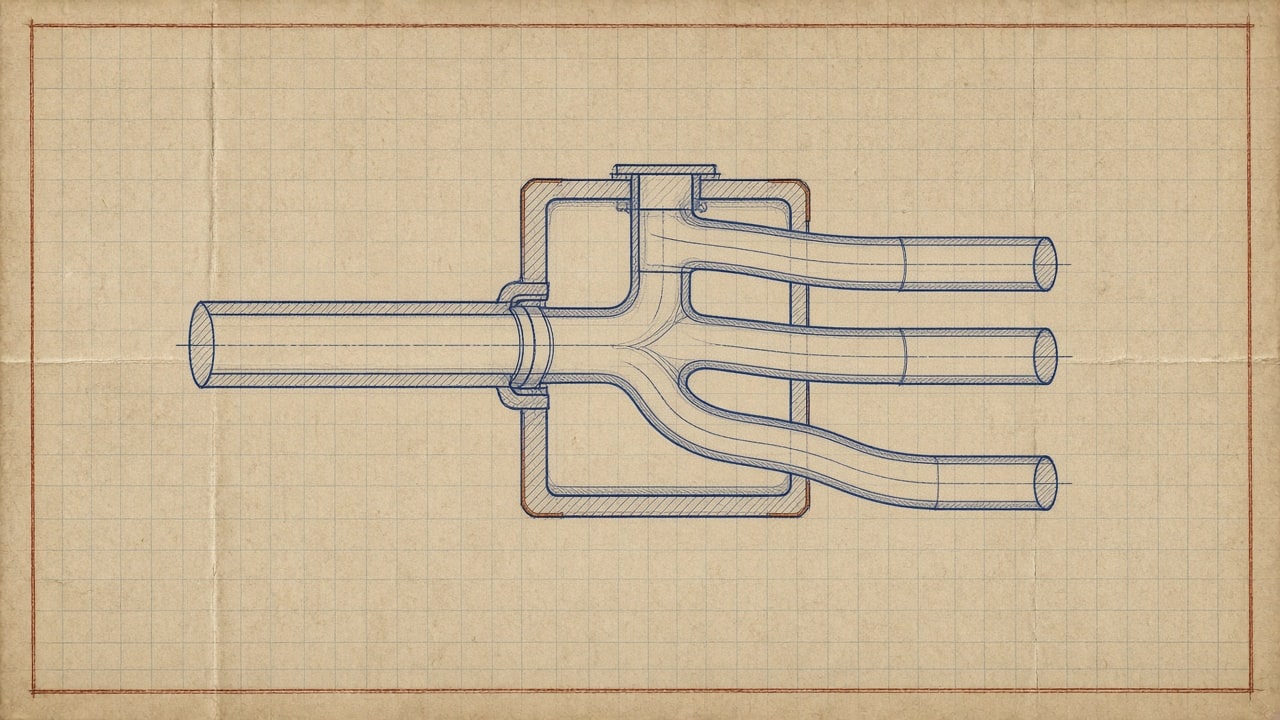
AI lead routing is software that assigns every inbound lead to a specific rep the moment the form submits, then fires an alert or a first touch within seconds. It replaces the shared inbox and the manual forward, which is where most small teams lose leads. The logic underneath is one of three models, or a weighted mix: round-robin, territory, or skills-based. AI adds enrichment, availability awareness, and continuous weighting on top of whichever model you pick. Teams under 10 reps rarely need it, because the monthly cost rarely clears the value at low volume. Native CRM assignment rules plus a five-minute SLA cover the gap first.
Last spring I watched a home services client lose a $14,000 kitchen remodel job because of a routing mistake nobody noticed. The lead came in at 11:42 on a Tuesday, a form fill from a homeowner three miles from the office. It sat in a shared inbox until 4:15 because the rep whose territory it belonged to was on a roof. The homeowner had signed with a competitor by 2:30. That single afternoon cost more than the client’s entire annual software budget, and it pushed me to rebuild how they handle inbound leads. This post is that rebuild, plus what the research says about why seconds matter more than most SMB owners believe.
What the Speed-to-Lead Research Actually Says
Two studies anchor nearly every credible claim about lead response time, and it is worth separating them because most articles blend them into one inflated stat.
The first is the Lead Response Management Study (often cited as the MIT/InsideSales study, published in summary form in Harvard Business Review in March 2011). Analyzing call data across thousands of web leads, the researchers found that contacting a lead within 5 minutes instead of 30 minutes made qualification roughly 21 times more likely, and contacting within 5 minutes instead of waiting several hours raised contact odds by two orders of magnitude.
The second piece of research, the same HBR team’s audit of 2,241 U.S. companies, measured what businesses actually do rather than what works. The average first response took 42 hours. Only 37% of companies responded within an hour, 23% never responded at all, and firms that made contact within the first hour were nearly seven times as likely to qualify the lead as firms that waited even an hour longer.
Two practical takeaways:
- Your competition is slow. A 42-hour average means you win most speed battles by simply responding the same day. Responding in under five minutes is a blowout.
- The studies are old, but the behavior persists. A 2025-2026 field of SaaS benchmarks keeps reproducing the same pattern: most inbound leads wait hours, and the first responder takes a large share of ready buyers. Fifteen years of new tools did not fix slow routing because the bottleneck was never technology. It was assignment.
That is where AI routing earns its keep. Not by writing follow-up emails, but by deciding who gets the lead, and triggering the first touch, in seconds instead of hours.

AI Lead Routing Models: Round-Robin, Territory, and Skills-Based
Every routing system is one of three models, or a weighted mix. Choosing the wrong one is the most common reason lead programs underperform after the first few months.
| Model | How it works | Best for |
|---|---|---|
| Round-robin | Fixed rotation, one lead per rep in turn | Equal teams, interchangeable reps |
| Territory or account-based | Leads assigned by geography, company, or account owner | Local services, named-account sales |
| Skills or intent-based | Rules (or AI) match lead attributes to the best-fit rep | Varied products, technical sales, mixed seniority |
The failure modes are predictable. Round-robin ignores availability, expertise, and workload. Territory routing creates silos and a single point of failure whenever the territory owner is busy. Skills-based routing costs the most to set up and turns bad CRM data into bad matches.
Why pure round-robin breaks down
Round-robin is the default because it is easy to set up in most CRMs, and it is fair on paper. In practice, fairness is not the goal, conversion is. If your senior closer is available and your brand-new rep is on their first week, a strict rotation sends the $14,000 kitchen job to the rookie. If one rep has five open deals and another has zero, rotation ignores that too.
Round-robin works well when your reps are genuinely interchangeable and your deal sizes are uniform. The moment either assumption breaks, you need rules above the rotation.
Where skills-based routing wins
Skills-based routing scores each lead against rep attributes: product knowledge, language, vertical experience, current workload, and recent conversion rate by lead type. Done manually this is a spreadsheet nobody maintains. Done with AI, it happens at form-submit time.
A plumbing company can route emergency calls to on-call techs and quote requests to estimators. A B2B software team can route enterprise form fills to senior reps and free-trial signups to a pooled team. The match logic is the same; only the attributes change.

How AI Changes the Assignment Decision
Traditional routing runs on static rules written once and forgotten. AI routing differs in three specific ways:
- Continuous learning. Modern routing tools track which rep converted which lead type and adjust weighting over time. If your top performer on commercial roofing leads slips, the system notices before you do.
- Enrichment at ingest. The AI scores the lead the moment it arrives, pulling firmographic data, inferred intent, and channel context, then routes on the enriched record instead of the raw form.
- Availability awareness. Instead of assigning to a named person, the system assigns to the best person who is actually free right now, which is the difference between a routed lead and a called lead.
This connects directly to scoring. If you pair routing with a model that qualifies inbound leads on arrival, covered in our post on AI-powered lead scoring for small businesses, you can route your hottest leads to humans instantly and let automation nurture the rest. Scoring tells you which lead matters. Routing decides who acts on it.
What AI Lead Routing Costs Per Month in 2026
Pricing for routing software is confusing on purpose, so here is what to expect before you sit through a demo.
| Tool and billing model | Approximate pricing (2026) | Best fit |
|---|---|---|
| HubSpot, per seat plus CRM bundle | Free tier; paid CRM from ~$20/seat/mo, routing features scale with tier | Teams already on HubSpot |
| Salesforce, per user plus CRM bundle | ~$80-165/user/mo base; advanced routing via Flow | Larger teams with admin capacity |
| Chili Piper, per user | Roughly $20-55/user/mo tiers for smaller plans; team packages around $1,250/mo and up at scale | Instant booking plus routing on form fill |
| LeanData, platform with annual quote | Commonly $15,000+/year for teams; adds AI inference nodes that run LLM prompts inside the routing graph | Salesforce-native revenue ops teams |
Two things to verify on official pricing pages before budgeting: Chili Piper’s current plan structure changes often, and LeanData quotes vary widely by lead volume and node count. Do not build your business case on a blog’s pricing table, including this one. Pull the live numbers.
For most SMBs the decision is simpler than the vendor comparisons suggest. If your CRM is HubSpot or Salesforce, start with native assignment rules plus a scoring workflow. If you have not picked a CRM yet, settle that first with our guide to choosing a CRM for a small business, because routing is only as good as the record it routes. You get 80% of the value for a fraction of the cost. Buy a dedicated routing product when you have proven that response speed, not close rate, is your bottleneck.

Compliance Note Before You Automate Texting
Fast response usually means calling or texting instantly. Under the FCC’s Telephone Consumer Protection Act rules, texts and calls using automated dialing or prerecorded messages to cell phones require prior express consent, and the FCC’s 2024 TCPA Consent Order confirmed that consumers can revoke that consent by any reasonable means, with senders required to honor the revocation within 10 business days. If your first touch uses an AI-generated voice rather than a live rep, the bar is the same: the FCC’s 2024 declaratory ruling on AI voices confirmed that AI-generated voices count as “artificial or prerecorded voice” under the TCPA, so those calls need prior express consent too. Marketing texts to numbers scraped or bought without consent are a liability, full stop. Route fast, but route lawfully: get consent on the form, honor opt-outs automatically, and have a human make first contact where consent is ambiguous.
What Most Guides Get Wrong About AI Lead Routing
The vendor content on this topic repeats three claims that fall apart under practitioner scrutiny.
“AI routing replaces your routing logic.” It does not. AI improves matching on top of rules you define. If your attributes are garbage (reps not tagged with skills, territories stale), the AI routes garbage faster. The teams that see lift spend a week cleaning CRM data before flipping any switch.
“Instant response is always better.” Not for complex B2B deals. Calling a director-level evaluator within 30 seconds of a whitepaper download reads as surveillance, not service. For top-of-funnel inquiries, a fast, relevant email or SMS with a booking link often outperforms a phone call. Match the channel to the intent, not to the stopwatch. Our guide to building an AI customer support agent covers the same principle from the support side: automation handles triage, humans handle judgment.
“You need AI at all.” Most teams under 10 reps do not. A clean round-robin with availability checks, instant Slack notifications, and a 5-minute SLA beats a machine-learning router nobody maintains. AI earns its cost when lead volume outpaces manual assignment, when lead value varies enough that bad matches cost real money, or when you route across time zones and business hours.
Implementation Roadmap
Roll this out in order. Each step works alone, so you can stop when response time stops being the problem.
- Measure your current number. Timestamp every inbound lead and first human contact for two weeks. Most owners guess their response time and guess wrong, usually by a factor of five.
- Write your routing rules on paper. Territory, skills, workload caps, and a backup owner for every rule. If you cannot explain the logic in a sentence, the software cannot either.
- Configure native CRM assignment first. Set up round-robin or rule-based assignment in your existing CRM with instant notifications.
- Add scoring and enrichment. Layer in lead scoring so high-intent leads skip the queue and go straight to senior reps.
- Automate the first touch. Trigger an immediate, personalized email or SMS with a booking link so no lead sits untouched even when all reps are busy. The email automation workflows worth setting up first cover this layer.
- Evaluate dedicated routing tools only if gaps remain. If you still see unassigned leads, territory collisions, or SLA breaches at volume, that is the signal for Chili Piper, LeanData, or equivalent.
- Track two metrics weekly: median time-to-first-touch and conversion rate by rep and lead source. Route on the data, not on hunches.

Measuring Whether AI Lead Routing Worked
Routing projects fail quietly when nobody defines the baseline. Before and after, track:
- Median and 90th-percentile response time. The median flatters you; the 90th percentile shows the leads that died in the queue.
- Contact and qualification rate by response-time bucket (under 5 min, 5-30 min, over 1 hour).
- Conversion rate by routed rep to catch skill mismatches the rotation was hiding.
- Cost per qualified lead, since tool spend is the easiest line to justify or cut.
If response time drops but conversion does not, your problem is downstream of routing: offer, pricing, or closing. Be willing to conclude that. We use the same discipline in our framework for measuring AI ROI in a small business: define the metric, set the baseline, and kill the project if the lift does not cover the cost.
Final Checklist Before You Go Live
- Consent language on every lead form covers automated calls and texts
- Every lead has a primary owner and a backup owner
- Slack or email notification fires within 30 seconds of assignment
- Workload caps prevent any rep from hoarding hot leads
- Median and 90th-percentile response time are reported weekly
- First-touch automation (email or SMS with booking link) is live as a safety net
- Reps are tagged with real skills and territories in the CRM, not last year’s org chart
Conclusion
The research has not changed in fifteen years: respond in minutes, not hours, and you multiply your odds of qualifying and closing the lead. The 2011 Harvard Business Review audit found most companies still take 42 hours, which means the bar for winning is embarrassingly low. AI lead routing closes that gap by matching every inbound lead to the right available rep in seconds, but only if your data, rules, and consent practices are in order. Measure your real response time this week. If the number is measured in hours, fix routing before you spend another dollar on lead generation, because the leads you already have are the cheapest ones you will ever get.