Every developer touches DNS constantly. You set up domains, configure mail records, point subdomains at servers, and wonder why your changes are not visible yet. Most of that work happens through a control panel that hides what is actually going on. That is fine until something breaks, and then the lack of understanding becomes a real problem.
DNS failures are among the hardest to debug quickly because the symptoms look like many different things. Your application appears down. Users in one region cannot reach your site but users elsewhere can. Email is bouncing. A deployment moved your app to a new IP address and some users still hit the old one. Understanding what DNS is doing is the difference between a 10-minute fix and a 3-hour incident.
If you are building on a static site architecture, DNS is often the only infrastructure layer you directly control. Getting it right matters.
How DNS Resolution Works
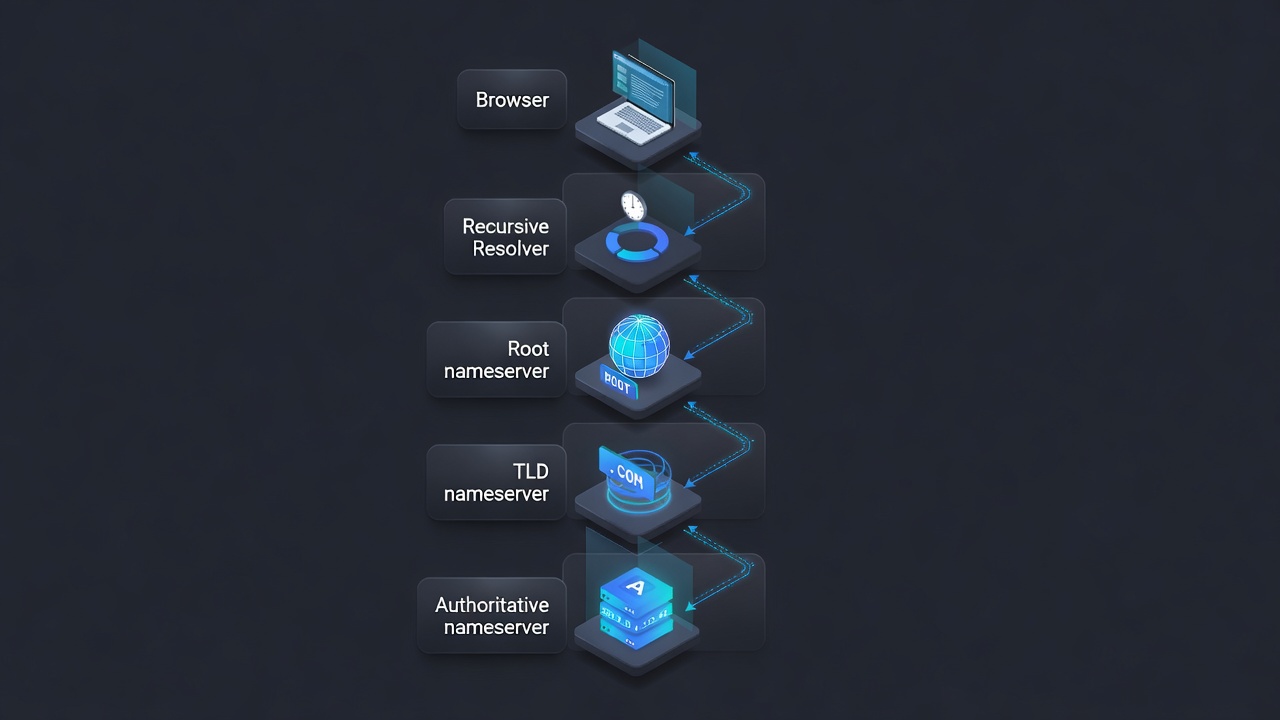
When a browser needs to connect to api.example.com, it needs an IP address. DNS resolution is the process of converting that hostname to an IP.
Recursive resolver: Your device sends a query to a recursive resolver, which is typically your ISP’s DNS server, Google Public DNS (8.8.8.8), or Cloudflare DNS (1.1.1.1). This resolver does the work of finding the answer by querying other servers on your behalf. It also caches results to avoid repeating the same work.
Root nameservers: If the recursive resolver does not have the answer cached, it asks one of the 13 root nameserver clusters. Root servers do not know the IP of api.example.com. They know which nameserver is authoritative for the .com TLD and refer the resolver there.
TLD nameserver: The .com TLD nameserver knows which nameserver is authoritative for example.com specifically. It refers the resolver to the authoritative nameservers for example.com.
Authoritative nameserver: This server holds the actual DNS records for example.com. It returns the IP address (or other record) for api.example.com.
The recursive resolver caches this result according to the TTL (Time to Live) value in the record, then returns it to your device. Your device caches it too.
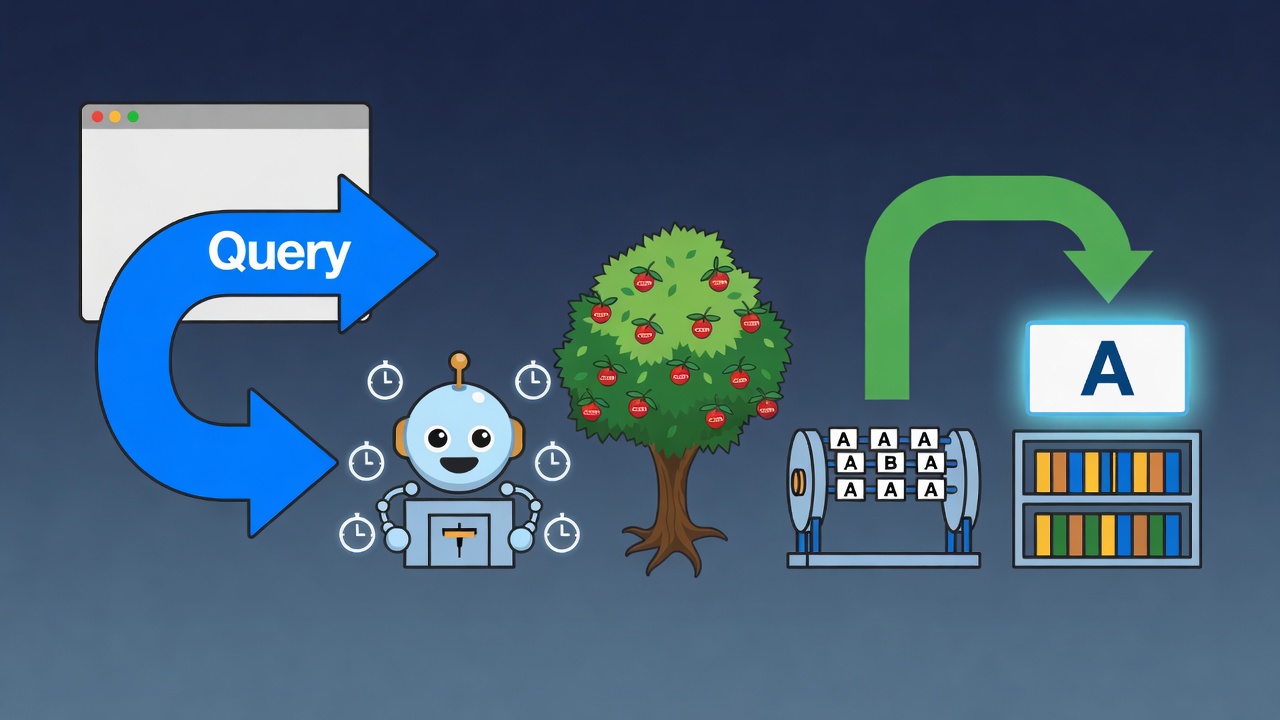
This entire chain typically completes in 20-100 milliseconds for uncached queries. For context on how this fits into overall page delivery, see our guide on how CDN caching works at the edge.
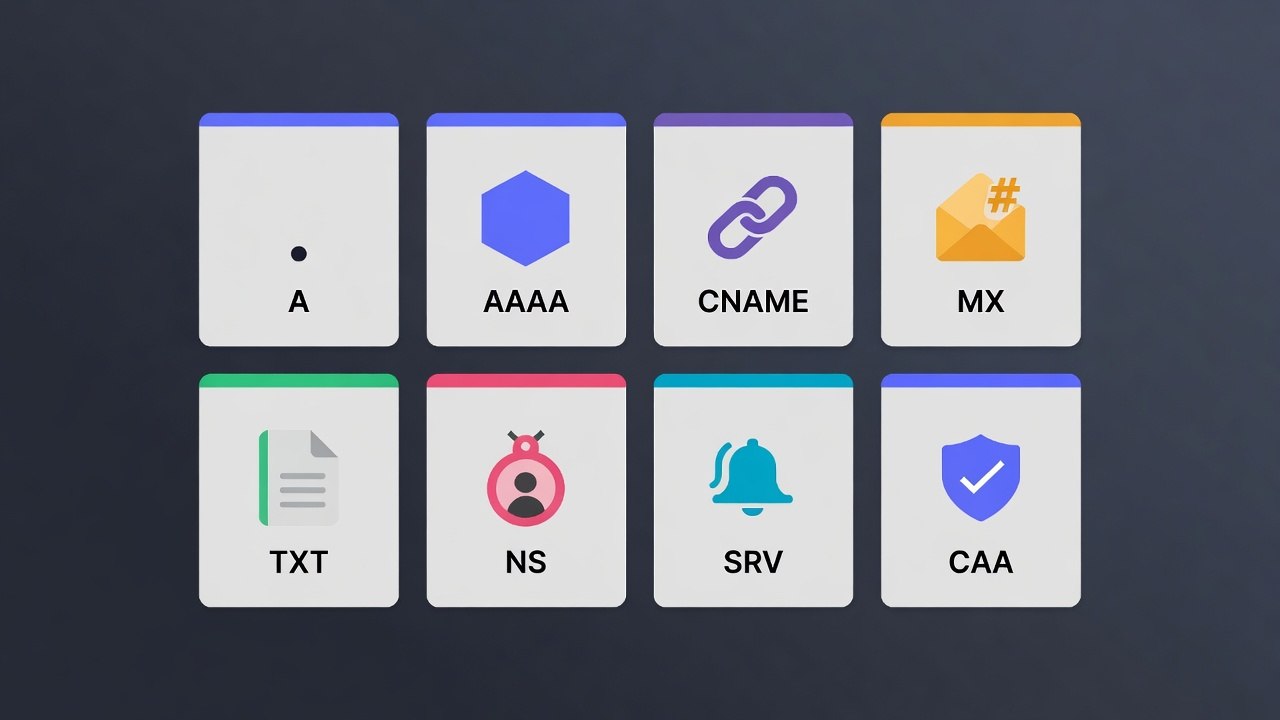
Record Types and When to Use Each
A Record
Maps a hostname to an IPv4 address. The most common record type.
api.example.com. 300 IN A 203.0.113.42Use A records to point subdomains or the apex domain at server IP addresses. When you have multiple A records for the same hostname, DNS returns all of them and clients can use any. This is the simplest form of load balancing, though it has no awareness of server health.
AAAA Record
Maps a hostname to an IPv6 address. The structure is identical to an A record.
api.example.com. 300 IN AAAA 2001:db8::1Most services should serve both A and AAAA records. Clients that support IPv6 will prefer AAAA. Clients that do not will fall back to A.
CNAME Record
An alias. Points a hostname to another hostname rather than an IP address.
www.example.com. 300 IN CNAME example.com.When a client resolves www.example.com, it gets example.com as the result, then resolves example.com to an IP. CNAMEs add a resolution hop but let you point multiple subdomains at a canonical hostname. If the IP behind example.com changes, all CNAMEs pointing to it automatically follow.
Critical restriction: You cannot use a CNAME at the zone apex (the root of a domain like example.com itself). The zone apex must have an A record or use a DNS provider that supports ALIAS or ANAME records, which behave like CNAMEs but are implemented differently to avoid this restriction.
MX Record
Specifies mail server hostnames for a domain. Required for email delivery.
example.com.  300  IN  MX  10  mail1.example.com.
example.com.  300  IN  MX  20  mail2.example.com.
The priority number determines preference. Lower numbers have higher priority. A sender tries mail1 first. If unavailable, it tries mail2. The hostname in an MX record must be an A or AAAA record, not a CNAME.
TXT Record
Stores arbitrary text, used for domain verification and email authentication.
example.com. 300 IN TXT "v=spf1 include:_spf.google.com ~all"TXT records serve several functions: SPF email authentication, DKIM public key publication, DMARC policy, domain ownership verification for SSL certificates and third-party services, and Google Search Console verification. Multiple TXT records on the same hostname are valid and common. If you are working through a full technical SEO audit checklist, verifying your TXT records for domain ownership and email authentication should be on it.
NS Record
Identifies the authoritative nameservers for a domain or subdomain.
example.com.  86400  IN  NS  ns1.registrar.com.
example.com.  86400  IN  NS  ns2.registrar.com.
NS records at the zone apex are set by your domain registrar. They tell the world which nameservers hold the authoritative records for your domain. Changing your DNS provider means updating NS records at the registrar level, which takes 24-48 hours to propagate globally.
NS records on a subdomain are used for delegation: handing control of sub.example.com to a different nameserver. This is common in large organizations where different teams manage different parts of the DNS namespace.
SRV Record
Specifies the hostname and port for a service.
_sip._tcp.example.com. 300 IN SRV 10 20 5060 sipserver.example.com.Format: _service._proto.domain TTL IN SRV priority weight port target. SRV records are used by protocols like SIP, XMPP, and Minecraft servers. Kubernetes uses SRV records for service discovery within clusters.
CAA Record
Certificate Authority Authorization. Specifies which certificate authorities are permitted to issue SSL certificates for your domain.
example.com.  300  IN  CAA  0 issue "letsencrypt.org"
example.com.  300  IN  CAA  0 issuewild "letsencrypt.org"
CAA records prevent unauthorized certificate issuance. If a CA receives a certificate request for a domain, it checks for CAA records. If the CA is not listed, it must refuse. This stops attackers from obtaining fraudulent certificates through less rigorous CAs even if they compromise the certificate request process.
RFC 8659 defines the CAA record format. The issue tag controls single-name certificates. The issuewild tag controls wildcard certificates.
TTL Strategy
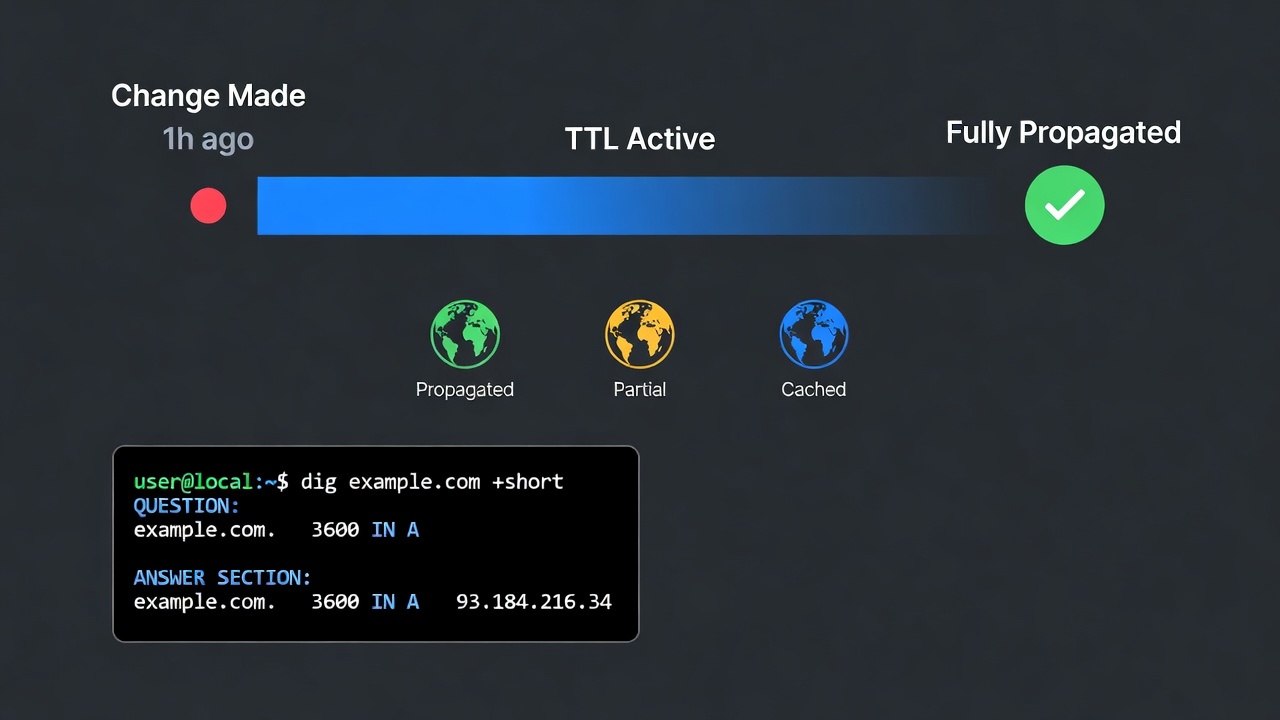
TTL tells resolvers and caches how long to hold a record before re-querying. It is the primary lever you have over DNS propagation speed.
Low TTL (60-300 seconds): Changes propagate within minutes. Appropriate for records that change frequently: load balancer IPs, CDN origins during migrations, anything you might need to update quickly in an incident.
High TTL (3600-86400 seconds): Reduces DNS query load and improves resolution speed for end users. Appropriate for stable records that rarely change: mail server configuration, nameservers, long-established infrastructure.
Migration strategy: Before a planned change, drop the TTL of the record to 60-300 seconds and wait for the current TTL to expire. Then make the change. The new value propagates quickly. After the migration is confirmed stable, raise the TTL back to a higher value.
Failing to lower TTL before a migration is the most common DNS mistake. If you change a record with a 24-hour TTL, some users will continue hitting the old value for up to 24 hours. You have no control over this after the fact. This is especially painful during zero-downtime database migrations or infrastructure cutovers where every request needs to land on the right target.
Understanding Propagation
“DNS propagation” is a common source of confusion. DNS does not propagate outward from a central source in a broadcast fashion. Resolvers fetch records on demand and cache them based on TTL. When you change a record:
- Your authoritative nameserver immediately serves the new value.
- Resolvers that already have the old value cached continue serving the old value until their cached TTL expires.
- New queries, or queries from resolvers whose cache has expired, fetch the new value.
This means propagation time equals the TTL of the old record. Not global propagation to all resolvers. Each resolver independently fetches the new value when its cache expires.
You can check what different resolvers see with:
# Check Google's resolver
dig @8.8.8.8 api.example.com

# Check Cloudflare's resolver
dig @1.1.1.1 api.example.com

# Check your local resolver
dig api.example.com

# Check the authoritative nameserver directly
dig @ns1.your-dns-provider.com api.example.com
If the authoritative nameserver returns the new value but 8.8.8.8 returns the old value, the old TTL has not expired in Google’s cache yet. This is expected behavior, not an error.
Split-Horizon DNS
Split-horizon DNS returns different records for the same hostname depending on the source of the query. Internal queries get internal IP addresses. External queries get public IP addresses.
This is common in corporate networks where internal services live on RFC 1918 address space but must also be reachable externally under the same hostname. It is also used in development to return localhost for services when running locally.
On AWS, Route 53 supports split-horizon through separate public and private hosted zones with the same domain name. Internal resolvers hit the private zone. External resolvers hit the public zone.
For local development, /etc/hosts provides the simplest form of split-horizon:
# /etc/hosts
127.0.0.1 api.example.com
Tools like dnsmasq provide more sophisticated local DNS control, letting you return custom values for specific patterns while forwarding everything else to upstream resolvers.
Debugging DNS Problems
Systematic Approach
When DNS is suspected as the cause of a problem, work from the authoritative source outward.
Step 1: Verify the authoritative nameserver has the correct record.
# Find the authoritative nameservers for the domain
dig NS example.com

# Query the authoritative nameserver directly
dig @ns1.your-dns-provider.com api.example.com
If the authoritative nameserver returns the wrong answer, the problem is in your DNS provider settings. No amount of waiting will fix it.
Step 2: Check what major resolvers see.
dig @8.8.8.8 api.example.com
dig @1.1.1.1 api.example.com
If the authoritative server is correct but resolvers are returning old values, wait for TTL expiry. If TTL is very long, you cannot force external resolvers to flush their caches.
Step 3: Check what your application server sees.
# From the application server
nslookup api.example.com
host api.example.com
An application server might be using a different resolver than your workstation, or it might have its own cache.
Common DNS Failure Modes
NXDOMAIN when a hostname should exist: The authoritative nameserver has no record for that hostname. Check spelling, check that the record was created at the correct DNS provider (not a cached provider), and check that NS records at the registrar match the provider you are editing.
Resolution works intermittently: Multiple A records for the same hostname with one returning an unhealthy IP. Or a nameserver that is intermittently unavailable. Check all A records and verify each IP responds correctly.
Email bouncing: Usually an MX record problem or SPF/DKIM misconfiguration. Check that MX records exist, that they point to valid hostnames (not CNAMEs), and that the SPF TXT record includes all mail-sending services.
SSL certificate validation failure: Common during domain migrations. The CA validation requires the domain to resolve correctly. If the domain recently changed nameservers and the new records have not propagated, certificate issuance fails. For a broader look at keeping certificates current, see our guide on SSL/TLS certificate automation with Let’s Encrypt.
The DNS Attack Surface
DNS is a target for attackers. Understanding the attack surface helps you configure defenses.
DNS cache poisoning: An attacker feeds false DNS records to a resolver, causing it to return attacker-controlled IPs. DNSSEC (DNS Security Extensions) mitigates this by digitally signing records so resolvers can verify authenticity. Cloudflare’s DNS over HTTPS and DNS over TLS prevent eavesdropping on DNS queries.
DNS hijacking: An attacker gains access to your DNS provider account and changes records to redirect your domain. Protect against this with strong credentials, two-factor authentication on your DNS provider account, and registry locks at the registrar level for high-value domains. If you are responsible for application security, our web security fundamentals guide covers additional layers of defense worth implementing.
Dangling DNS records: A subdomain (like subdomain.example.com) points via CNAME to a cloud service you no longer use. An attacker can claim that cloud service and serve content under your subdomain. Audit CNAME records periodically and remove any pointing at decommissioned services.
Zone transfer exposure: By default, some older DNS servers allow zone transfers (AXFR queries) that enumerate every record in a zone. This reveals your complete infrastructure layout. Restrict zone transfers to authorized secondary nameservers only.
Tools Worth Having
dig is the primary DNS debugging tool on Linux and macOS. Covers every record type and resolver option.
nslookup is available on Windows and most Unix systems. More limited than dig but sufficient for basic lookups.
MXToolbox provides browser-based DNS lookup, MX record validation, and blacklist checking. Useful for verifying mail configuration from an external perspective.
DNSViz visualizes the full DNS resolution chain and highlights DNSSEC validation issues. Invaluable for diagnosing delegation and signing problems.
WhatsMyDNS shows what DNS resolvers in different geographic regions are returning for a hostname. Useful for confirming propagation across global resolvers.
Understanding DNS at this level changes how you approach infrastructure. Domain migrations, SSL certificate renewals, email deliverability problems, and load balancer changes all become more predictable when you understand what DNS is doing at each step. The 10-minute fixes come from knowing where to look first.
If you are managing infrastructure for a growing business, DNS is just one piece of the puzzle. Our infrastructure as code guide with Terraform shows how to manage DNS records alongside the rest of your infrastructure declaratively, and our Ubuntu server guide covers the foundational server setup that DNS ultimately points to.