Introducing vShot: The Fastest Way to Capture and Annotate Your Screen!
Are you tired of clunky, slow, and overly complicated screenshot tools? Do you wish there was a simpler, faster way to capture your screen and add quick annotations? Your search ends today! We’re thrilled to announce the official launch of vShot, a revolutionary new Chrome Extension designed to simplify your screen capturing workflow.
What is vShot? Your New Go-To Screenshot Tool
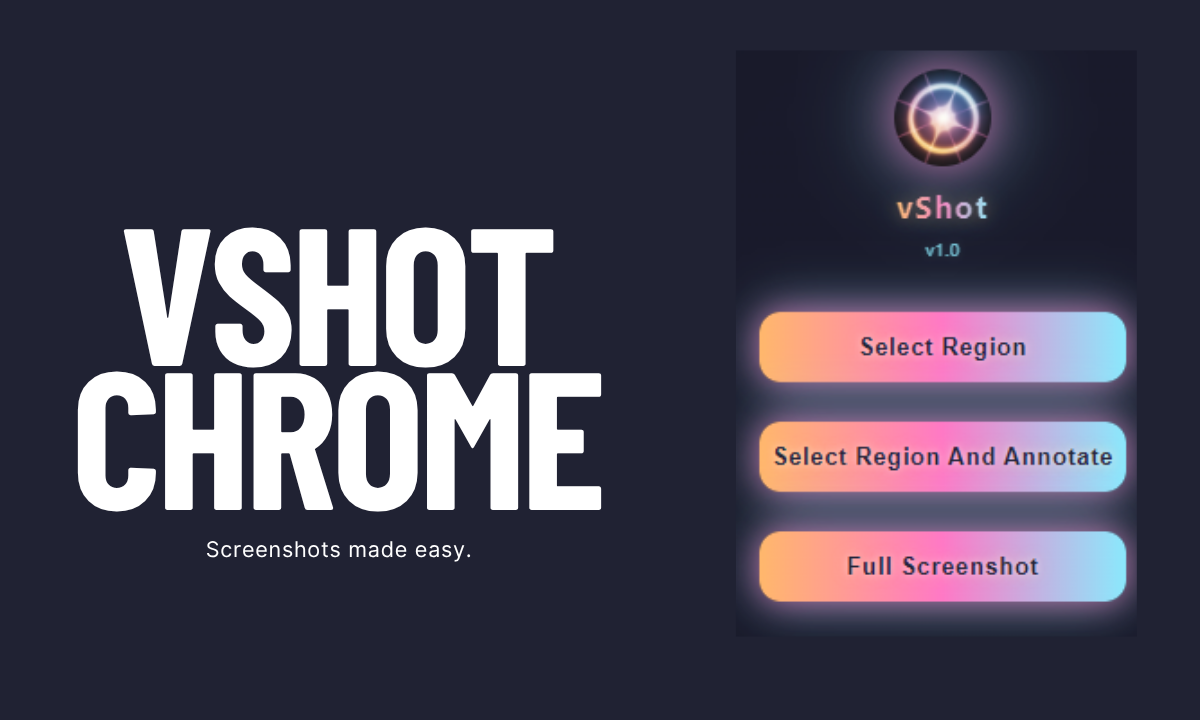
vShot is a lightweight, intuitive, and incredibly fast Chrome Extension built for one purpose: to make screen capturing and annotation effortless. Whether you need to grab a specific region of your screen, capture the entire page, or quickly highlight key information, vShot delivers a smooth experience with minimal fuss.
Key Features That Make vShot a Must-Have
- Instant Region Selection: Need to capture just a small part of your screen? vShot allows you to instantly select any region with precision, saving you time and effort.
- One-Click Full Screen Capture: For those moments when you need to grab everything, vShot offers a simple one-click solution to capture your entire browser window.
- Blazing-Fast Annotation: What truly sets vShot apart is its incredibly fast and easy-to-use annotation options. Once you’ve captured your screenshot, you can immediately:
- Add Text: Clearly label or explain elements.
- Draw Arrows: Direct attention to specific areas.
- Blur Sensitive Information: Protect privacy and ensure data security with a quick blur tool.
- And More! (e.g., shapes, freehand drawing)
- Lightweight & Lag-Free: We designed vShot with performance in mind. Say goodbye to frustrating delays and sluggish performance. vShot integrates smoothly into your workflow, ensuring a smooth and responsive experience every time.
Why vShot? Speed, Simplicity, and Efficiency
In today’s rapid digital world, efficiency is key. vShot is engineered for speed, offering a virtually lag-free experience that traditional screenshot tools often struggle to provide. This makes vShot an invaluable addition to the toolkit of:
- Developers & Designers: Quickly share mockups, bug reports, and design feedback.
- Content Creators: Easily grab visuals for blog posts, social media, and presentations.
- Students & Educators: Annotate lecture slides, create study guides, and share visual examples.
- Customer Support & Sales Teams: Provide clear visual instructions and highlight product features.
- Anyone Who Needs to Communicate Visually: From quick internal memos to thorough reports, vShot enables clearer communication.
How Does vShot Stack Up Against the Competition?
We know there are other screenshot extensions out there. While each has its merits, vShot excels in its core promise: speed and simplicity. Here’s how vShot compares to some popular alternatives:
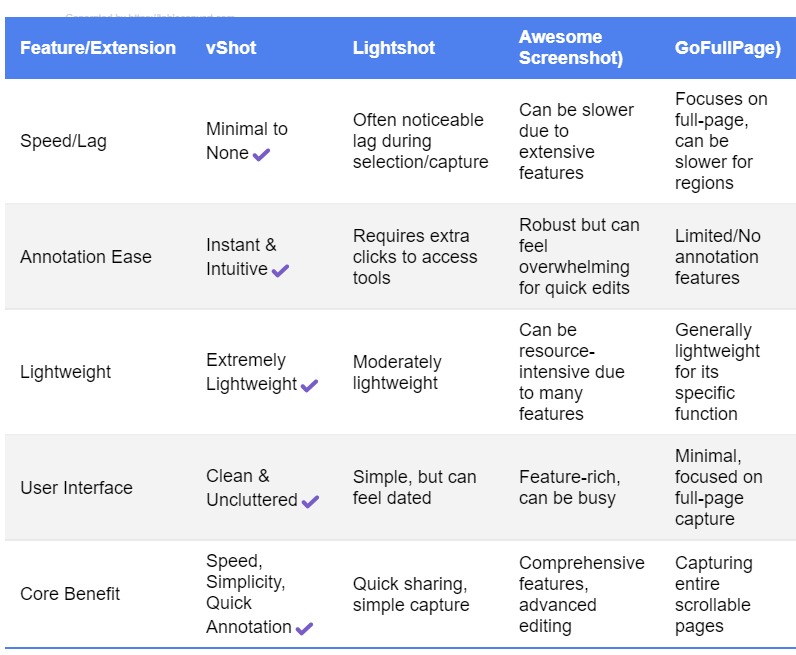
While other extensions may offer a wider array of advanced features, they often come at the cost of speed and a simplified user experience. vShot focuses on doing the key parts exceptionally well – providing you with the fastest, most efficient way to capture and annotate your screen without unnecessary bloat.
Get Started with vShot Today!
Ready to supercharge your screen capturing workflow? vShot is available now on the Chrome Web Store. Installation is quick and easy, and you’ll be taking lightning-fast screenshots in no time!
Add vShot to Chrome - It’s FREE!
Share Your Feedback!
We’re constantly striving to improve vShot and would love to hear your thoughts. Share your feedback, suggestions, and tell us how vShot has improved your workflow in the comments below or by contacting us directly.
Download vShot for free today!
Follow us on Facebook and LinkedIn, or join the Veduis Subreddit for support, updates and tips!
Practical Ways to Use vShot Every Day
vShot fits into dozens of daily tasks. Here are a few concrete examples:
- Bug reports: Capture the exact error, blur any private data, draw a box around the issue, and paste the image into GitHub, Jira, or Slack.
- Design feedback: Send annotated screenshots to clients or teammates instead of writing long explanations.
- Documentation: Add screenshots to internal wikis or help centers so steps are clear the first time.
- Social content: Grab a section of a chart, article, or dashboard and annotate it before posting.
Each use case benefits from the same speed. You spend less time wrestling with the tool and more time solving the problem.
Common Mistakes to Avoid
Even a simple screenshot tool can trip you up if you form bad habits:
- Forgetting to blur sensitive data: Always double-check screenshots that include emails, names, account numbers, or internal URLs.
- Over-annotating: Too many arrows, boxes, and labels create visual noise. Use one or two marks per screenshot.
- Saving at low quality: Export screenshots at a resolution that remains readable on mobile and desktop.
- Ignoring keyboard shortcuts: Learn the extension shortcuts to cut capture time even further.
Key Takeaways
vShot is built for one job: fast screen capture and annotation. It is lightweight, free, and focused on the features most people actually use. If you currently rely on bloated screenshot software or manual cropping in an image editor, vShot will save you time every week.
Install it from the Chrome Web Store, run through a few captures, and decide within five minutes whether it belongs in your toolbar.
FAQ
Is vShot free? Yes. The extension is free to install and use.
Does vShot work offline? vShot works locally in your browser. You do not need an internet connection to capture or annotate your screen.
Can I save screenshots as PNG or JPG? Yes. vShot lets you download your captures in common image formats.
Will vShot slow down Chrome? No. It is designed to stay lightweight and only runs when you activate it.
If you are building a lean set of tools, see our post on building a small business tech stack from scratch in 2026.