
Threat actors do not ignore small businesses. They target them specifically because they present minimal defensive resistance. Large enterprises deploy dedicated security operations centers (SOCs), round-the-clock telemetry monitoring, and formal incident response teams. A growing small business, by contrast, frequently relies on an office manager or generalist developer splitting time between feature delivery, payroll, and customer support.
According to data published by the Cybersecurity and Infrastructure Security Agency (CISA), over forty percent of all targeted cyberattacks focus on organizations with fewer than two hundred employees. The average cost of a small business data breach now exceeds one hundred and fifty thousand dollars, a figure that regularly triggers insolvency for firms operating with lean cash reserves.
The strategic reality is that you do not need a seven-figure security budget or complex enterprise tooling to deter ninety-nine percent of automated attacks. Opportunistic adversaries scan IP blocks searching for known vulnerabilities, reused credentials, and unprotected administrative ports. When your company establishes a disciplined defensive baseline, attackers move on to softer targets.
This technical guide provides a practical, twelve-point checklist built around the NIST Cybersecurity Framework (CSF 2.0) and CISA Cross-Sector Performance Goals. Each control includes concrete implementation requirements, recommended tooling, and verification steps tailored for small businesses and engineering teams.

1. Enforce Phishing-Resistant Multi-Factor Authentication (MFA)
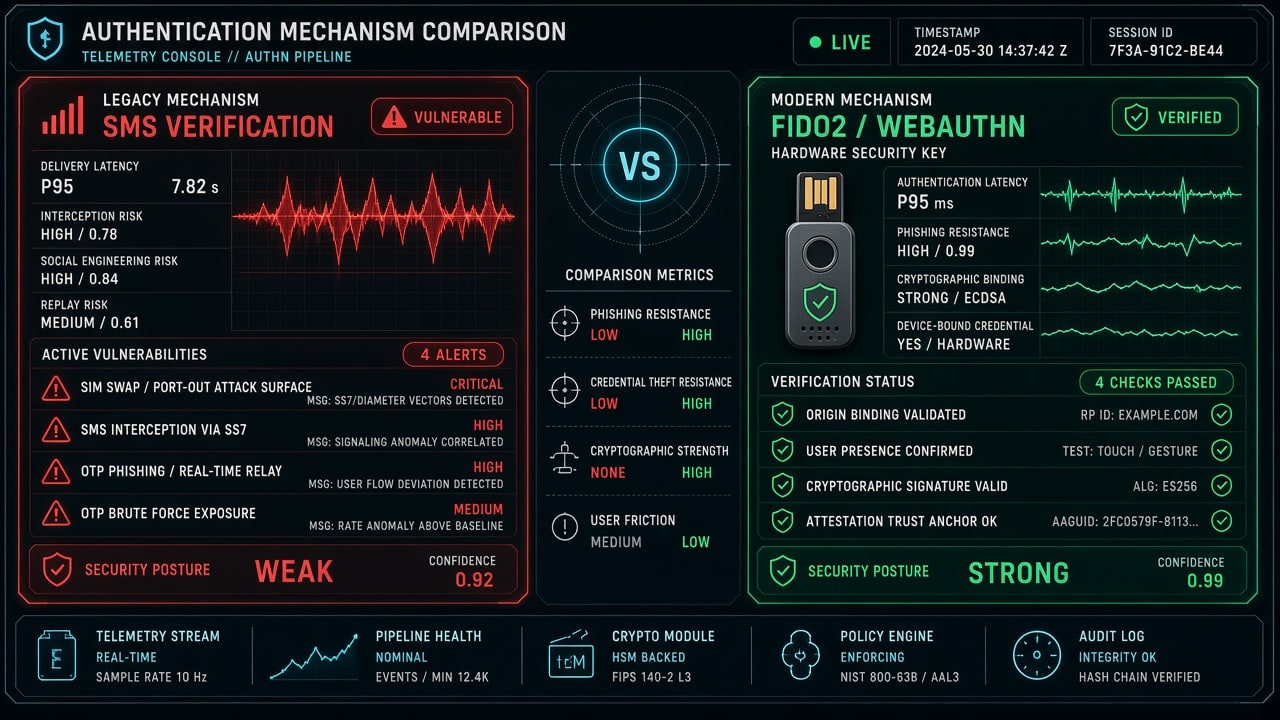
Multi-factor authentication remains the single most effective control against account takeovers. However, the method of authentication determines your level of protection.
The Problem With SMS and Voice Verification
Legacy two-factor authentication relying on SMS text messages or automated voice calls is vulnerable to SIM-swapping attacks and real-time reverse proxy interception tools like Evilginx. An attacker who tricks a telecom carrier into porting your mobile number instantly intercepts your verification codes.
Modern Implementation Requirements
- Mandatory Authenticator Apps: Require all employees to generate time-based one-time passwords (TOTP) using dedicated apps such as Bitwarden Authenticator, Google Authenticator, or 1Password.
- Hardware Security Keys for High-Risk Accounts: Implement physical FIDO2/WebAuthn hardware keys (such as YubiKeys) for corporate email administrators, financial controllers, and infrastructure cloud access. The FIDO Alliance standards cryptographically bind authentication tokens to the specific domain in the browser address bar, making credential phishing mathematically impossible.
- Turn Off Legacy Protocol Access: Ensure legacy mail protocols like POP3 and IMAP are disabled in Microsoft 365 or Google Workspace, as these protocols bypass modern MFA prompts entirely.
2. Deploy Enterprise Password Management
Weak, reused, or shared passwords represent the second most common entry point for unauthorized intrusions. When a minor third-party service suffers a credential dump, automated botnets immediately execute credential-stuffing attacks against business email portals, banking consoles, and remote desktop endpoints.
Implementation Checklist
- Deploy a Business Password Manager: Provision centralized business vaults (such as Bitwarden Enterprise or 1Password Business) across all workstations and corporate mobile devices.
- Enforce Cryptographic Randomization: Require all passwords to be randomly generated with a minimum length of sixteen characters containing alphanumeric characters and symbols.
- Eliminate Unencrypted Credential Documents: Prohibit the storage of credentials in plaintext spreadsheets, shared desktop text files, unencrypted internal wikis, or sticky notes.
- Implement Shared Vault Role Separation: When teams must share service logins (such as social media profiles or third-party vendor consoles), utilize granular shared vault collections with masked credential fields rather than sending passwords over messaging apps.
For deeper architectural context on keeping proprietary credentials protected in decentralized storage, review our guide on zero-knowledge encryption for small business.
3. Establish Disciplined Patch Hygiene and Lifecycle Management
Unpatched software vulnerabilities allow unauthenticated attackers to execute arbitrary code across corporate networks. High-severity vulnerabilities, such as the HTTP2Shell Brotli heap vulnerability and the PHP core emergency remediation, demonstrate that even standard compression libraries and web runtimes can harbor critical memory flaws.
Implementation Checklist
- Automate Operating System Updates: Configure Windows Update for Business or macOS MDM profiles to automatically download, install, and restart devices for critical security patches within seventy-two hours of release.
- Browser Auto-Updates: Enforce browser restarts weekly to ensure Chrome, Edge, and Firefox run the latest patched rendering engines.
- Retire End-of-Life Software: Immediately audit and remove operating systems and frameworks that have passed their vendor end-of-life date (such as Windows 10, older PHP 7.x runtimes, or unmaintained CMS plugins).
- Restart Running Services: When applying updates to Linux servers or container clusters, ensure running processes are restarted to clear deleted unpatched shared libraries from RAM.
4. Deploy Immutable 3-2-1 Backups and Verify Recovery
Ransomware groups generate billions of dollars because their victims cannot restore operations without paying extortion fees. A disciplined, tested backup strategy completely neutralizes a ransomware operator’s extortion threats.
+-----------------------------------------------------------------------------------+
|                           THE 3-2-1 BACKUP ARCHITECTURE                           |
+-----------------------+-----------------------+-----------------------------------+
| Rule Requirement      | Storage Medium        | Operational Purpose               |
+-----------------------+-----------------------+-----------------------------------+
| 3 Copies of Data      | Primary + 2 Backups   | Eliminates single points of data  |
|                       | (Local + Remote)      | loss across all business assets.  |
+-----------------------+-----------------------+-----------------------------------+
| 2 Different Media     | NVMe / NAS + Cloud S3 | Protects against hardware-level   |
|                       | Object Storage        | controller and disk array failure.|
+-----------------------+-----------------------+-----------------------------------+
| 1 Copy Offsite        | Air-Gapped / Locked   | Guarantees recovery if local      |
|                       | Immutable Cloud Vault | network is completely encrypted.  |
+-----------------------+-----------------------+-----------------------------------+
The 3-2-1 Immutable Architecture
- Three Total Copies: Maintain one primary production dataset and two distinct backup copies.
- Two Distinct Media Types: Store backups across different physical media, such as local network-attached storage (NAS) and encrypted cloud object storage.
- One Copy Offsite and Immutable: Ensure at least one offsite backup features object locking or write-once-read-many (WORM) storage. Ransomware strains actively seek out network shares to encrypt or delete backups; immutable cloud repositories prevent deletion or alteration even if an attacker gains administrative credentials.
Mandatory Recovery Drills
A backup that has never been restored is an unverified assumption. Schedule a mandatory recovery drill every quarter. Pull down a cold snapshot, restore critical databases to a staging environment, and calculate your Recovery Time Objective (RTO) and Recovery Point Objective (RPO). Document the exact steps so any team member can execute recovery during an emergency.
5. Segment Internal Networks and Restrict Inbound Access
Treating an office network as a single, trusted broadcast domain is an outdated security failure. When a compromised IoT device (such as a smart television, IP camera, or Wi-Fi printer) sits on the same subnet as accounting workstations and source code repositories, lateral movement is trivial.
Implementation Checklist
- VLAN Isolation: Split your network into isolated Virtual Local Area Networks (VLANs). Keep guest Wi-Fi, employee laptops, server hardware, and IoT appliances separated by firewall rules.
- Block Inbound Remote Desktop Ports: Never expose Microsoft Remote Desktop Protocol (RDP, port 3389) or SSH directly to the public internet. Port-scanning bots probe these ports continuously.
- Enforce Encrypted VPNs for Remote Workers: Require remote staff to connect to internal infrastructure via modern, encrypted WireGuard or IPsec tunnels with strict access control lists.
- DNS Filtering: Implement secure DNS resolvers (such as Cloudflare Gateway or Quad9) across office routers to automatically block lookups to known malware command-and-control domains.
6. Enforce Full-Disk Encryption and Endpoint Protection
Physical theft or loss of unencrypted mobile devices constitutes a formal data breach under state privacy statutes and federal compliance regulations.
Implementation Checklist
- Full-Disk Encryption (FDE): Enable Microsoft BitLocker on all Windows laptops and Apple FileVault on all MacBooks. Store recovery keys in your centralized identity provider or enterprise vault, never on paper or unencrypted storage.
- Endpoint Detection and Response (EDR): Deploy modern EDR agents (such as SentinelOne, Microsoft Defender for Endpoint, or CrowdStrike) across all workstations. Traditional signature-based antivirus fails against zero-day malware; modern EDR monitors memory behavior and process tree anomalies to detect active intrusions.
- Remote Wipe Capabilities: Connect employee endpoints to a Mobile Device Management (MDM) platform like Microsoft Intune or Jamf to enable instant remote wiping if a device is lost or stolen.
For web development teams building modern web applications, our guide on web security fundamentals details how client-side isolation protects corporate data from malicious browser scripts.
7. Conduct Continuous, Blame-Free Phishing Drills
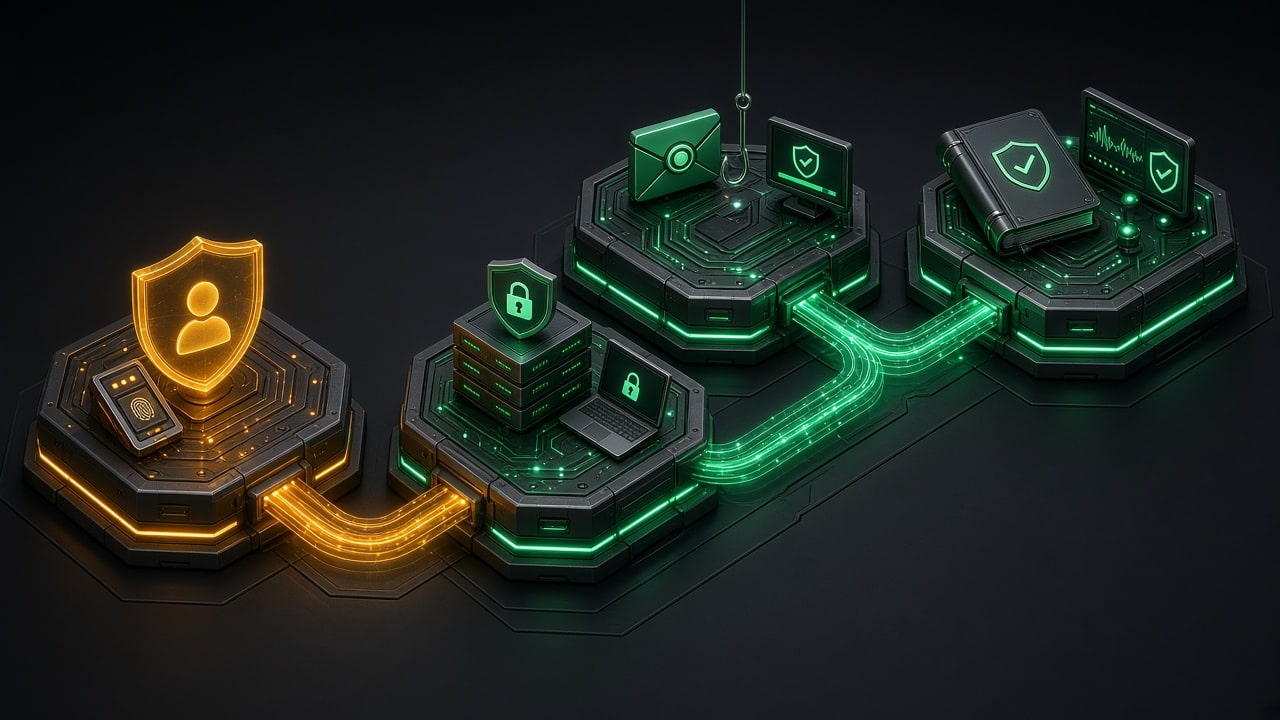
Social engineering remains the initial access vector in over eighty percent of successful corporate breaches. Attackers construct convincing impersonation emails targeting payroll, fake vendor invoices, and bogus password expiration alerts.
Implementation Checklist
- Quarterly Simulated Phishing: Run automated phishing simulations using tools like KnowBe4 or Infosec IQ. Measure failure rates over time and adjust training templates to reflect realistic threat vectors.
- Establish a Blame-Free Reporting Culture: If an employee clicks a suspicious link or submits credentials on a phishing landing page, they must feel safe reporting it immediately. When companies punish reporting, employees conceal mistakes, allowing attackers weeks of undetected lateral reconnaissance.
- Dual-Control Payment Verification: Mandate an out-of-band verification policy for any financial transaction or banking account update. Any request to change wire routing numbers or vendor billing instructions must be verified via a known phone number, never through email reply.
8. Apply the Principle of Least Privilege
Granting administrative privileges to standard user accounts creates catastrophic blast radiuses. If an employee browsing the web or reviewing email attachments operates with local administrative permissions, malware executes with full system authority.
Implementation Checklist
- Separate Daily Accounts From Admin Accounts: IT personnel should maintain two distinct logins: a standard account for daily web browsing and email, and a dedicated administrative account used strictly for system management.
- Audit Cloud Console Access: Review user roles across Google Cloud, AWS, Microsoft Azure, and SaaS applications quarterly. Revoke global administrator rights from individuals who only require view or deployment access.
- Immediate Employee Offboarding: Maintain a standardized offboarding protocol. When a team member departs, immediately terminate active identity sessions, revoke API keys, rotate shared passwords, and wipe corporate accounts from personal devices.
If your architecture interfaces with external automation pipelines, our reference on MCP server security hardening outlines how runtime boundary controls isolate compromised processes from core systems.
9. Centralize Security Logging and Monitoring
An organization cannot defend against threats it cannot see. Threat actors routinely spend an average of sixteen days inside a compromised network before deploying ransomware or exfiltrating intellectual property.
Implementation Checklist
- Enable Audit Logging on Identity Providers: Activate detailed audit trails in Google Workspace or Microsoft 365. Log all sign-in attempts, administrative privilege grants, and mailbox forwarding rules.
- Alert on Suspicious Mailbox Rules: Attackers who compromise email accounts often create hidden inbox forwarding rules to intercept financial notifications. Set up automated alerts to notify IT whenever a new forwarding rule is configured.
- Centralize Firewall and Server Logs: Ship authentication and proxy logs to a centralized log store (such as Grafana Loki or AWS CloudWatch) with a minimum ninety-day retention window. Attackers routinely wipe local event logs on compromised machines to destroy forensic evidence.
10. Document a Practical, One-Page Incident Response Plan
During an active security crisis, panic and confusion waste valuable hours. A concise, one-page incident response runbook ensures your team takes the correct operational steps immediately.
+-----------------------------------------------------------------------------------+
|                         INCIDENT RESPONSE TIMELINE (IR-1)                         |
+-------------------+---------------------------------------------------------------+
| Phase             | Immediate Actions Required                                    |
+-------------------+---------------------------------------------------------------+
| 1. Containment    | Disconnect infected devices from network (pull Ethernet, turn |
|                   | off Wi-Fi). Do not power off machine (preserves RAM evidence).|
+-------------------+---------------------------------------------------------------+
| 2. Communication  | Use out-of-band communication (Signal or phone). Assume that  |
|                   | corporate email and internal Slack channels are compromised.  |
+-------------------+---------------------------------------------------------------+
| 3. Triage & Legal | Contact cyber insurance carrier, legal counsel, and forensic  |
|                   | response provider. Determine regulatory disclosure obligations|
+-------------------+---------------------------------------------------------------+
| 4. Eradication    | Wipe affected hardware from clean golden images. Reset all    |
|                   | corporate credentials across identity providers.              |
+-------------------+---------------------------------------------------------------+
Core Runbook Inclusions
- Emergency Contact Directory: Include verified phone numbers for your managed service provider (MSP), cyber insurance claims desk, specialized legal counsel, and local FBI Cyber Task Force field office.
- Out-of-Band Channels: Designate an alternative communication platform (such as a private Signal group) for leadership discussions in the event that corporate email and Slack are compromised.
- Physical Hard Copies: Store laminated physical copies of your incident response plan in secure office locations. If ransomware encrypts your network storage, digital runbooks will be inaccessible.
11. Manage Third-Party Vendor and Supply Chain Risks
Small businesses rely heavily on third-party SaaS vendors, outsourced billing providers, and external software libraries. A breach at a critical vendor exposes your business data even if your internal perimeter remains untouched.
Implementation Checklist
- Audit Vendor Security Posture: Before onboarding new SaaS platforms, verify whether they maintain independent security certifications such as SOC 2 Type II or ISO 27001. For guidance on assessing vendor readiness, review our analysis on SOC 2 compliance requirements.
- Review Data Processing Agreements (DPAs): Ensure contracts legally mandate that vendors notify your organization within twenty-four to forty-eight hours of discovering a security incident affecting your records.
- Inventory API Tokens and Webhook Permissions: Review all third-party integrations connected to your CRM, accounting software, and code repositories. Revoke stale API keys that are no longer actively required.
12. Establish a Quarterly Security Review Cadence
Security is not a single project that reaches completion; it is an ongoing operational discipline. Tools change, business processes evolve, and employee turnover alters access permissions.
Implementation Checklist
- Schedule Dedicated Calendar Windows: Block four hours at the end of each fiscal quarter to conduct a formal security review.
- Audit User Permissions: Cross-reference active employee rosters with SaaS user directories to identify and eliminate orphan accounts.
- Review Backup Restores: Run a live data restoration test to verify backup integrity and validate disaster recovery timing.
- Update Your Risk Register: Document newly introduced tools, external contractors, and regulatory requirements to maintain steady security improvements.
Action Plan: 30-60-90 Day Implementation Matrix
Do not attempt to roll out all twelve controls in a single weekend. Phased implementation prevents operational disruption while systematically closing your most critical vulnerabilities:
- Days 1 to 30 (Critical Identity Baseline):
- Enable phishing-resistant MFA across email, cloud storage, and financial accounts.
- Roll out a business password manager to all staff.
- Enable automatic operating system updates on all workstations.
- Days 31 to 60 (Data Protection & Network Hardening):
- Implement immutable, air-gapped 3-2-1 backups and perform your first test restore.
- Enable full-disk encryption (BitLocker / FileVault) across all company laptops.
- Deploy modern EDR endpoint security software.
- Days 61 to 90 (Governance & Human Resilience):
- Launch continuous, blame-free phishing simulation drills.
- Draft and distribute your one-page incident response runbook.
- Complete your first formal quarterly vendor and access audit.
By methodically executing these twelve foundational controls, your business transforms from an easy target into a highly resilient, defensible enterprise capable of protecting client trust and sustaining long-term commercial growth.