
On October 25, 2026, security researcher Erica Windisch of Cyberdione Labs published research detailing eleven security flaws and architectural weaknesses in Tailscale (tested on version 1.104.2) and the open-source control plane Headscale (version 0.29.5). The research, titled Tailworm, demonstrated that a compromised device on a Tailscale network could escalate privileges to root on reachable destination servers running Tailscale SSH.
Tailscale responded publicly through engineering leadership and posted an official investigation bulletin confirming that the core issues are real, calling them serious security issues that primarily involve privilege escalation. The company noted that fixes were being finalized and targeted for release within twenty-four hours.
Because these flaws allow an authorized session to break local OS user isolation without needing stolen passwords or private SSH keys, administrators must not wait passively for downstream package updates. Immediate mitigations exist at both the daemon and control plane levels that neutralize the primary attack vector today.
This analysis breaks down the root causes of the Unix domain socket forwarding vulnerability, explains why traditional zero-trust assumptions fail when root daemons manage user-facing multiplexing, and outlines the exact configuration changes needed to protect your servers right now. For broader system hardening, pair this guide with our small business cybersecurity checklist and our architectural breakdown of Layer 7 web application firewall fundamentals. For formal source advisories, consult the Cyberdione Tailworm report, the Hacker News coverage, and Tailscale’s security bulletin index.
The Core Threat Model: What Tailworm Actually Is
Before executing mitigations, engineering teams must understand the exact threat model. The internet discussion surrounding the initial drop produced confusion between remote pre-authentication exploits and post-authorization privilege escalation.
Tailworm is not a remote pre-authentication code execution bug that can hit arbitrary IP addresses from the public internet. An attacker sitting outside your network cannot scan port 22 and break in.
Instead, the attack requires two explicit preconditions:
- An Initial Network Foothold: The attacker must already control at least one node or identity that is enrolled in your tailnet. This initial compromise happens through traditional perimeter weaknesses: an unpatched web application vulnerability, a compromised dependency inside a developer container, a stolen session cookie, or a phishing attack.
- Permissive Tailscale SSH Access: Your network access control list (ACL) must permit that compromised device to initiate a Tailscale SSH connection to the target server, and the target server must have Tailscale SSH enabled with port forwarding permitted.
When those conditions are met, the vulnerability breaks the standard isolation between user accounts on the target server. If an ACL permits a developer or a service account to connect as an unprivileged user such as deploy or ubuntu, the attacker can trigger flaws in how Tailscale handles socket forwarding to achieve root command execution on that host.
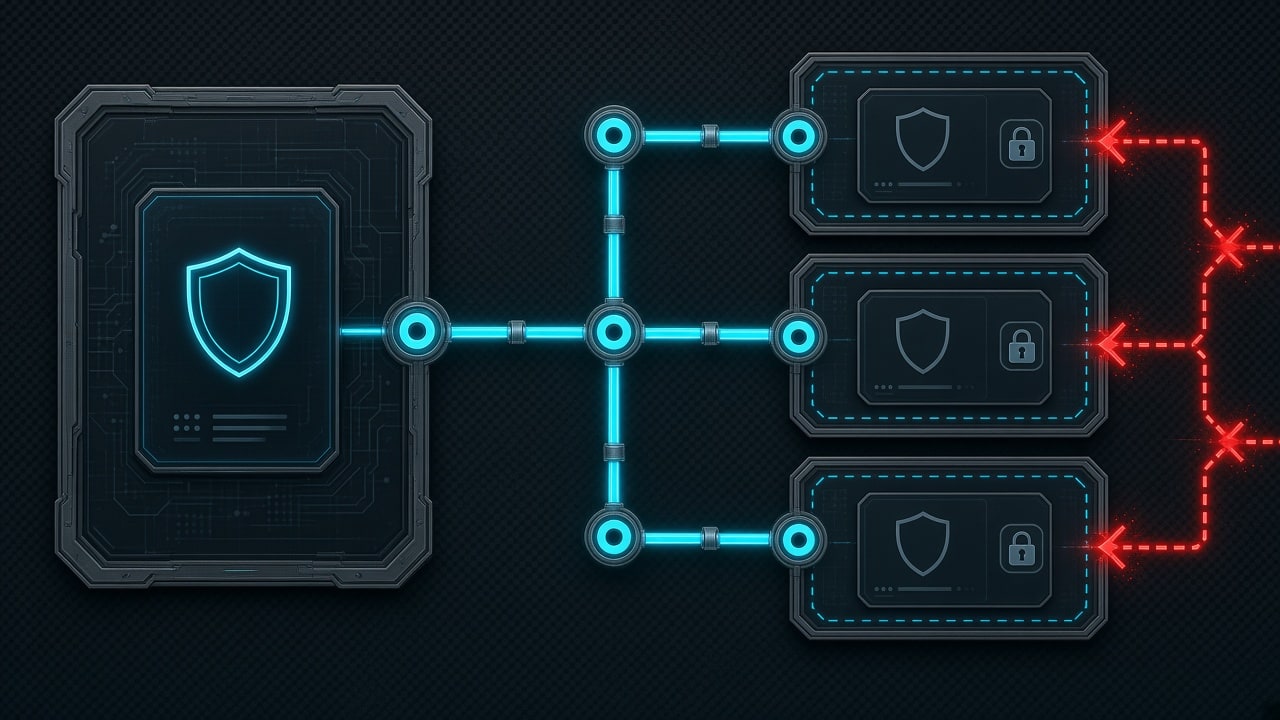
Why Root Daemons and Unix Sockets Collide
To understand why this bug exists, look at the architectural difference between OpenSSH and Tailscale SSH.
Standard OpenSSH uses strict privilege separation. The primary OpenSSH daemon (sshd) runs as root to bind port 22 and read host private keys. However, when a user authenticates, OpenSSH forks an unprivileged child process that drops root permissions entirely, changing its effective user ID and group ID to match the authenticated local account. Any port forwarding, socket binding, or file system access requested by that user is executed strictly within the security boundaries of their own unprivileged account. If an unprivileged user attempts to forward /var/run/docker.sock without being in the docker group, the kernel denies the request.
Tailscale SSH operates under a different architecture:
- The Tailscale node daemon,
tailscaled, runs asrooton Linux to configure the WireGuard virtual network interface, manipulate iptables or nftables, and route encrypted packets. - Tailscale SSH is not an OpenSSH wrapper. It is an independent SSH implementation built directly into the Go-based
tailscaleddaemon. - When users establish a Tailscale SSH session and request local or remote port forwarding (
ssh -Lorssh -R) involving Unix domain sockets, the code that validates file paths, checks permissions, and opens or binds those sockets executes inside thetailscaledprocess.
Because tailscaled runs with root privileges, any flaw in path sanitization, authorization checking, or timing allows the daemon to interact with privileged OS resources on behalf of an unprivileged user session. The operating system kernel does not block the access because the process making the syscall is running with UID 0.

The Primary Vulnerability Chains Explained
The Cyberdione report documented eleven findings across Tailscale and Headscale. The four most severe findings center on the SSH forwarding subsystem and how it interacts with local Linux filesystems.
1. Privileged Socket Hijacking
In standard SSH, a user can forward a local socket to a remote destination or vice versa. In the vulnerable versions of Tailscale SSH, an ordinary session could instruct tailscaled to connect to internal Unix domain sockets that should only be accessible by root.
In lab demonstrations, an attacker could forward a connection to privileged system sockets in /var/run/, communicate with administrative services, and immediately read restricted files such as shadow hashes or internal service tokens without holding sudo privileges.
2. Time-Of-Check to Time-Of-Use (TOCTOU) Race Conditions
Tailscale included safety checks designed to restrict which file paths could be targeted during socket forwarding. However, researchers demonstrated a classic Time-Of-Check to Time-Of-Use (TOCTOU) race condition.
An attacker creates a benign file or symlink that passes Tailscale’s path validation check. In the microsecond window between when tailscaled inspects the path and when it actually invokes the socket binding or unlinking syscall, the attacker swaps the target with a symbolic link pointing to a protected system file. The root daemon follows the swapped path, enabling arbitrary file manipulation or deletion.
3. Lateral Fleet-Wide Propagation (“Wormable” Behavior)
The most alarming aspect highlighted in the research was the potential for rapid lateral movement across a private network.
In a lab environment configured with default or overly broad ACLs, the researcher chained root access on one node to extract memory and ephemeral enrollment secrets. Those secrets were used to connect to subsequent machines permitted by the tailnet’s network policy.
Because Tailscale SSH relies on node identity and centralized policy rules rather than local password prompts or public key challenges, the exploit script hopped from node to node in under one second per machine. In the words of the report, the mesh converted one ordinary foothold into fleet-wide root access at machine speed.
The spread was halted only when the researchers encountered two defensive mechanisms: strict one-to-one device ACL rules, and networks with Tailnet Lock enabled.
Immediate Emergency Daemon Mitigation: TS_SSH_DISABLE_FORWARDING=1
Tailscale confirmed that port forwarding is the critical component required to exploit these privilege escalation bugs. If port forwarding is disabled, the vulnerable socket handling routines cannot be reached, but interactive terminal sessions remain functional.
Tailscale engineers built an environment variable flag directly into the client daemon that disables all SSH port forwarding regardless of control plane settings: TS_SSH_DISABLE_FORWARDING=1.
Every team running Tailscale SSH on Linux should apply this override immediately across all nodes.
Applying the Mitigation on Systemd Linux Hosts
On Ubuntu, Debian, RHEL, Rocky Linux, or Fedora, use a systemd drop-in file:
sudo systemctl edit tailscaledIn the editor that opens, paste the following configuration:
[Service]
Environment="TS_SSH_DISABLE_FORWARDING=1"
Save the file and exit the editor. Reload the systemd daemon configuration and restart tailscaled:
sudo systemctl daemon-reload
sudo systemctl restart tailscaled
Verify that the environment variable has been loaded into the active process memory:
tr '\0' '\n' < /proc/$(pgrep tailscaled)/environ | grep TS_SSH_DISABLE_FORWARDINGThe output must read:
TS_SSH_DISABLE_FORWARDING=1Applying the Mitigation on Docker and Kubernetes
If you deploy Tailscale as a sidecar or containerized gateway, pass the environment variable directly into your container definition.
For docker-compose.yml:
services:
  tailscale:
    image: tailscale/tailscale:latest
    container_name: tailscale-node
    environment:
      - TS_SSH_DISABLE_FORWARDING=1
    volumes:
      - /var/lib/tailscale:/var/lib/tailscale
      - /dev/net/tun:/dev/net/tun
    cap_add:
      - NET_ADMIN
      - NET_RAW
    restart: unless-stopped
For Kubernetes deployments, add the variable to the env array in your Pod or Deployment specification:
env:
  - name: TS_SSH_DISABLE_FORWARDING
    value: "1"
Disabling Tailscale SSH Entirely (Zero-Risk Fallback)
If your security policy does not allow running services with unpatched privilege escalation flaws under any condition, you can disable Tailscale SSH on the host while keeping Tailscale’s WireGuard VPN active:
sudo tailscale up --ssh=falseVerify the status on the machine:
tailscale statusCheck that the node output confirms SSH is disabled. Your node will continue to route WireGuard traffic, and you can connect using standard OpenSSH over the Tailscale IP address. Standard OpenSSH on port 22 drops privileges to unprivileged users properly and is unaffected by these findings.
If you harden your frontend infrastructure alongside your backend SSH access, review our complete setup for Content Security Policy implementation to protect web entry points.
Hardening Tailscale ACLs in the Admin Console
The Cyberdione research confirmed that network segmentation rules are the single most effective control in stopping lateral propagation. In networks where access rules were written as strict source-to-destination pairs, the automated propagation stalled immediately.
Log in to the Tailscale Admin Console and audit your Access Control List (ACL) configuration.

1. Eliminate Wildcard and Broad Group Rules
Many organizations start with default or convenience rules that allow all team members to SSH into all servers. This completely undermines defense-in-depth:
// INSECURE: Do not use broad group access
{
  "action": "accept",
  "src": ["autogroup:member"],
  "dst": ["tag:server"],
  "users": ["root", "ubuntu"]
}
Replace broad group rules with strict, explicit device-to-device rules:
// HARDENED: Explicit 1-to-1 device pairing
{
  "action": "accept",
  "src": ["device:laptop-curtis"],
  "dst": ["device:production-api-01"],
  "users": ["deploy"]
}
2. Enforce SSH Check Mode
Tailscale SSH supports Check Mode, which forces a connecting user to re-authenticate with your identity provider before an SSH session is permitted. This introduces a manual authentication gate that prevents automated scripts or malware from establishing sessions in the background:
{
  "action": "check",
  "src": ["group:engineering"],
  "dst": ["tag:production"],
  "users": ["root"]
}
For stronger identity assurance, ensure your identity provider enforces hardware security keys by reading our two-factor authentication implementation guide.
3. Enable Tailnet Lock Immediately
Tailnet Lock is Tailscale’s cryptographic defense against rogue node injection.
When Tailnet Lock is enabled, the Tailscale coordination server cannot add a new node to your network on its own. Every new node key must be digitally signed by a pre-configured trusted signing key held on your verified administrative devices.
In the Cyberdione lab tests, Tailnet Lock successfully blocked the final step of the lateral movement chain. Even though node secrets were captured in transit, the attacker could not register rogue nodes into the tailnet because the malicious keys lacked valid cryptographic signatures.
To enable it:
- Open the Tailscale Admin Console.
- Go to Settings → Tailnet Lock.
- Initialize the lock keys using your trusted administrative hardware.
The Headscale Threat Surface
If you self-host Headscale (the open-source alternative to Tailscale’s control plane), your risk profile is higher than on Tailscale’s managed platform.
In Headscale version 0.29.5, the control plane lacked the granular per-rule toggles to disable SSH port forwarding. While Tailscale’s hosted service allows administrators to turn off port forwarding per ACL rule, Headscale treats all SSH grants as permitting port forwarding.
Because of this architectural limitation, the Cyberdione report noted that every SSH grant in Headscale v0.29.5 must be treated as granting root on the destination target until client nodes are patched.
If you run Headscale:
- Apply
TS_SSH_DISABLE_FORWARDING=1across 100% of your Linux nodes immediately. This blocks forwarding at the client daemon level regardless of Headscale’s missing control plane toggle. - If client-side systemd overrides cannot be deployed immediately, disable SSH entirely in your Headscale configuration by removing the
ssh:blocks from your policy files until the upcoming Headscale hotfix is released.
Auxiliary Vectors: tailscale serve and App Connectors
The Tailworm research also identified risks in two secondary Tailscale features: tailscale serve and App Connectors.
Auditing tailscale serve for Local Sockets
tailscale serve allows nodes to expose local web services or TCP endpoints to the rest of the tailnet or the public internet via Tailscale Funnel.
If an administrator maps an endpoint directly to a local Unix domain socket (such as the internal tailscaled.sock or a container runtime socket), any permitted peer can send raw requests to that privileged interface.
Audit your active serve configurations:
tailscale serve statusIf you see any mapping that points to a .sock file on the filesystem, remove it:
tailscale serve resetOnly forward traffic to standard TCP loopback ports (such as 127.0.0.1:8080) rather than root-owned Unix sockets.
Restricting App Connector Metadata Access
Tailscale App Connectors route traffic from tailnet nodes into specific third-party SaaS applications or cloud private subnets. The research noted that permitted sessions could potentially reach unintended internal subnets, including cloud instance metadata endpoints.
In AWS, GCP, and Azure, the link-local address 169.254.169.254 provides instance metadata and short-lived IAM credentials. If an attacker reaches this address through an App Connector, they can steal cloud role credentials.
Block access to the link-local metadata address on your connector hosts using iptables:
sudo iptables -A OUTPUT -d 169.254.169.254/32 -j DROPFor persistent rules across reboots on Ubuntu or Debian, install iptables-persistent and save your active ruleset:
sudo netfilter-persistent save
Incident Response: What to Do If a Node Is Compromised
If you suspect a machine on your tailnet has been compromised, standard server re-imaging is insufficient.
When a device connects to a tailnet, it generates a long-lived private node key stored locally in /var/lib/tailscale/tailscaled.state. If an attacker achieved root access on that device, they may have already exfiltrated that key file. If you re-image the machine without revoking the key, the attacker can use the stolen node key from another computer to re-authenticate as that trusted device.
Follow this incident response sequence:
- Evict the Device at the Control Plane: Log into the Tailscale Admin Console, select the affected machine, and click Delete Device. This immediately invalidates the machine key at the coordination layer.
- Rotate Authentication Keys: If the compromised machine held enrollment authorization keys or pre-shared keys, revoke them in the Admin Console under Settings → Keys.
- Inspect Daemon Logs for Forwarding Events: Check the systemd journal for socket forwarding activity around the time of the suspected intrusion:
sudo journalctl -u tailscaled --since "2026-10-25" | grep -Ei "forward|socket|listen|direct-tcpip" - Audit Local Temporary Directories: Inspect
/tmpand/var/tmpfor rogue Unix domain sockets:sudo find /tmp /var/tmp -type s -ls - Enforce Node Key Expiry: Ensure that all devices on your tailnet are subject to mandatory periodic key expiration so dormant stolen keys automatically stop functioning.
Upgrade Protocol Once Patches Ship
Tailscale has stated that verified patches will be delivered within twenty-four hours of their investigation bulletin. Once the official patched versions (expected as v1.104.3 or later) are released, upgrade your hosts immediately.
On Ubuntu and Debian:
sudo apt update
sudo apt install --only-upgrade tailscale -y
sudo systemctl restart tailscaled
tailscale version
On RHEL, Rocky Linux, and Fedora:
sudo dnf upgrade tailscale -y
sudo systemctl restart tailscaled
tailscale version
On macOS and Windows:
Instruct all team members to update their Tailscale desktop clients immediately by checking for updates in the menu bar or system tray. On macOS via Homebrew, run brew upgrade tailscale.
Once all nodes are running the patched client version, you can safely remove the TS_SSH_DISABLE_FORWARDING=1 environment override from your systemd configurations if your workflow genuinely requires SSH port forwarding.
Summary Checklist for Systems Administrators
Execute these verification steps across your infrastructure:
- Check running Linux servers for active Tailscale SSH usage (
tailscale status). - Add
TS_SSH_DISABLE_FORWARDING=1to/etc/systemd/system/tailscaled.service.d/override.confand restart the daemon. - Audit the Tailscale Admin Console ACL editor; replace wildcard and broad member groups with explicit single-node pairings.
- Enable Tailnet Lock to prevent unauthorized rogue node enrollment.
- Reset any
tailscale serverules pointing to local Unix domain sockets. - Block link-local metadata addresses (
169.254.169.254) on cloud-hosted App Connectors. - Monitor Tailscale release announcements and deploy the official patched client package as soon as it is tagged.
The Tailworm disclosure demonstrates why running network management daemons as root requires rigorous architectural boundaries. By applying daemon-level forwarding blocks, locking down ACL rules, and preparing your upgrade pipelines today, you eliminate the exploit path before automated attack tooling hits production networks.